

Are you looking for the best LatePoint alternatives? In this post, we’ll show you 9 of the best plugins you can use instead of LatePoint.
Looking for solid LatePoint alternatives? Several strong WordPress booking plugins offer reliable appointment booking for service businesses.
The right booking plugin can handle online booking, calendar sync, group booking, and a smooth booking form without the complexity some tools bring. In this guide, we compare the best WordPress booking plugins available, covering pricing, free versions, and key booking features.
You will find options suited for salons, consultants, and multi-staff setups so you can choose a booking system that fits your workflow and improves the overall booking experience on your WordPress site.
First, we will see what LatePoint is and what it offers.
Table of Contents
LatePoint: An Introduction
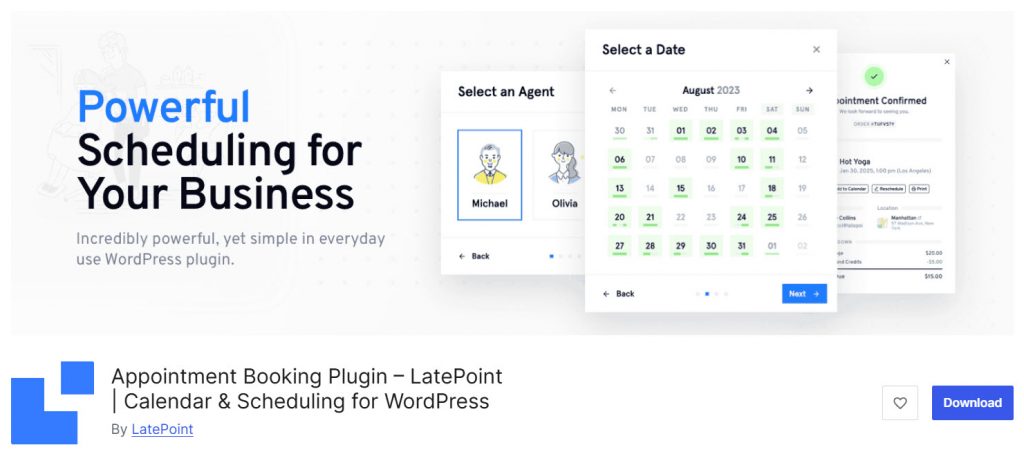
LatePoint is a modern WordPress appointment booking plugin built for service businesses that want a clean booking experience. It offers a free version on WordPress.org with solid core features, while paid plans unlock the full set of tools.
Pricing is based mainly on the number of sites rather than feature tiers, which keeps things straightforward. The plugin supports multi-staff scheduling, online payments, calendar sync, and a customer-friendly booking form. Its admin interface feels polished and app-like, making day-to-day management simple.
Many users choose LatePoint for its modern design, easy setup, and reliable booking workflow. Even so, some site owners look for alternatives because of pricing structure, specific feature needs, or preference for different add-on ecosystems.
The options that follow give you clear choices if LatePoint does not fully match your requirements.
What to Look for In a WordPress Booking Plugin
Choosing the right booking plugin for WordPress starts with matching core booking features to your service business needs.
A strong appointment booking plugin should support a smooth booking flow, clear pricing options, and reliable tools for managing staff and appointments.
Look beyond the free version and check how the booking system handles real-world demands such as calendar sync, online payments, and customer communication.
- Multi-staff and multi-service support: The best WordPress booking plugins let you manage multiple team members, services, and locations so complex booking schedules stay organized.
- Clean booking form and booking widget: A modern booking experience needs a simple, mobile-friendly form that guides customers through a clear step-by-step booking process.
- Calendar sync: Reliable Google or Outlook calendar sync prevents double bookings and keeps your WordPress booking system accurate across devices.
- Flexible payments and transparent pricing: Look for plugins that offer online payments, deposits, and clear pricing so customers can book appointments without friction.
- Automated reminders and notifications: Email or SMS reminders reduce no-shows and improve the overall booking workflow for both staff and customers.
- Customization and free version options: The top WordPress booking plugins provide a usable free version plus easy ways to customize the booking page, booking types, and visual booking elements to match your brand.
9 Best WordPress Booking Plugins – LatePoint Alternatives
| Plugin | Best For | Pricing | Free Version | Key Strength |
|---|---|---|---|---|
| Bookster | Multi-staff service businesses | Free + Pro from $39/year | Yes | Simple multi-staff booking |
| MotoPress Appointment Booking | Hourly services & group bookings | Free + Pro from $49/year | Yes | Unlimited staff & locations in free |
| Simply Schedule Appointments | Solo consultants & small teams | Free + Pro from $99/year | Yes | Clean, accessible booking experience |
| Amelia | Appointments + events | Free + Pro from $49/year | Yes | Polished design & event support |
| Bookly | Flexible multi-service businesses | Free + Pro from $39/year | Yes | Mature plugin with large add-on library |
| FluentBooking | Coaches & meeting-style bookings | Free + Pro from $55/year | Yes | Calendly-style + Fluent ecosystem |
| Timetics | Consultants & teams needing free tools | Free + Pro from $63/year | Yes | Very generous free tier |
| Appointment Hour Booking | Simple duration-based bookings | Free | Yes | Fully free with solid core features |
| Booking Calendar | Day-based & rental-style bookings | Free + Pro from $41.87 | Yes | Long-standing reliable calendar system |
1. Bookster
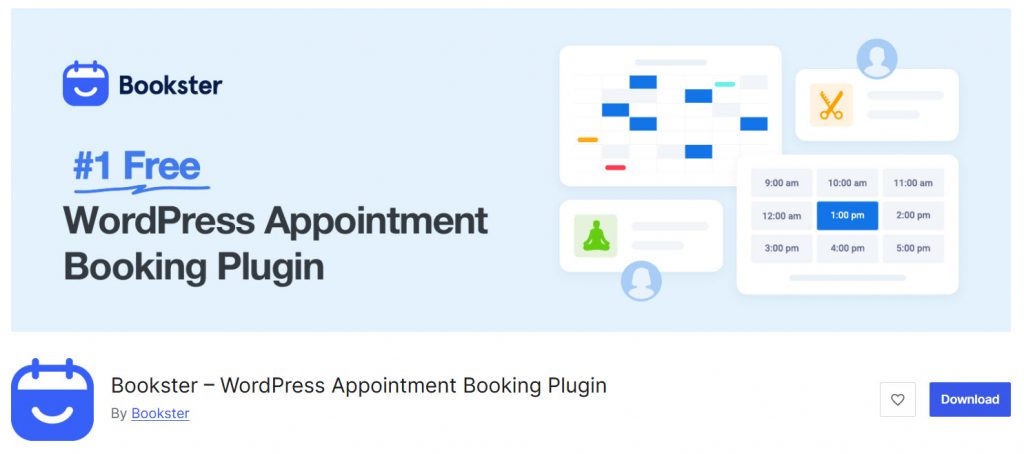
Bookster is a clean and practical WordPress appointment booking plugin designed for service businesses that need multi-staff scheduling. The free version gives you a solid foundation with unlimited services, real-time availability, and a customer-friendly booking form.
The Pro version expands this with advanced payment options, extra features, and more control over the booking experience. It works well for salons, clinics, consultants, and teams that want a straightforward booking system without unnecessary complexity.
The interface stays simple while still covering the core needs of most appointment-based businesses.
Features
- Unlimited services and appointments
- Multi-staff and multi-location support
- Real-time availability and buffer times
- Customer dashboard for managing bookings
- Automated email notifications and reminders
- Payment options including PayPal and Stripe
- Clean multi-step booking form
Pros and Cons
| Pros | Cons |
|---|---|
| Simple and focused interface | Some advanced tools require Pro |
| Strong free version for basic needs | Smaller ecosystem than older plugins |
| Good for multi-staff service businesses | |
| Affordable Pro pricing |
Pricing
Bookster is freemium. The free version can be downloaded from the WordPress plugins repository, and the premium version starts at $39 a year.
2. MotoPress Appointment Booking
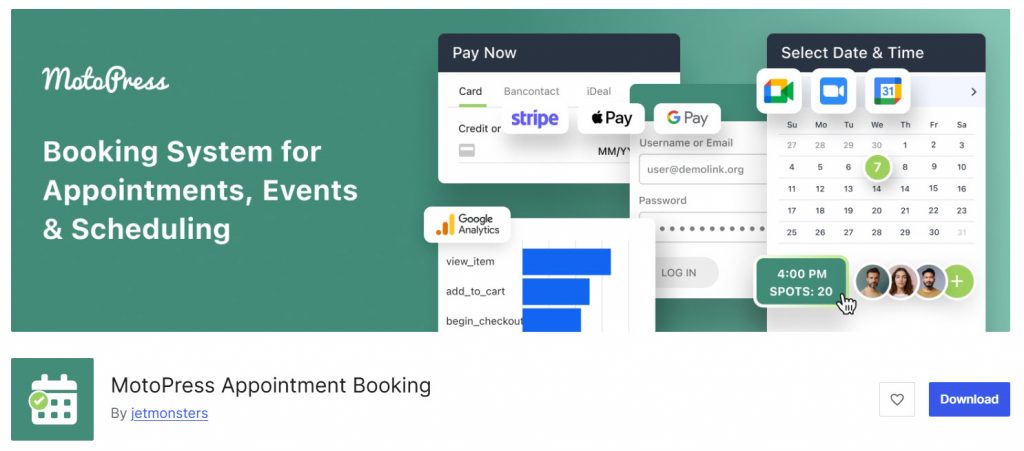
MotoPress Appointment Booking is a practical WordPress plugin built for service businesses that need hourly scheduling. The free Lite version already includes unlimited employees, services, locations, group bookings, and basic notifications.
The Pro version adds stronger payment options such as Stripe and PayPal along with extra notification and calendar tools. It works well for salons, coaches, clinics, and tutors that want a clear booking form and solid staff management without a steep learning curve.
The plugin focuses on core appointment needs and keeps the booking process straightforward for both admins and customers.
Features
- Unlimited staff, services, and locations
- Group bookings and buffer times
- Step-by-step booking form
- Email notifications and reminders
- Calendar sync options
- Gutenberg, Elementor, and Divi blocks
- Online payments (Stripe, PayPal, and more in Pro)
Pros and Cons
| Pros | Cons |
|---|---|
| Generous free version with unlimited core features | Advanced payment gateways require Pro |
| Clear staff and service management | Interface feels more basic than newer competitors |
| Supports group bookings and multi-location setups | |
| Affordable Pro pricing |
Pricing
MotoPress Appointment Booking is freemium. The free version can be downloaded from the WordPress plugins repository, and the premium version starts at $49 a year.
3. Simply Schedule Appointments
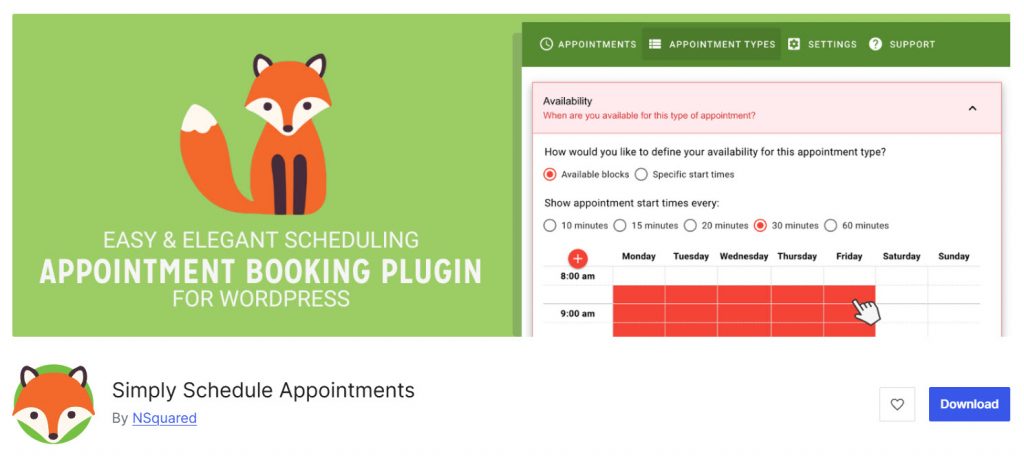
Simply Schedule Appointments is a clean WordPress booking plugin focused on simplicity and ease of use. The free Basic version already supports unlimited appointments, customizable booking calendars, blackout dates, and email notifications.
Paid plans unlock payments, group bookings, calendar sync, video meeting integrations, and team scheduling. It works especially well for consultants, coaches, therapists, and small service teams that want a polished booking experience without a complicated setup.
The booking form is accessible, mobile-friendly, and easy to embed with blocks or popular page builders.
Features
- Unlimited appointments and booking calendars
- Customizable booking form and styling options
- Google Calendar and Outlook sync
- Stripe and PayPal payments
- Group and class booking options
- Zoom and Google Meet integrations
- Team scheduling and resource booking
Pros and Cons
| Pros | Cons |
|---|---|
| Excellent free version for basic needs | Advanced features and payments require paid plans |
| Clean, accessible booking experience | Higher tiers needed for full multi-staff setups |
| Strong focus on simplicity and ease of use | |
| Good integrations with popular tools |
Pricing
Simply Schedule Appointments is freemium. The free version can be downloaded from the WordPress plugins repository, and the premium version starts at $99 a year.
4. Amelia
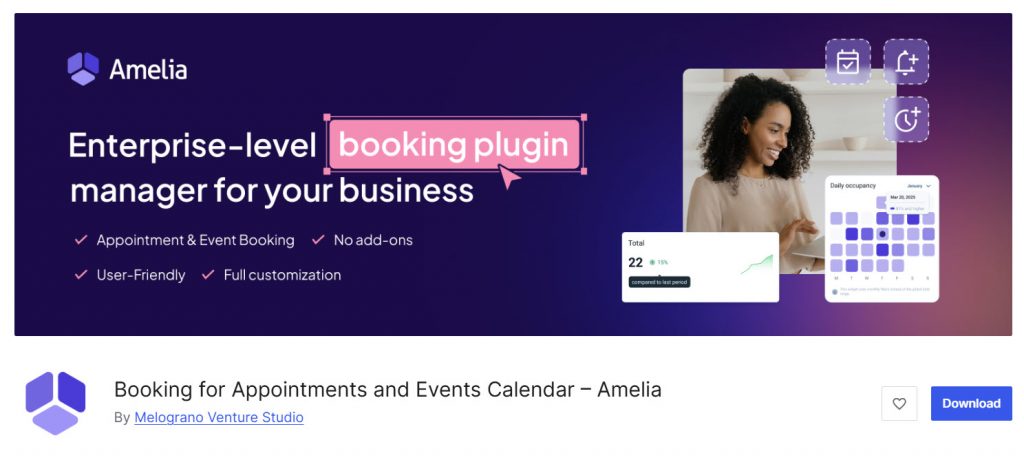
Amelia is one of the most popular WordPress appointment booking plugins, known for its polished design and dual support for appointments and events.
The free Lite version lets you test the core booking flow, while paid plans unlock multi-staff management, online payments, calendar sync, packages, and event ticketing. It works well for salons, clinics, consultants, and businesses that also run classes or ticketed events.
The booking form looks modern and professional, and the admin panel is clean and organized. Amelia balances visual appeal with practical features for service businesses that need both individual appointments and group bookings.
Features
- Appointments and event booking in one plugin
- Multi-staff and multi-location support
- Online payments (Stripe, PayPal, Square, and more)
- Google and Outlook calendar sync
- Packages, coupons, and deposits
- Automated email and SMS notifications
- Customizable booking form and employee schedules
Pros and Cons
| Pros | Cons |
|---|---|
| Modern design and smooth booking experience | Free version is limited |
| Handles both appointments and events well | Some advanced tools sit behind higher plans |
| Strong multi-staff and location features | |
| Good payment and notification options |
Pricing
Amelia is freemium. The free version can be downloaded from the WordPress plugins repository, and the premium version starts at $49 a year.
5. Bookly
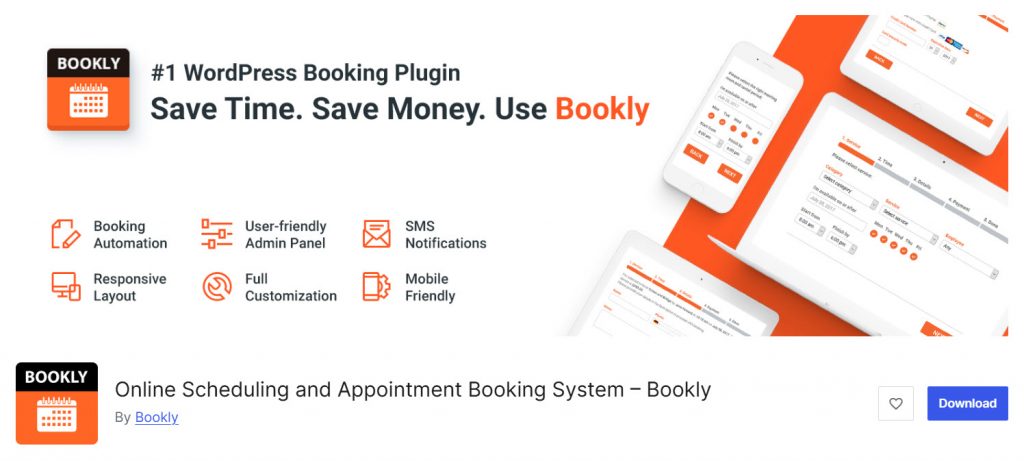
Bookly is one of the longest-running WordPress appointment booking plugins and remains a popular choice for service businesses. The free version supports basic scheduling with limited staff and services, making it easy to test the booking flow.
The Pro version removes those limits and unlocks unlimited staff, online payments, calendar sync, and access to a large catalog of add-ons. Bookly works well for salons, clinics, and multi-service businesses that want a modular system they can expand over time.
Its long track record and large user base make it a reliable option in the WordPress booking space.
Features
- Free version with core booking tools
- Unlimited staff and services
- Online payments and WooCommerce support
- Google Calendar and video meeting integrations
- Large library of add-ons for group bookings, packages, and more
- Custom fields and advanced notifications
- Staff and customer dashboards
Pros and Cons
| Pros | Cons |
|---|---|
| Mature plugin with a long track record | Many advanced features sold as separate add-ons |
| Solid free version for testing | Costs can add up if you need several extras |
| Highly modular and flexible | |
| Strong community and documentation |
Pricing
Bookly is freemium. The free version can be downloaded from the WordPress plugins repository, and the premium version starts at $39 a year.
6. BookingPress
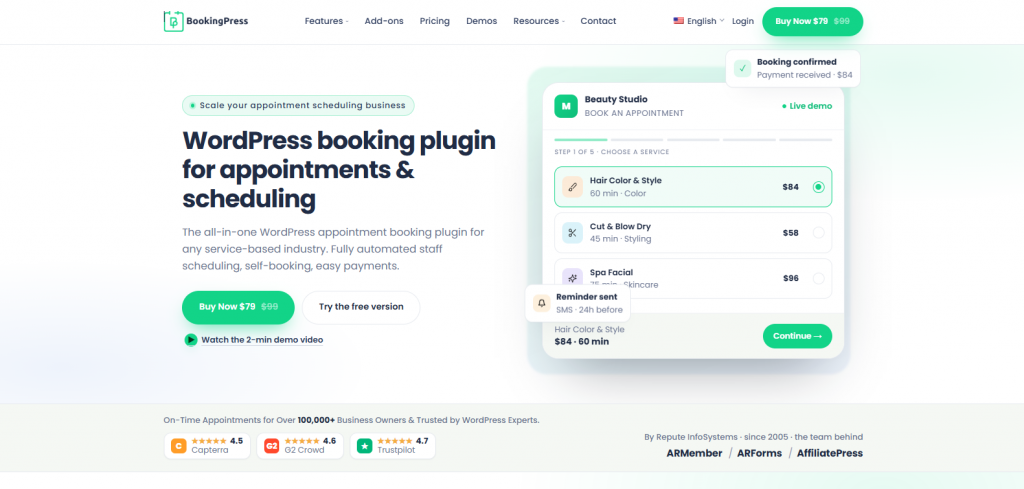
BookingPress is a powerful WordPress appointment booking plugin and a strong LatePoint alternative for businesses that need flexible scheduling without unnecessary complexity. The free version provides essential booking tools for managing services, staff, appointments, and customer bookings directly from WordPress.
The Pro version expands the booking experience with advanced scheduling, online payments, recurring appointments, service packages, group appointments, multiple locations, and a wide range of integrations. It works well for salons, spas, clinics, consultants, fitness businesses, and other service-based businesses that want more control over their appointment system.
The interface is designed to keep booking management simple while providing the advanced features growing businesses need. With multiple payment gateways, calendar integrations, notifications, and customizable booking forms, BookingPress can be a flexible alternative to LatePoint for businesses that want to manage their entire booking process from their own WordPress website.
Features
- Multi-staff and multi-location support
- Online payments through 22+ payment gateways
- 60+ premium addons at zero extra costs
- Recurring and group appointments
- Service packages and waitlists
- Google Calendar, Outlook, Apple Calendar, Zoom, and other integrations
- Automated email, SMS, and WhatsApp notifications
Pros and Cons
| Pros | Cons |
| Comprehensive free version for essential booking needs | Some advanced features require Pro |
| More than 22 payment gateways | The large feature set may take some time to explore |
| Strong multi-staff and multi-location capabilities | Some integrations needs additional configuration |
| Wide range of scheduling and automation features alongside 60+ premium addons | |
| Suitable for businesses of different sizes |
Pricing
BookingPress offers a free version that can be downloaded from the WordPress plugin repository. The premium version starts at $89 per year for one site and includes advanced booking features and premium add-ons.
7. Fluent Booking
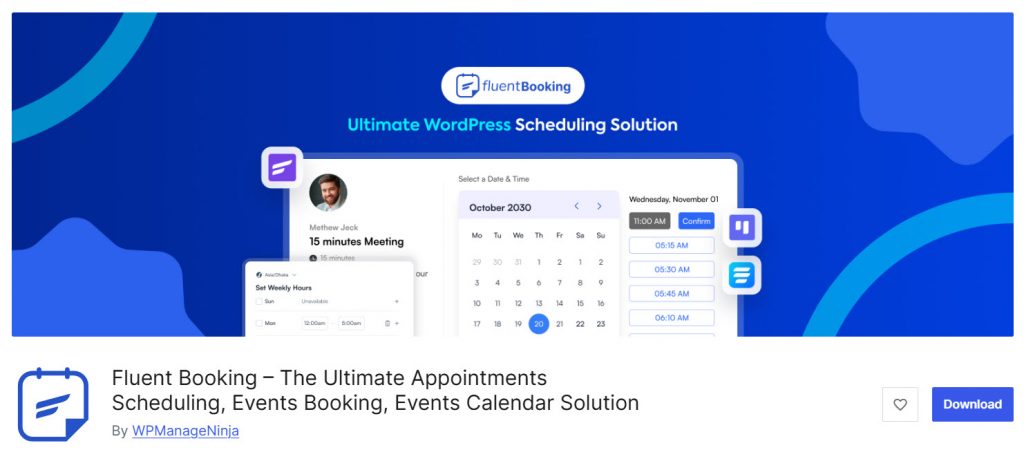
Fluent Booking is a modern WordPress appointment booking plugin from the Fluent ecosystem. It works especially well as a Calendly-style scheduler for coaches, consultants, and teams that need clean one-on-one or group meetings.
The free version covers basic scheduling needs, while Pro unlocks calendar sync, payments, video integrations, and advanced meeting types. The interface feels light and focused, and it connects smoothly with other Fluent tools such as Fluent Forms and FluentCRM.
It is a strong choice if you want a simple yet capable booking system that stays fully inside WordPress.
Features
- Unlimited calendars and hosts
- One-on-one, group, and round-robin meetings
- Google, Outlook, and Apple calendar sync
- Stripe and PayPal payments
- Zoom, Google Meet, and Microsoft Teams integrations
- Custom booking forms and availability controls
- Native Fluent Forms and FluentCRM connections
Pros and Cons
| Pros | Cons |
|---|---|
| Clean Calendly-style experience | Free version lacks key integrations |
| Strong Fluent ecosystem connections | Better suited to meetings than complex multi-service salons |
| Unlimited hosts even on paid plans | |
| Affordable and straightforward pricing |
Pricing
Fluent Booking is freemium. The free version can be downloaded from the WordPress plugins repository, and the premium version starts at $55 a year.
8. Timetics
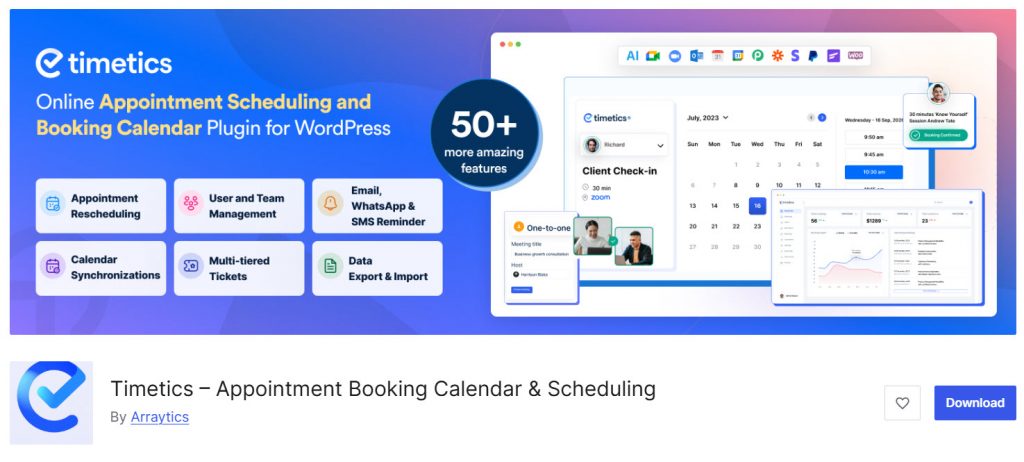
Timetics is a flexible WordPress appointment booking plugin that offers a surprisingly capable free version. You get unlimited appointments, unlimited team members, Google Meet links, Google Calendar two-way sync, and even Stripe payments without upgrading.
The Pro version expands this with Zoom, additional payment options, SMS and WhatsApp reminders, recurring bookings, seat plans, and more integrations. It works well for consultants, coaches, and small teams that want a clean scheduling system with strong free-tier value.
The interface is modern and focused on making the booking process simple for both admins and customers.
Features
- Unlimited appointments and team members
- Google Meet and Google Calendar sync
- Stripe payments in the free version
- Zoom, PayPal, and extra payment options
- SMS and WhatsApp reminders
- Recurring bookings and seat plans
- Customizable booking forms and availability controls
Pros and Cons
| Pros | Cons |
|---|---|
| Very generous free version | Some advanced tools require Pro |
| Includes payments and calendar sync for free | Newer plugin with a smaller track record than older options |
| Good for both one-on-one and group bookings | |
| Clean and modern interface |
Pricing
Timetics is freemium. The free version can be downloaded from the WordPress plugins repository, and the premium version starts at $63 a year.
9. Appointment Hour Booking
Appointment Hour Booking is a free WordPress plugin focused on time-based appointments with defined durations. It lets you create booking forms where customers pick a service and an available start time based on your open hours.
The plugin automatically calculates available slots, prevents double bookings, and supports multiple services with different prices and lengths. It includes email notifications, anti-spam protection, CSV reports, and Gutenberg/Elementor blocks.
While it stays completely free, optional paid add-ons exist for payments and extra integrations if you need them later. It works well for simple service bookings where a clean calendar and time-slot selection are the main requirements.
Features
- Visual calendar and schedule configuration
- Multiple services with individual prices and durations
- Automatic start-time calculation based on open hours
- Double-booking prevention
- Form validation and CAPTCHA protection
- CSV reports and printable appointment lists
- Gutenberg and Elementor blocks
Pros and Cons
| Pros | Cons |
|---|---|
| Fully free with solid core features | Interface feels more functional than modern |
| Automatic time-slot handling | Payments and some extras need optional add-ons |
| Easy visual setup | |
| Good for simple duration-based bookings |
Pricing
Appointment Hour Booking is free. The plugin can be downloaded from the WordPress plugins repository.
10. Booking Calendar
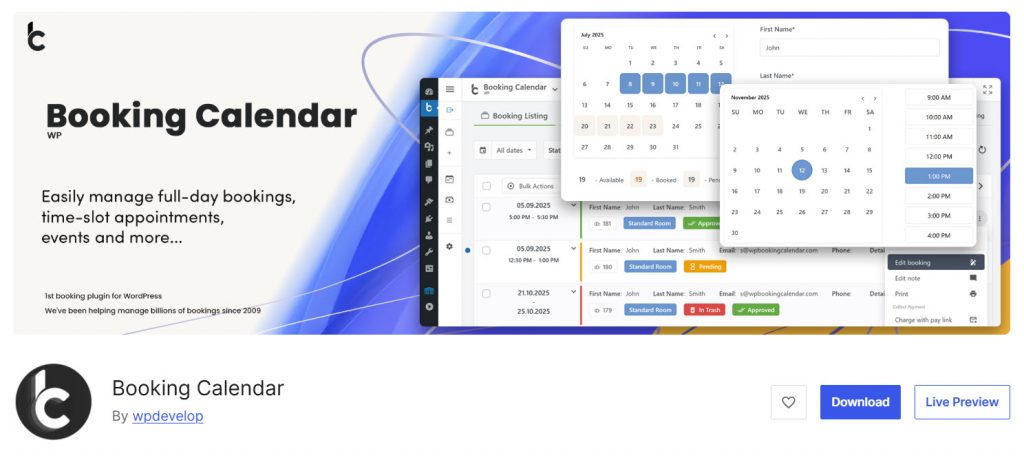
Booking Calendar is one of the longest-running WordPress booking plugins and remains a dependable choice for date-based and time-slot reservations.
The free version lets you display availability calendars, accept booking requests, send email notifications, and manage basic schedules. Paid versions unlock multiple booking resources, advanced availability rules, seasonal pricing, payment integrations, and more powerful form options.
It works well for property rentals, equipment bookings, simple appointments, and any business that needs a clear calendar view of availability. The plugin stores everything in your WordPress database and has a long history of steady updates.
Features
- Full-day and time-slot booking support
- Customizable booking forms and calendars
- Email notifications for admins and customers
- Availability management and double-booking prevention
- Multiple booking resources
- Seasonal pricing and advanced rules
- Drag-and-drop form builder in recent versions
Pros and Cons
| Pros | Cons |
|---|---|
| Long track record and stable performance | Interface feels more traditional than newer plugins |
| Solid free version for basic needs | Many advanced features require paid plans |
| Good for both day-based and time-slot bookings | |
| Data stays fully on your own site |
Pricing
Booking Calendar is freemium. The free version can be downloaded from the WordPress plugins repository, and the premium version starts at $41.87 a year.
Frequently Asked Questions
Now, let’s take a look at some of the frequently asked questions and answers regarding this topic.
What is the best overall WordPress appointment booking plugin?
There is no single best overall plugin for every situation. Bookster works well for multi-staff service businesses, Amelia is strong for appointments plus events, and Simply Schedule Appointments suits solo users. The best WordPress appointment booking plugin depends on your team size, services, and preferred booking flow.
Are there good free WordPress booking plugins?
Yes. Several popular booking plugins offer solid free versions. Timetics, Appointment Hour Booking, Bookster, and Booking Calendar all provide usable free booking functionality. LatePoint has a free version as well, but many users look for alternatives with different strengths or pricing models.
Which plugin works best as a salon booking system?
Amelia and Bookster are practical choices for a salon booking system. Both support multi-staff scheduling, services of different durations, and customer-facing booking forms that fit service-based workflows.
What should I look for in a WordPress appointment booking plugin?
Look for clear calendar management, multi-staff support if needed, payment options, automated notifications, and a mobile-friendly booking form. A reliable booking system should also integrate smoothly with the rest of your WordPress ecosystem.
Is Bookly still one of the top WordPress booking plugins in 2026?
Yes. Bookly remains one of the most established booking plugins for WordPress. Its free version covers basic needs, while the Pro version and add-ons give it flexibility for more complex booking functionality.
Can I use these plugins for event booking as well?
Some plugins handle both appointments and event booking. Amelia is particularly strong in this area because it supports ticketed events alongside regular service bookings.
Which is the best free WordPress scheduling plugin for simple needs?
Appointment Hour Booking and the free version of Timetics work well for simple booking. Both offer free booking tools without forcing an immediate upgrade for basic online booking.
Do these plugins work well for WordPress service businesses?
Yes. Most of the plugins on this list are designed for WordPress service businesses such as consultants, salons, clinics, and coaches. They help manage staff schedules, services, and customer bookings inside the WordPress admin.
How do I choose between the 10 best WordPress booking plugins?
Start by listing your must-have features such as multi-staff support, payments, or calendar sync. Then test the free versions of a few plugins. Comparing real booking flows on your site is the most reliable way to pick the right booking solution.
Is there a vertical-specific WordPress plugin for certain industries?
Some plugins lean toward specific use cases. For example, Booking Calendar works well for day-based or rental-style bookings, while Fluent Booking fits meeting-style and coaching workflows. Most options remain flexible enough for general service booking.
Conclusion
Choosing the right LatePoint alternative depends on your specific booking needs. Bookster offers a practical and affordable option for multi-staff service businesses that want a clean booking system without unnecessary complexity.
Amelia stands out when you need both appointments and events, while Simply Schedule Appointments works well for solo consultants who value simplicity.
Bookly remains a solid pick for flexibility, and Timetics provides strong free-tier value. Review the features that matter most to your workflow, test a couple of free versions, and select the plugin that fits your team size, services, and budget.
We hope you found this article helpful and enjoyed reading it. If you did, feel free to check out our blog archive for more useful guides and tips. Also, check out our YouTube channel, X, and Facebook page to get the latest news.
Which plugin are you going to choose?
Let us know in the comments.

