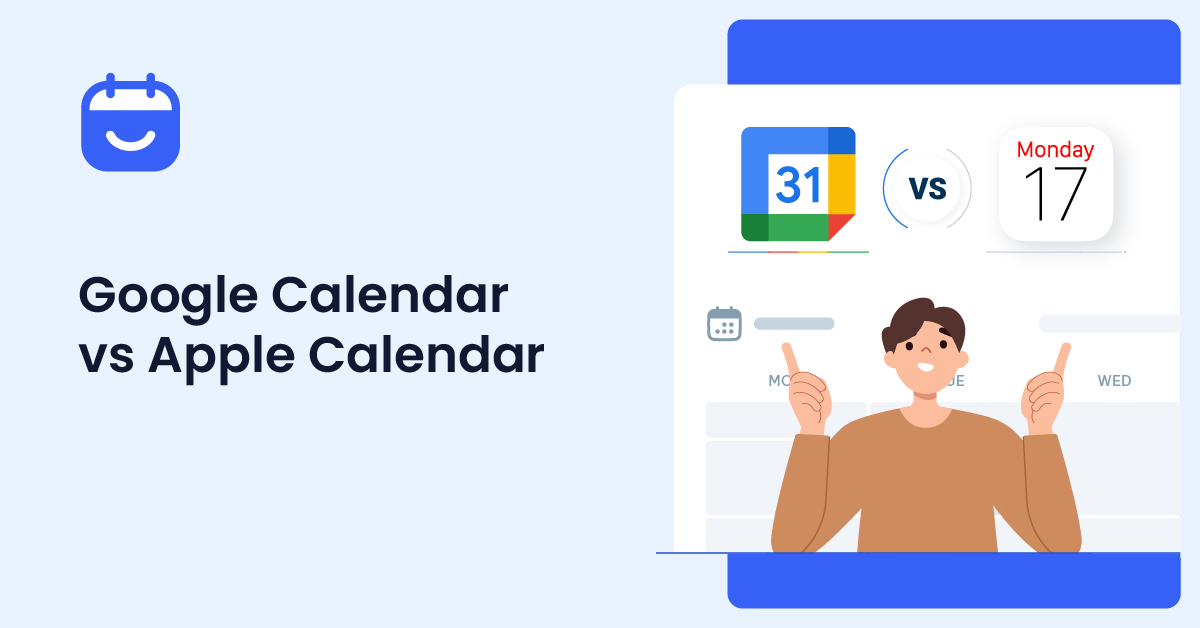

Are you looking for the complete Google Calendar vs Apple Calendar comparison? If you are, keep reading this article!
Choosing between Google Calendar vs Apple Calendar can be difficult, especially when both calendar platforms offer powerful scheduling and productivity features.
Google Calendar and Apple Calendar are two of the most popular digital calendar apps available today, but each is designed for different user types and ecosystems.
In this Google Calendar vs Apple Calendar comparison, we will explore their features, syncing capabilities, integrations, collaboration tools, and overall usability.
If you use an iPhone, rely on Google Workspace, or simply want the best calendar app to manage your schedule, this guide will help you decide which calendar works best for your needs.
Table of Contents
What is Google Calendar
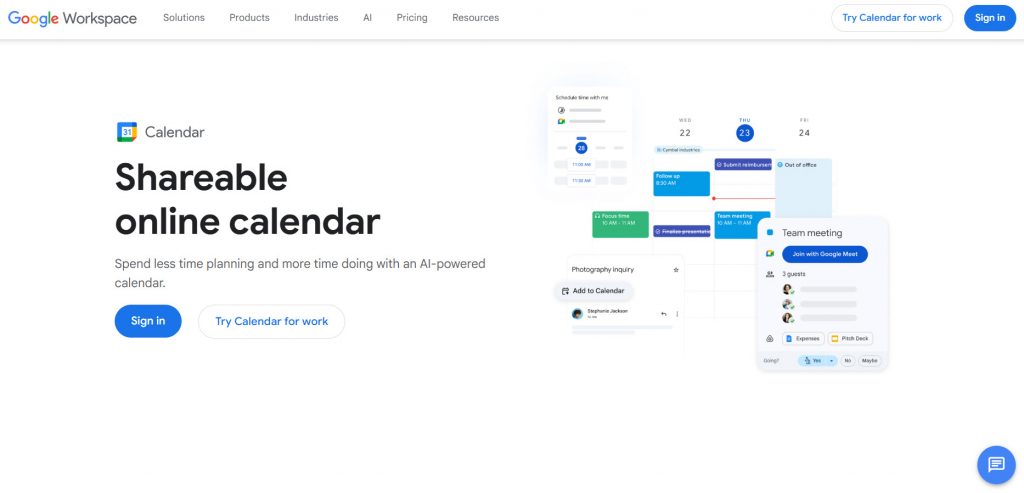
Google Calendar is a digital calendar app by Google that helps users schedule events, manage reminders, and organize daily activities across multiple devices.
It is one of the most widely used calendar platforms thanks to its strong integration with Google services like Gmail, Google Meet, and Google Tasks.
The Google Calendar app works on Android, iPhone, tablets, and desktop browsers through the Google Calendar web app, making it a flexible option for users across different operating systems.
Since it is connected to a Google account, events and reminders automatically sync across devices in real time. Google Calendar excels in collaboration and productivity features. Users can share calendars, create group events, schedule meetings, and manage invitations easily.
It also integrates well with Google Workspace, making it a popular choice for businesses, teams, and students.
What is Apple Calendar
Apple Calendar is the default calendar app pre-installed on all Apple devices, including the iPhone, iPad, Mac, and Apple Watch. It is designed to work seamlessly within the Apple ecosystem, allowing users to manage events, reminders, and schedules through iCloud syncing.
The Apple Calendar app focuses on simplicity and deep integration with Apple services.
Apple users can easily create calendar events, share calendars via iCloud, and automatically sync appointments across devices. Apple Calendar also works well with Siri, Apple Maps, and other native Apple apps, making it convenient for users who mainly use Apple devices.
Although Apple Calendar works best within the Apple ecosystem, it also supports integration with Google accounts and other calendar services. This allows users to sync Google Calendar and manage multiple calendar platforms from one view directly inside the app.
Common Problems Users Face With Calendar Apps
Even the best calendar apps can create issues with syncing, sharing, and managing schedules across devices. When comparing Apple Calendar vs Google Calendar, users often encounter compatibility and collaboration issues.
1. Syncing Issues Across Devices
Apple Calendar’s iCloud syncing works well within the Apple ecosystem, but users may face issues outside the Apple ecosystem or on non-Apple devices. Google Calendar works more consistently across platforms, making syncing easier between Apple and Google devices.
2. Difficulty Managing Multiple Calendars
Managing personal, work, and shared schedules can become confusing. Apple Calendar allows users to organize events through Apple iCloud, while Google Calendar also offers flexible calendar management and a clearer one-view experience.
3. Sharing and Collaboration Problems
Apple users can easily share their calendars with other Apple users via iCloud, but collaboration is more limited on non-Apple devices. Google Calendar integrates better with teams, Google Workspace, and apps like Google Calendar extensions.
4. Limited Integration With Productivity Tools
Google Calendar integrates directly with Google Tasks and Google Meet, helping users manage tasks and scheduling in one place. Apple Calendar integrates well with Apple apps but offers fewer integrations compared to Google Calendar.
5. Choosing the Right Ecosystem
Choosing between Apple Calendar and Google Calendar depends on your workflow. Users who primarily use Apple devices often choose Apple Calendar, while users who need stronger cross-platform support usually prefer Google Calendar.
6. Notification and Sync Delays
Some users experience delayed notifications or missing calendar events due to iCloud Calendar syncing issues or account conflicts when syncing multiple calendar platforms.
What to Look for In a Calendar App
Choosing the best calendar app depends on how you manage your schedule, devices, and daily workflow. Before deciding between Google Calendar and Apple Calendar, it is important to compare the features that matter most for productivity and usability.
- Cross-platform syncing across iPhone, Android, desktop, and web app access
- Easy event creation and calendar management tools
- Reliable syncing with iCloud Calendar or Google account services
- Ability to share calendars with family members, teams, or clients
- Integration with productivity tools like Google Tasks and Google Meet
- Real-time notifications and reminders for important events
- Support for multiple calendars in one view
Google Calendar vs Apple Calendar
| Feature | Google Calendar | Apple Calendar |
|---|---|---|
| Best For | Collaboration and cross-platform use | Apple ecosystem users |
| Supported Platforms | Android, iPhone, Windows, Mac, Web | iPhone, iPad, Mac, Apple Watch |
| Syncing | Google account syncing across devices | iCloud syncing across Apple devices |
| Collaboration Features | Advanced sharing and team scheduling | Basic calendar sharing through iCloud |
| Productivity Tools | Google Meet, Gmail, and Google Tasks integration | Siri and Apple app integration |
| Cross-Platform Support | Excellent | Limited outside the Apple ecosystem |
| User Interface | Feature-rich and productivity-focused | Clean and simple design |
| Privacy Focus | Strong account security | Strong privacy-focused ecosystem |
| Offline Access | Supported on mobile and web | Supported across Apple devices |
| Third-Party Integrations | Extensive | More limited |
| Business Features | Strong Google Workspace support | Basic business collaboration tools |
| Ease of Use | Flexible but slightly more complex | Very beginner-friendly |
| Pricing | Free, with Google Workspace plans available | Free with Apple devices |
| Family Sharing | Supported | Strong Apple family integration |
| Overall Strength | Collaboration and flexibility | Simplicity and Apple integration |
We will be comparing:
- User interface and ease of use
- Cross-platform compatibility
- Syncing and reliability
- Features and productivity tools
- Sharing and collaboration
- Smart features and AI capabilities
- Integration with other apps and services
- Notifications and reminders
- Privacy and data handling
- Offline access and device support
- Family and team scheduling
- Pricing and overall value
Let’s take a closer look at each option.
User Interface and Ease of Use
The user experience of a calendar app plays a major role in how easily you can manage schedules, events, and daily planning.
Google Calendar
Google Calendar offers a clean and feature-rich interface focused on productivity and collaboration. Users can easily switch between daily, weekly, and monthly views while managing multiple calendars from one place.
The Google Calendar app also integrates smoothly with Gmail, Google Meet, and other Google services. Since it includes more productivity features, the interface can feel slightly busier for some users.
However, it works consistently across Android, iPhone, and desktop devices.
Apple Calendar
Apple Calendar focuses on simplicity and ease of use within the Apple ecosystem. The app comes pre-installed on Apple devices and offers a clean layout that makes scheduling and managing events straightforward.
Apple Calendar works smoothly across the iPhone, iPad, Mac, and Apple Watch through iCloud syncing. While it lacks advanced collaboration features, many users prefer its minimal, easy-to-navigate interface.
Cross-Platform Compatibility
Cross-platform support is important for users who switch between devices or work across multiple operating systems.
Google Calendar
Google Calendar stands out for its strong cross-platform compatibility. It works smoothly on Android, iPhone, Windows, Mac, tablets, and through the Google Calendar web app. Since everything syncs through a Google account, users can access their schedules from almost any device.
This flexibility makes Google Calendar a strong choice for users who work across Apple and Google ecosystems or need reliable syncing between multiple platforms.
Apple Calendar
Apple Calendar works best within the Apple ecosystem and is optimized for the iPhone, iPad, Mac, and Apple Watch. Events sync through Apple iCloud, creating a seamless experience across Apple devices.
While Apple Calendar also supports Google accounts and third-party calendars, the experience is more limited outside the Apple ecosystem than Google Calendar’s.
Syncing and Reliability
Reliable syncing is essential for keeping calendar events up to date across all devices, without delays or missed appointments.
Google Calendar
Google Calendar is known for fast and reliable syncing across devices and platforms. Changes made on one device usually appear instantly on others through your Google account. It also handles shared calendars and collaborative scheduling very efficiently.
Because Google Calendar works across multiple operating systems, it is often preferred by users who regularly switch between devices.
Apple Calendar
Apple Calendar offers smooth syncing through Apple iCloud and works very well within the Apple ecosystem. Events, reminders, and updates sync quickly across the iPhone, iPad, Mac, and Apple Watch.
However, users may occasionally experience syncing issues when using Apple Calendar outside the Apple ecosystem or when connecting third-party calendar services.
Features and Productivity Tools
Productivity features can make a major difference in how efficiently you organize schedules, meetings, and daily tasks.
Google Calendar
Google Calendar offers a wide range of productivity tools for both personal and professional use. It integrates with Google Meet, Gmail, and Google Tasks, making it easy to schedule meetings, manage reminders, and organize tasks from one platform.
It also includes shared calendars, smart scheduling features, and robust collaboration tools, making it especially useful for teams and businesses.
Apple Calendar
Apple Calendar focuses on a simpler scheduling experience with essential productivity features. It integrates well with Siri, Apple Maps, and other Apple apps, allowing users to quickly create and manage events.
While Apple Calendar includes reminders, calendar sharing, and iCloud syncing, it offers fewer advanced collaboration and productivity tools compared to Google Calendar.
Sharing and Collaboration
Sharing schedules and coordinating events is an important part of modern calendar apps, especially for teams and families.
Google Calendar
Google Calendar excels in collaboration and shared scheduling. Users can easily share calendars, invite others to events, manage permissions, and coordinate meetings across different devices and platforms.
Its integration with Google Workspace and Google Meet makes it a strong choice for businesses, remote teams, and collaborative work environments.
Apple Calendar
Apple Calendar allows users to share calendars with family members, friends, and coworkers via iCloud. The sharing process is simple for users within the Apple ecosystem and works smoothly across Apple devices.
However, collaboration features are more limited than those in Google Calendar, especially when working with users outside the Apple ecosystem.
Smart Features and AI Capabilities
Smart scheduling and automation features can help users save time and manage events more efficiently.
Google Calendar
Google Calendar includes several smart productivity features powered by Google services. It can automatically create events from Gmail, suggest meeting times, and integrate with Google Tasks and Google Meet for smoother scheduling.
Google Calendar also benefits from Google’s broader AI ecosystem, making it more advanced for automation and productivity workflows.
Apple Calendar
Apple Calendar focuses more on simplicity than advanced AI features. It works closely with Siri, allowing users to create events, reminders, and schedules using voice commands across Apple devices.
While Apple Calendar offers useful smart suggestions and seamless Apple integration, it currently offers fewer AI-driven productivity tools than Google Calendar.
Integration With Other Apps and Services
Calendar apps become more useful when they connect smoothly with productivity tools, communication platforms, and third-party services.
Google Calendar
Google Calendar integrates with a wide range of apps and services, including Gmail, Google Meet, Google Tasks, Zoom, Slack, and Google Workspace. This makes it highly flexible for both personal productivity and business collaboration.
Its strong third-party support also allows users to connect Google Calendar with many scheduling, task management, and automation tools.
Apple Calendar
Apple Calendar integrates well with Apple services like Siri, Apple Maps, FaceTime, and Apple Mail. It also supports Google accounts and other calendar services through iCloud syncing.
While Apple Calendar works smoothly within the Apple ecosystem, it generally offers fewer third-party integrations compared to Google Calendar.
Notifications and Reminders
Reliable notifications and reminders help users stay on track with meetings, tasks, and important events.
Google Calendar
Google Calendar offers flexible notification settings across mobile, desktop, and email. Users can customize reminders for individual events and receive alerts through multiple devices linked to their Google account.
It also integrates with Gmail and Google Tasks, making reminders more closely aligned with daily productivity workflows.
Apple Calendar
Apple Calendar provides clean and simple reminder notifications across Apple devices through iCloud syncing. Notifications work smoothly on the iPhone, iPad, Mac, and Apple Watch, helping users stay up to date in real time.
While Apple Calendar handles reminders well within the Apple ecosystem, it offers fewer customization options compared to Google Calendar.
Privacy and Data Handling
Privacy and data management are important factors when choosing a digital calendar platform.
Google Calendar
Google Calendar offers strong account security, encrypted syncing, and privacy controls through your Google account settings.
It also integrates deeply with Google services like Gmail, Google Meet, and Google Workspace for a connected productivity experience. Because Google Calendar relies heavily on cloud-based services and integrations, some users may prefer more privacy-focused alternatives.
Apple Calendar
Apple Calendar places a strong focus on privacy within the Apple ecosystem. Events sync securely through Apple iCloud, and Apple emphasizes device security and user data protection across its services.
For users who prioritize privacy and mainly use Apple devices, Apple Calendar is often seen as the more privacy-focused option.
Offline Access and Device Support
Offline access and device compatibility can affect how easily you manage schedules while traveling or working without internet access.
Google Calendar
Google Calendar works across Android, iPhone, Windows, Mac, and web platforms. Users can still view previously synced calendar events offline, especially through mobile apps and supported browser settings.
Its broad device support makes it a strong option for users who regularly switch between different operating systems.
Apple Calendar
Apple Calendar offers reliable offline access across Apple devices, including the iPhone, iPad, Mac, and Apple Watch. Events synced through Apple iCloud remain accessible even without an internet connection.
While Apple Calendar supports third-party accounts, its overall experience is best within the Apple ecosystem.
Family and Team Scheduling
Calendar sharing and group scheduling features are important for families, businesses, and collaborative teams.
Google Calendar
Google Calendar is highly effective for team scheduling and collaboration. Users can share calendars, create group events, check availability, and coordinate meetings across multiple devices and platforms.
Its integration with Google Workspace and Google Meet makes it especially useful for businesses, remote teams, and collaborative work environments.
Apple Calendar
Apple Calendar works well for family scheduling within the Apple ecosystem. Users can share calendars through iCloud, manage family events, and sync schedules across Apple devices easily.
While Apple Calendar handles family sharing smoothly, its collaboration tools are more limited for larger teams or mixed-device environments compared to Google Calendar.
Pricing and Overall Value
Pricing and feature availability can influence which calendar app offers the best long-term value for your needs.
Google Calendar
Google Calendar is free for personal use and includes most core scheduling and collaboration features. Users also get access to integrations with Google Meet, Gmail, and Google Tasks through a Google account.
For businesses, Google Calendar becomes part of Google Workspace, which offers additional collaboration and productivity tools through paid plans. Overall, Google Calendar provides strong value for users who need flexibility and team features.
Apple Calendar
Apple Calendar is also free and comes pre-installed on Apple devices like the iPhone, iPad, and Mac. It integrates with Apple iCloud and other Apple services without requiring additional subscriptions for basic use.
For users already within the Apple ecosystem, Apple Calendar offers excellent value with seamless syncing and a simple user experience. However, its feature set is more limited compared to Google Calendar’s broader productivity ecosystem.
Pros and Cons
Let’s look at the main advantages and disadvantages of Google Calendar and Apple Calendar.
Pros and Cons of Google Calendar
| Pros | Cons |
|---|---|
| Works across Android, iPhone, desktop, and web platforms | Requires a Google account for the best experience |
| Strong integration with Google Workspace, Google Meet, and Google Tasks | The interface may feel cluttered for some users |
| Easy to share calendars and collaborate with teams | Privacy-conscious users may prefer alternatives |
| Flexible syncing across multiple devices and accounts | |
| Google Calendar integrates with many third-party productivity apps |
Pros and Cons of Apple Calendar
| Pros | Cons |
|---|---|
| Clean and simple interface for managing schedules | Limited features outside the Apple ecosystem |
| Seamless syncing through Apple iCloud | Collaboration tools are not as advanced as Google Calendar |
| Works extremely well within the Apple ecosystem | Fewer third-party integrations compared to apps like Google Calendar |
| Deep integration with Apple devices and services | Less flexible for users switching between Apple and Android devices |
| Apple Calendar allows quick setup and easy navigation |
Google Calendar vs Apple Calendar: Which One Is Easier to Use
Both apps offer user-friendly scheduling experiences, but they cater to different user types. Apple Calendar is generally easier for people who mainly use Apple devices because it is pre-installed and works smoothly within the Apple ecosystem.
Its clean layout and simple navigation make managing events straightforward. Google Calendar, on the other hand, offers more features and flexibility. It works across multiple platforms, integrates with Google services, and provides stronger collaboration tools.
While the interface can feel slightly more complex, many users prefer it for productivity and cross-platform syncing.
If you want simplicity within Apple devices, Apple Calendar is easier to use. If you need flexibility and collaboration across different devices, Google Calendar is usually the better option.
Google Calendar vs Apple Calendar: Which Calendar App Is Better for Privacy
Privacy is an important factor when choosing between Apple Calendar vs Google Calendar.
Apple Calendar is generally considered more privacy-focused because it works closely within the Apple ecosystem and emphasizes device security and encrypted syncing through Apple iCloud.
Google Calendar also provides strong security features and account protection, but it is more closely integrated with cloud-based services and the Google ecosystem. This makes it more flexible for collaboration and productivity, but some users may prefer Apple’s tighter privacy approach.
If privacy is your main concern and you mainly use Apple devices, Apple Calendar is usually the better option. If you prioritize integrations, collaboration, and cross-platform access, Google Calendar may be the better fit.
Google Calendar vs Apple Calendar: Which Calendar App Is Better for Collaboration
When it comes to collaboration, Google Calendar is generally the stronger option. It makes it easy to share calendars, schedule meetings, invite team members, and manage availability across different devices and platforms.
Google Calendar also integrates closely with Google Meet, Gmail, and Google Workspace, making it ideal for businesses and teams. Apple Calendar supports calendar sharing through iCloud and works well for families or users within the Apple ecosystem.
However, collaboration becomes more limited when working with users outside Apple devices or across mixed platforms. If your priority is team scheduling and cross-platform collaboration, Google Calendar is usually the better choice.
If you mainly share schedules with family members using Apple devices, Apple Calendar can still work very well.
Common Use Cases for Both Apps
Both Google Calendar and Apple Calendar are designed to help users manage schedules, appointments, and daily tasks more efficiently. While the two apps have different strengths, they are often used for many of the same purposes.
- Managing personal schedules and daily calendar events
- Scheduling meetings, appointments, and reminders
- Sharing calendars with family members or coworkers
- Organizing work, school, and personal activities in one view
- Syncing events across phones, tablets, and desktop devices
- Planning team meetings and collaborative schedules
- Setting recurring events and automated notifications
- Managing travel plans, deadlines, and important tasks
- Coordinating schedules between Apple and Google accounts
Which Calendar App Should You Choose
Choosing between Google Calendar vs Apple Calendar depends mostly on your devices, workflow, and collaboration needs. Both calendar platforms are reliable, but they are designed for different types of users.
You should choose Apple Calendar if you mainly use Apple devices like the iPhone, iPad, Mac, and Apple Watch. Apple Calendar works seamlessly within the Apple ecosystem, syncs via Apple iCloud, and offers a clean, simple interface for managing schedules.
It is a strong option for users who prioritize privacy and prefer staying fully within Apple services. Google Calendar is usually the better choice for users who need flexibility across different devices and platforms.
Google Calendar integrates with Google Workspace, Google Meet, and Google Tasks, making it ideal for collaboration, business use, and cross-platform syncing. It also works well both inside and outside the Apple ecosystem.
In the end, the best calendar app depends on how you work. If simplicity and Apple integration matter most, choose Apple Calendar. If you need stronger collaboration tools and wider compatibility, Google Calendar is often the better option.
Frequently Asked Questions
Now, let’s take a look at some frequently asked questions and answers about this topic.
Is Google Calendar better than Apple Calendar?
Google Calendar is generally better for collaboration, cross-platform syncing, and integration with Google services. Apple Calendar is better for users who mainly use Apple devices and want a simpler experience within the Apple ecosystem.
Can I use Google Calendar and Apple Calendar together?
Yes, you can sync Google Calendar with Apple Calendar and manage both calendars from one app. Many users connect their Google account to Apple Calendar to keep events synced across devices.
Which calendar app is best for iPhone users?
Apple Calendar works seamlessly on the iPhone because it is pre-installed and deeply integrated with Apple services. However, many iPhone users still prefer the Google Calendar app for its collaboration and scheduling features.
Does Apple Calendar work outside the Apple ecosystem?
Apple Calendar can work outside the Apple ecosystem through iCloud access and third-party integrations, but the experience is more limited compared to Google Calendar’s cross-platform support.
Is Google Calendar better for business use?
Yes, Google Calendar is usually the better option for businesses because it integrates with Google Workspace, Google Meet, and team collaboration tools. It also makes sharing and scheduling meetings easier.
Which calendar app is better for privacy?
Apple Calendar is often considered more privacy-focused because Apple places a strong emphasis on user data protection and secure syncing through Apple iCloud. Google Calendar also offers strong security features but relies more on cloud-based integrations.
Can Apple Calendar sync with Google Calendar?
Yes, Apple Calendar allows users to sync Google Calendar accounts directly. This helps users manage events from both Apple and Google services in one place.
Which calendar app is easier to use?
Apple Calendar is usually easier for beginners and Apple users because of its clean interface and simple navigation. Google Calendar offers more advanced features and flexibility, but it can feel slightly more complex.
Does Google Calendar work on Apple devices?
Yes, Google Calendar works well on iPhone, iPad, Mac, and Apple Watch devices. Users can access it through the mobile app or the Google Calendar web app.
Which calendar app should I choose?
You should choose Apple Calendar if you mainly use Apple devices and prefer simplicity. Choose Google Calendar if you need stronger collaboration tools, cross-platform syncing, and integration with Google services.
Conclusion
Choosing between Google Calendar vs Apple Calendar ultimately comes down to your ecosystem, workflow, and productivity needs.
Both apps are powerful digital calendar platforms that help users manage schedules, events, reminders, and daily tasks efficiently.
Apple Calendar works best for users deeply connected to the Apple ecosystem, offering seamless iCloud syncing and a clean user experience across Apple devices.
Google Calendar, on the other hand, stands out for its cross-platform compatibility, collaboration features, and integration with Google services like Google Meet and Google Tasks.
It is especially useful for teams, businesses, and users who work across multiple devices. In the end, the best calendar app is the one that fits naturally into your daily routine and helps you manage your calendar more effectively.
Which app are you going to use?
Let us know in the comments.