

Are you looking for the complete Bookster vs WooCommerce Bookings comparison? If you are, keep reading this article. Here, we will show you which one is best for your business!
Choosing the right booking plugin can make a huge difference in how efficiently you manage appointments, services, and customer experience on your WordPress site.
Bookster and WooCommerce Bookings are two popular options, but they serve different purposes and cater to different types of businesses. While one focuses on simplicity and streamlined booking workflows, the other is built around a full ecommerce system.
Understanding their differences in features, setup, and flexibility is essential before making a decision. In this comparison, we will break down both tools to help you choose the best booking solution for your business needs.
First, let’s take a closer look at Bookster and WooCommerce Bookings.
Table of Contents
Bookster: An Introduction
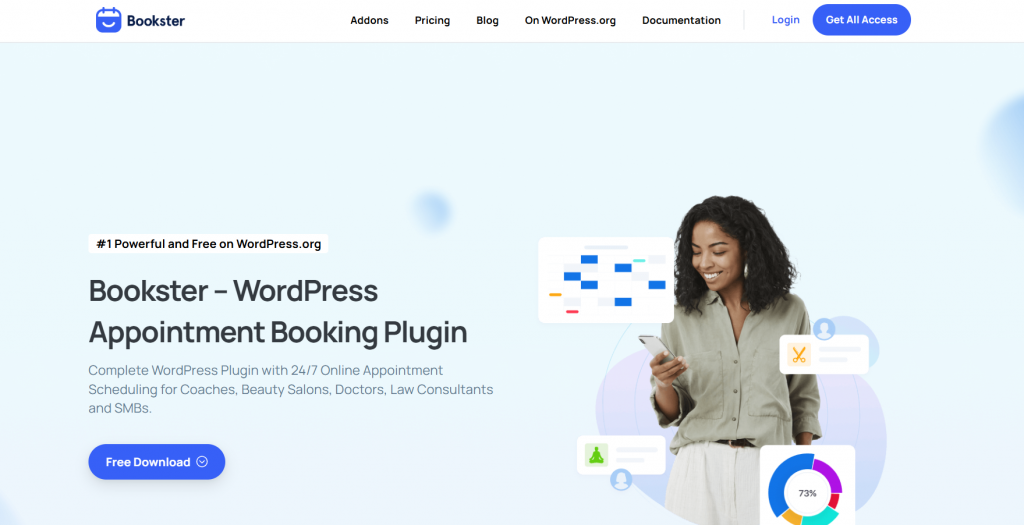
Bookster is a modern WordPress booking plugin designed to simplify booking and appointment scheduling for service-based businesses. It offers a streamlined booking system that automates scheduling, manages services, and handles customer bookings without complex setups.
With its clean interface and user-friendly design, it is well-suited for freelancers, small businesses, and agencies that want an efficient online booking system. The plugin includes essential features such as customizable booking forms, flexible scheduling, staff management, and automated notifications.
It is built to work independently within WordPress, allowing users to manage bookings and appointments directly from their website. With its lightweight structure and performance focus, Bookster provides a fast, scalable solution for businesses looking to grow without adding unnecessary complexity.
WooCommerce Bookings: An Introduction
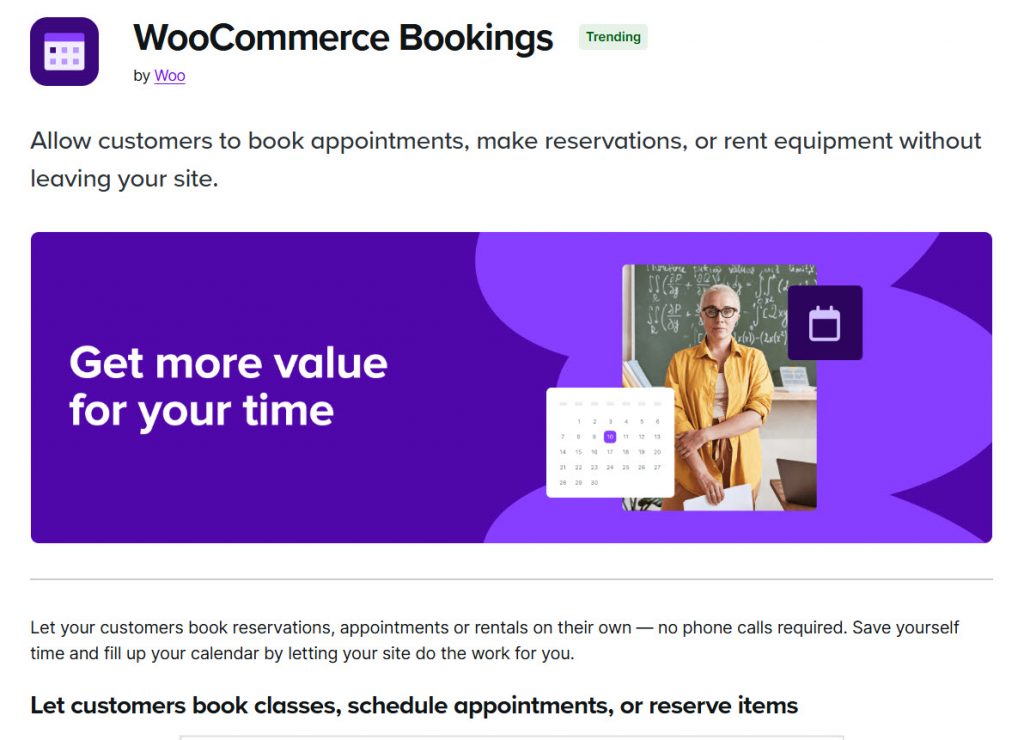
WooCommerce Bookings is a powerful WordPress booking plugin built on top of the WooCommerce ecosystem, allowing businesses to offer bookings and appointments as products. It is designed for users already using WooCommerce who want to extend their store to handle time-based bookings, rentals, or services.
By integrating bookings directly into the ecommerce workflow, it provides a structured approach to managing appointments alongside product sales. The plugin includes features like flexible booking rules, availability management, and support for multiple booking types.
It also benefits from WooCommerce integrations, including payment gateways, coupons, and order management. However, because it relies on WooCommerce, it often requires additional setup and configuration, making it more suitable for users comfortable with the WooCommerce environment rather than those looking for a lightweight, standalone booking solution.
Bookster vs WooCommerce Bookings: The Ultimate Comparison
We will be looking at:
- Core features and functionalities
- Ease of use and setup
- Performance and speed
- Customization and flexibility
- Integrations and ecosystem
- Booking management and automation
- Pricing and overall value
- Best use cases and target users
Let’s take a closer look at each option.
1. Core Features and Functionalities
Core features define how effectively a booking plugin can handle bookings and appointments, manage availability, and support different business needs.
A strong feature set should cover scheduling, booking forms, notifications, and flexibility for various use cases. The main difference here lies in how each plugin approaches bookings: one treats bookings as a dedicated system, and the other treats them as part of an ecommerce workflow.
Bookster
Bookster offers a complete set of features tailored specifically for bookings and appointments. It includes customizable booking forms, flexible scheduling, staff management, and automated notifications. You can manage multiple services, control availability, and handle rescheduling with ease.
Additional functionality can be extended through add-ons such as extra options, discounts, and integrations, allowing businesses to scale their booking system without adding unnecessary complexity. Its focused design ensures all core booking features are easy to access and manage.
WooCommerce Bookings
WooCommerce Bookings provides a powerful feature set by integrating bookings into the WooCommerce product system. It supports flexible booking rules, availability settings, and different booking types such as fixed time slots or customer-defined durations.
It also benefits from WooCommerce features like payments, coupons, and order management. However, since bookings are treated as products, managing features can feel more complex, especially for users who only need a dedicated booking system without ecommerce functionality.
2. Ease of Use and Setup
Ease of use and setup are critical factors, especially for businesses that want to launch quickly without dealing with technical complexity.
A booking plugin should make it simple to configure services, manage schedules, and start accepting bookings with minimal effort. The difference here comes down to how much setup is required before you can actually use the system.
Bookster
Bookster is designed for simplicity, offering a quick and straightforward setup process. You can install the plugin, configure your services, set your availability, and start accepting bookings quickly.
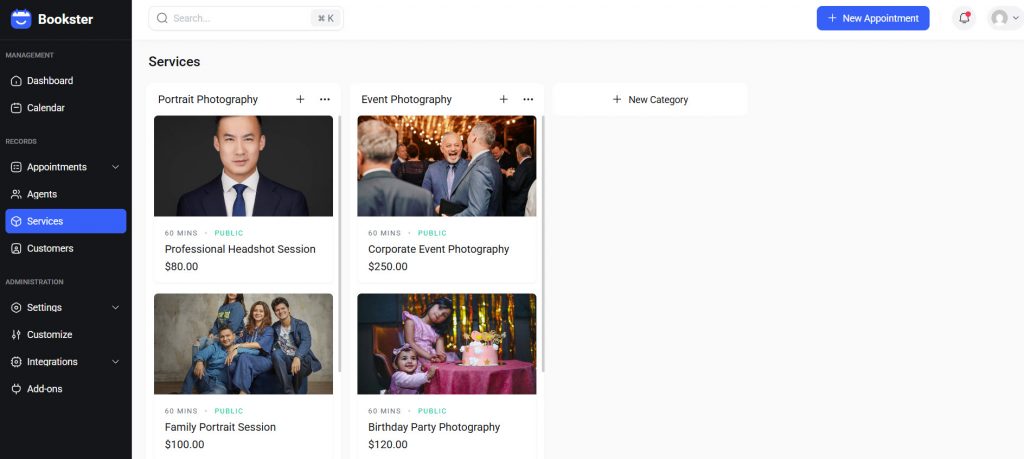
The interface is clean and focused, making it easy to manage bookings and appointments without navigating through unnecessary settings. This makes it an excellent choice for beginners and businesses that want a fast, hassle-free setup.
WooCommerce Bookings
WooCommerce Bookings requires a more involved setup because it depends on WooCommerce. You need to install and configure WooCommerce first, set up products, payment methods, and other ecommerce settings before enabling bookings.
While this provides flexibility, it also adds complexity and increases setup time. Managing bookings through the product and order system can feel less intuitive for users who only need a dedicated booking solution.
3. Performance and Speed
Performance and speed are critical when choosing a booking plugin, as they directly impact user experience, conversion rates, and overall site efficiency.
A faster booking system ensures smooth navigation, quick booking confirmation, and fewer drop-offs. The difference here mainly comes down to the amount of overhead each plugin introduces and how efficiently it handles booking data.
Bookster
Bookster is designed as a lightweight booking plugin focused purely on bookings and appointments. Since it does not rely on a full ecommerce system, it avoids unnecessary scripts, database queries, and heavy processes. This results in faster page loads and a smoother booking experience, especially for service-based websites.
Its streamlined architecture helps maintain consistent performance even as your bookings grow, making it easier to optimize speed using standard caching and performance plugins.
WooCommerce Bookings
WooCommerce Bookings runs on top of WooCommerce, which adds significant overhead due to its ecommerce functionality. WooCommerce stores often experience slower load times due to database complexity, multiple plugins, and dynamic processes such as cart sessions and product handling.
Additional factors like plugin bloat, heavy themes, and a lack of caching can further impact speed. As a result, achieving optimal performance typically requires more advanced optimization, better hosting, and careful plugin management.
4. Customization and Flexibility
Customization and flexibility determine how well a booking plugin can adapt to different business models and workflows. From modifying booking forms to adjusting schedules and adding advanced features, a flexible system allows you to tailor the booking experience to your exact needs.
The key difference here is how easily each plugin allows customization without adding unnecessary complexity.
Bookster
Bookster offers a highly flexible and modular approach to customization. You can easily customize booking forms, add custom fields, adjust service settings, and extend functionality with dedicated add-ons such as extra options, discounts, and multiple locations.
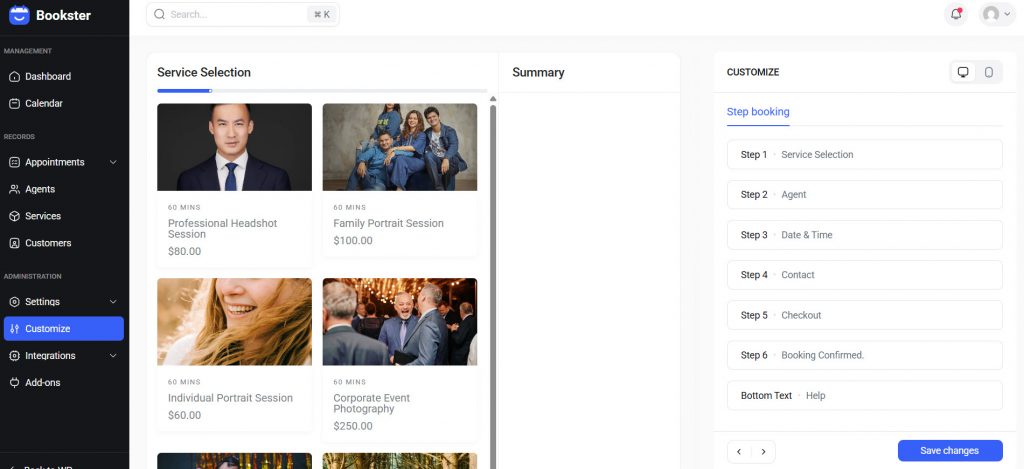
This makes it simple to create a tailored booking experience without heavy configuration. Since it is built specifically for bookings, most customization options are directly accessible and easy to manage, making it ideal for businesses seeking flexibility without the technical overhead.
WooCommerce Bookings
WooCommerce Bookings provides strong customization capabilities through the WooCommerce ecosystem. You can modify booking behavior using product settings, extensions, and custom development if needed.
This allows for advanced configurations, especially for complex booking scenarios. However, customization often requires combining multiple plugins or working within the WooCommerce product structure, which can make the process more complex.
It is best suited for users who need deep customization and are comfortable managing a more technical setup.
5. Integrations and Ecosystem
Integrations and ecosystem flexibility play a key role in how well a booking plugin fits into your workflow.
A strong ecosystem allows you to connect payments, customization tools, and other business features without friction. The main difference here is that one approach focuses on a modular WordPress-native system, while the other relies heavily on the broader WooCommerce ecosystem.
Bookster
Bookster offers a focused set of addons built specifically for booking workflows.
These include integrations for payments such as Stripe and PayPal, customization tools such as custom fields and booking form enhancements, and advanced features such as extra options, multiple locations, and discounts.
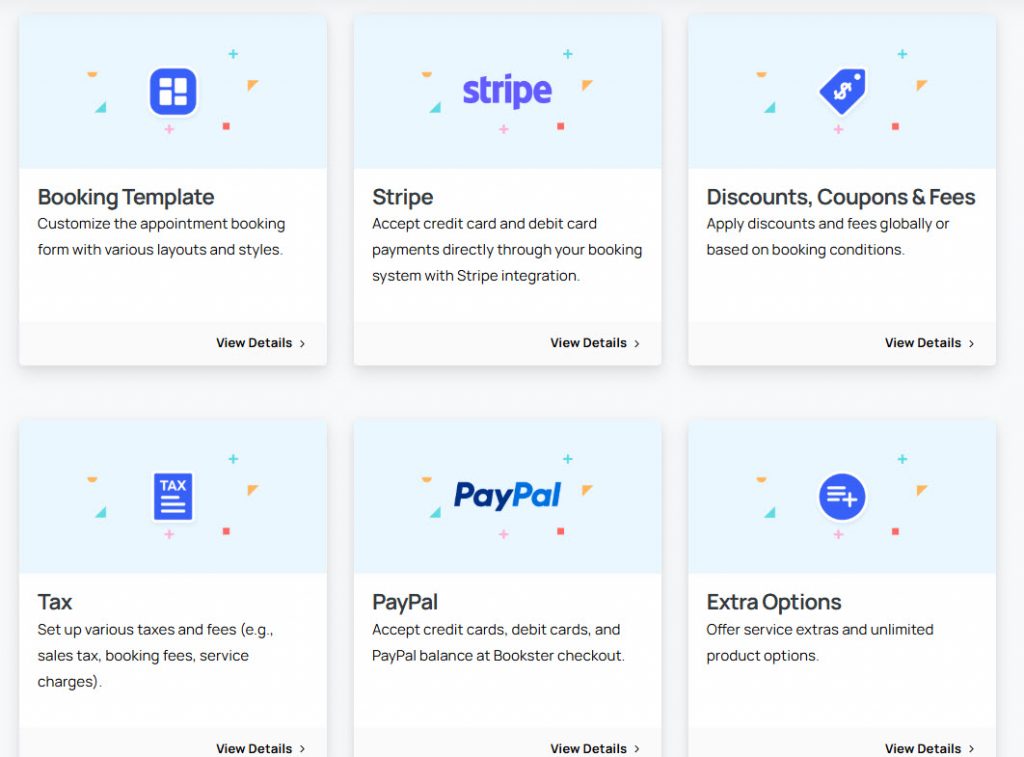
Because everything is designed to work within WordPress, it integrates smoothly with your existing plugins without requiring complex setup.
This modular approach allows you to enable only the features you need, keeping your system lightweight while still flexible. It is ideal for businesses that want full control over their booking experience and customer data.
WooCommerce Bookings
WooCommerce has a large ecosystem, offering a wide range of extensions for payments, subscriptions, memberships, and marketing tools. This makes it highly adaptable for eCommerce-focused businesses.
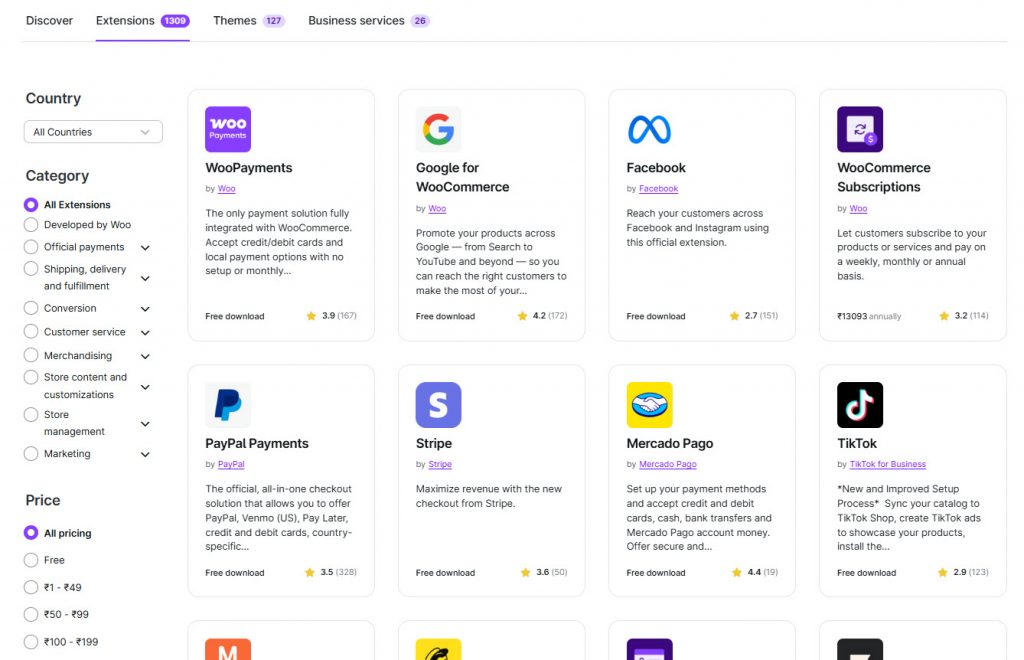
However, many integrations require additional plugins, which can increase setup time and ongoing maintenance. While it provides strong flexibility for complex use cases, it may feel overwhelming for users who only need a dedicated booking system without the added ecommerce layers.
As of now, the WooCommerce Bookings plugin can be integrated with other plugins, such as product vendors, deposits, and SMS notifications.
6. Booking Management and Automation
Efficient booking management and automation are essential for handling appointments, reducing manual work, and improving overall workflow.
A good booking system should allow you to manage schedules, track bookings, automate confirmations, and handle customer interactions with minimal effort. The level of automation and ease of management can vary significantly depending on how the system is built.
Bookster
Bookster is designed specifically for booking management, offering a centralized dashboard to manage appointments, services, and staff. It supports automated confirmations, email notifications, and SMS reminder integrations, helping reduce manual follow-ups.
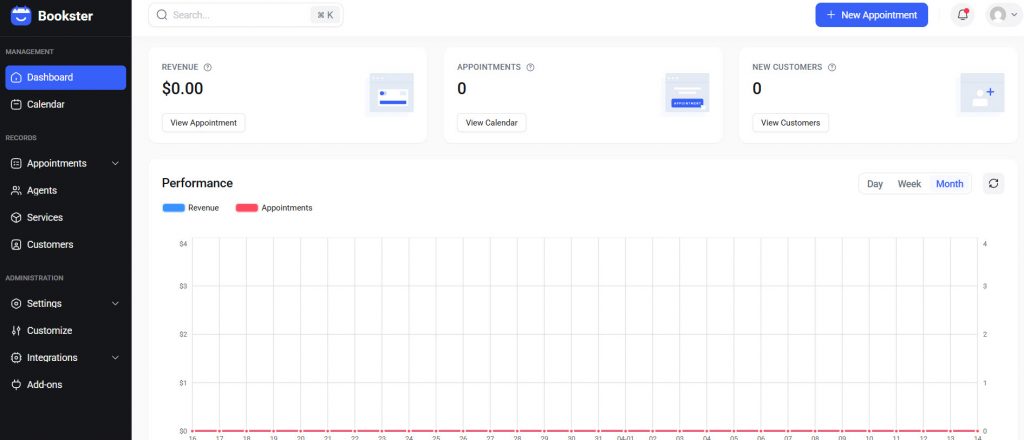
You can easily control availability, manage multiple services, and handle rescheduling without relying on external systems. Its focused approach makes it efficient for businesses seeking a streamlined booking workflow with built-in automation.
WooCommerce Bookings
WooCommerce Bookings manages bookings through the WooCommerce order system, treating each booking as a product purchase. This enables integration with WooCommerce features such as payments, coupons, and order management.
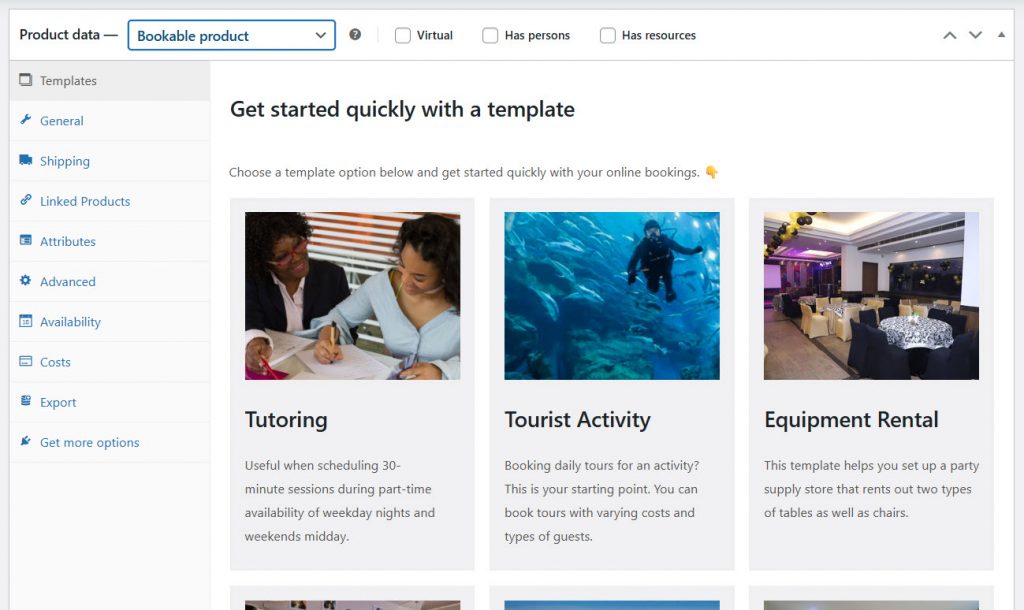
However, automation often requires additional WooCommerce settings or extensions, especially for advanced workflows such as reminders and follow-ups. While it is powerful for eCommerce-driven booking scenarios, managing bookings can feel more complex due to the layered structure of products, orders, and booking rules.
7. Pricing and Overall Value
Pricing plays a major role when choosing a booking plugin, especially when considering long-term costs and scalability. While both options offer powerful booking capabilities, their pricing structures and overall value differ significantly depending on your setup and business needs.
Bookster
Bookster offers a free version to get started, with premium plans starting at just $39 per year. This makes it a highly cost-effective booking system for small businesses and agencies.
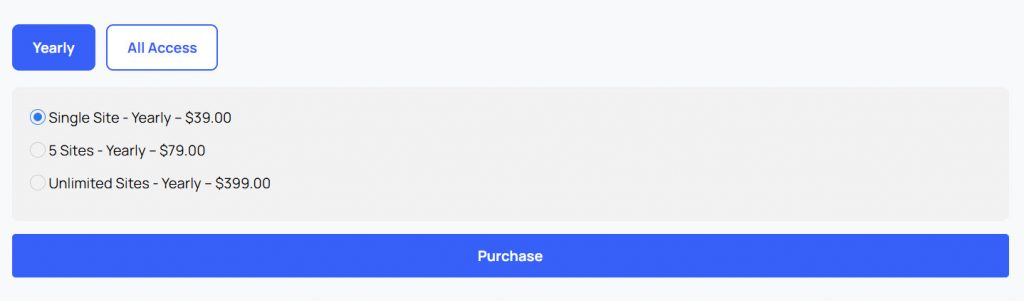
Most essential features are available without requiring a complex setup, and you can extend functionality with optional add-ons only when needed. This approach keeps costs predictable while still allowing flexibility as your business grows.
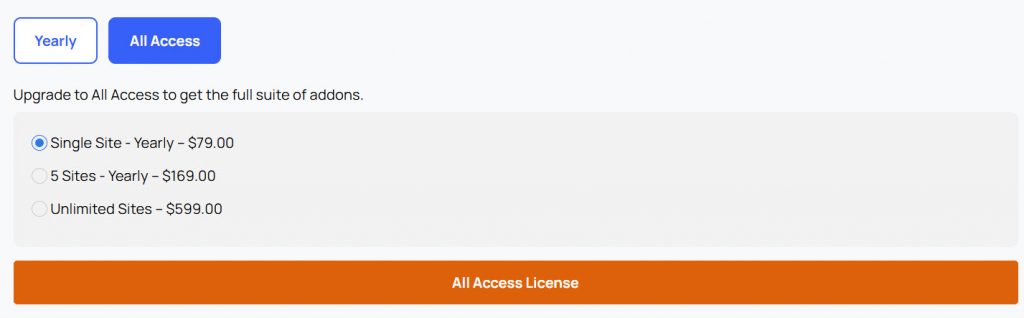
If you are interested, an all-access plan is available as well.
WooCommerce Bookings
WooCommerce Bookings does not offer a free version and is significantly more expensive, with pricing starting at $124.50 per year.
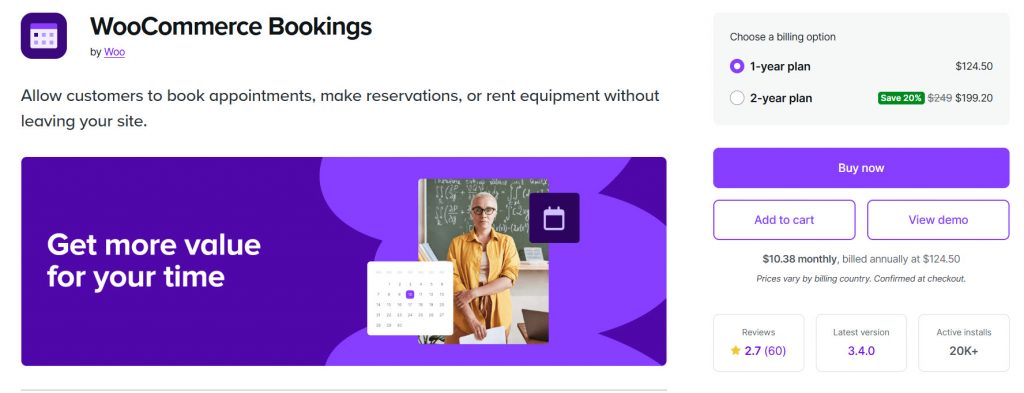
Since it depends on WooCommerce, additional costs may come from extensions, themes, or plugins required to complete your booking system. While it can deliver strong value for e-commerce-driven businesses, the overall investment can increase quickly as your setup becomes more complex.
8. Best Use Cases and Target Users
Choosing the right booking plugin depends on your business model, technical setup, and how you plan to manage bookings and appointments.
Some businesses need a simple and dedicated booking system, while others require a more complex setup that combines ecommerce and bookings. Understanding the best use cases helps you decide which solution aligns better with your workflow and long-term goals.
Bookster
- Best for service-based businesses that need a dedicated booking system without ecommerce complexity
- Ideal for freelancers, agencies, and consultants managing bookings and appointments
- Suitable for users who want a lightweight and easy-to-manage solution
- Great for businesses focused on simplicity, performance, and efficient booking workflows
WooCommerce Bookings
- Best for businesses already using WooCommerce for selling products and services
- Suitable for stores that want to combine bookings with ecommerce features
- Ideal for users comfortable with WooCommerce setup and management
- Works well for complex booking scenarios tied to products, inventory, and orders
Frequently Asked Questions
Now, let’s take a look at some frequently asked questions and answers about this topic.
What is the main difference between Bookster and WooCommerce Bookings?
The main difference lies in their approach. Bookster is a standalone booking system designed specifically for managing appointments, while WooCommerce Bookings is built on WooCommerce and treats bookings as products. This makes WooCommerce more ecommerce-focused, while Bookster focuses on simplicity and booking efficiency.
Which plugin is easier to use for beginners?
For most users, Bookster is easier to use because it offers a clean interface and a simpler setup process. WooCommerce Bookings requires installing and configuring WooCommerce first, which can add complexity, especially for beginners who only need a booking system.
Do I need WooCommerce to use WooCommerce Bookings?
Yes, WooCommerce Bookings depends entirely on WooCommerce. You need to install and configure WooCommerce before using it, which means managing products, orders, and additional settings, even if your focus is only on bookings and appointments.
Which plugin is better for service-based businesses?
Bookster is generally a better fit for service-based businesses that want a dedicated booking system without ecommerce complexity. It helps manage bookings and appointments more efficiently, especially for freelancers, agencies, and small businesses.
Can both plugins handle payments and online booking?
Yes, both plugins support online booking and payments. WooCommerce Bookings uses WooCommerce payment gateways, while Bookster offers flexible payment options through integrations, allowing businesses to manage bookings and payments smoothly.
Which option is more scalable for agencies?
For agencies managing multiple client websites, Bookster is often more scalable because it is lightweight and easier to deploy. It allows you to manage bookings without the overhead of WooCommerce, making it a more efficient solution for scaling projects.
When should I choose WooCommerce Bookings over Bookster?
You should choose WooCommerce Bookings if your business already relies heavily on WooCommerce for selling products and you want to combine bookings with your ecommerce workflow. It is ideal for stores that need both product sales and booking functionality in a single system.
Conclusion
Choosing between Bookster and WooCommerce Bookings depends on how you want to manage your booking system. WooCommerce Bookings is a strong option if you are already using WooCommerce and want to combine product sales with bookings in a single ecommerce workflow.
However, this approach also adds complexity, as it relies heavily on the WooCommerce setup and structure. On the other hand, Bookster offers a more streamlined, standalone solution focused solely on bookings and appointments. It is easier to set up, more lightweight, and better suited for service-based businesses.
If your goal is to manage bookings efficiently without unnecessary overhead, Bookster is often the more practical and scalable choice.
We hope you found this article helpful and enjoyed reading it. If you did, feel free to check out our blog archive for more useful guides and tips. Also, check out our YouTube channel, X, and Facebook page to get the latest news.
Which plugin are you going to choose?
Let us know in the comments.