

Are you looking for the best TikTok plugins for WordPress? In this article, we are going to show you the top 8 TikTok plugins you need to be using.
TikTok has become a powerful platform for reaching new audiences and driving traffic. If you run a WordPress site, integrating TikTok can help you showcase your content, increase engagement, and grow your brand presence.
A good TikTok plugin for WordPress makes it easy to embed TikTok videos, display your TikTok feed, add a floating TikTok button, and track performance using the TikTok Pixel.
In this article, we compare the 8 best TikTok plugins for WordPress to help you choose the right solution for your website.
Table of Contents
What Is a TikTok WordPress Plugin?
A TikTok WordPress plugin is a tool that helps you connect your TikTok account with your WordPress website.
These plugins allow you to embed TikTok videos, display your TikTok feed, and add a floating TikTok button directly on your site. Some plugins also let you integrate the TikTok Pixel, which helps track visitor actions and measure the performance of your TikTok ads.
This is especially useful for businesses and creators who want to promote their content on TikTok and drive traffic back to their WordPress site.
By using a TikTok plugin for WordPress, you can easily showcase your latest TikTok content without manually updating your website every time you post a new video.
These plugins simplify integrating TikTok content into your WordPress site and help improve engagement with your audience.
Why You Should Add TikTok Feed Plugins in WordPress?
Adding a TikTok feed plugin to your WordPress site makes it easy to display your latest TikTok videos directly on your website. Instead of manually embedding videos every time you post, these plugins automatically pull and showcase your TikTok content.
This helps increase engagement on your site and encourages visitors to follow your TikTok account. It also strengthens your overall social media presence by connecting your WordPress website with your TikTok profile.
TikTok feed plugins are especially useful for creators, influencers, and businesses that regularly post on TikTok.
They allow you to keep your website fresh with new content while helping turn website visitors into TikTok followers. By integrating your TikTok videos into your WordPress site, you can improve user experience and make better use of the content you’re already creating on TikTok.
What to Look for in TikTok WordPress Plugins
Choosing the right TikTok plugin for your WordPress site depends on your goals. Here are the key features you should consider:
- Easy TikTok Video Embedding: The plugin should allow you to embed TikTok videos and display your TikTok feed on your website without requiring manual updates whenever you post new content.
- TikTok Pixel Integration: If you run TikTok ads, look for a plugin that supports adding the TikTok Pixel and Events API. This helps you track conversions and optimize your advertising campaigns.
- Floating TikTok Button: A floating TikTok button is useful for driving traffic from your website to your TikTok profile. Check if the plugin offers a static or animated button with customization options.
- Customization Options: Good plugins let you control how your TikTok content appears, including layout, number of videos, styling, and a responsive design that works well on mobile devices.
- Performance & Updates: Choose a plugin that loads TikTok content efficiently without slowing your site down. Also, check whether it offers a free version and receives regular updates to ensure long-term reliability.
8 Best TikTok Plugins for WordPress Compared
| Plugin Name | Free Version | Pricing | Main Purpose | TikTok Feed Display | TikTok Pixel Support | Best For |
|---|---|---|---|---|---|---|
| TikTok (Official) | Yes | Free | TikTok Pixel & Tracking | No | Excellent | TikTok ad tracking and conversion measurement |
| Custom Feed for TikTok | Yes | $44/year (Pro) | Display TikTok Videos | Good | No | Displaying TikTok videos with multiple layouts |
| Feeds for TikTok (Smash Balloon) | Yes | $49/year (Pro) | Display TikTok Videos | Excellent | No | Best overall TikTok feed display |
| QuadLayers TikTok Feed | Yes | $49/year (Pro) | Display TikTok Videos | Good | No | Lightweight TikTok feed display |
| Embed Block for TikTok | Yes | Free | Single Video Embedding | No | No | Simple embedding of individual TikTok videos |
| Add Tiktok Pixel for Tiktok ads | Yes | Free | TikTok Pixel Integration | No | Good | Easy TikTok Pixel setup (Free) |
| Pixel Manager for WooCommerce | Yes | $149/year (Pro) | Multi-Platform Pixel Tracking | No | Excellent | Advanced tracking for WooCommerce stores |
1. TikTok
TikTok is the official plugin developed by TikTok for Business. It helps you easily add the TikTok Pixel to your WordPress website to track and optimize your TikTok advertising campaigns.
The plugin supports the TikTok Events API, which allows you to track important user actions such as purchases, add-to-carts, and page views directly from your WordPress site. This plugin is particularly useful for store owners and marketers who run TikTok ads and want accurate conversion tracking.
By integrating the TikTok Pixel, you can better measure your ad performance and improve retargeting efforts. It provides a simple way to connect your WordPress website with TikTok advertising tools without requiring complex manual setup.
Features
- Easy installation of TikTok Pixel on your WordPress site
- Supports TikTok Events API for better tracking accuracy
- Tracks key conversion events like purchases and add-to-carts
- Helps optimize TikTok advertising campaigns
- Simple setup process with minimal configuration
- Useful for retargeting and performance reporting
Pros and Cons
| Pros | Cons |
|---|---|
| Official plugin from TikTok for Business | Focused only on pixel tracking |
| Simple and clean setup process | |
| Supports TikTok Events API | |
| Good for TikTok ad tracking and reporting |
Pricing
TikTok is a free plugin available on the WordPress.org repository.
2. Custom Feed for TikTok

Custom Feed for TikTok is a lightweight plugin that helps you display videos on your WordPress site. It allows you to easily embed a TikTok feed with multiple layout options, including grid, masonry, carousel, and list views.
The plugin connects your TikTok account and automatically pulls your latest videos onto your website. This makes it simple to integrate TikTok content into your WordPress site without manually embedding videos every time you post.
It also includes caching features to improve loading speed. The free version is suitable for basic needs, while the Pro version unlocks advanced features such as filtering options, load more buttons, and additional layout styles.
This plugin is a good choice for creators and businesses that want to showcase their TikTok videos directly on their WordPress website in a clean and organized way.
Features
- Display videos on your WordPress site using multiple layouts
- Easy TikTok account connection and automatic video pulling
- Grid, masonry, carousel, and list view support
- Customizable styling and design options
- Built-in caching for better performance
- Responsive design for mobile devices
Pros and Cons
| Pros | Cons |
|---|---|
| Easy to set up and use | The free version has limited options |
| Good variety of display layouts | |
| Lightweight with decent performance | |
| Regular updates and active development |
Pricing
Custom Feed for TikTok is a freemium plugin. The Pro version starts at $44 per year.
3. Feeds for TikTok

Feeds for TikTok is a lightweight plugin that allows you to easily embed and display videos on your WordPress site. It helps you showcase your TikTok content using multiple layout options, making it simple to integrate TikTok into your website.
The plugin connects to your TikTok account and automatically pulls videos, so you don’t have to manually embed them every time. It offers good customization options, allowing you to adjust the feed’s appearance to match your website’s design.
The lite version is suitable for basic use, while the Pro version unlocks additional layouts, filtering options, and advanced display settings.
This plugin is a good choice for creators, influencers, and businesses that want a simple, effective way to display videos on their sites.
Features
- Display TikTok videos and feeds on your WordPress site
- Multiple layout options, including grid and carousel
- Easy TikTok account connection
- Customizable styling and design settings
- Responsive design for mobile devices
- Built-in caching for better performance
Pros and Cons
| Pros | Cons |
|---|---|
| Lightweight and easy to use | The free version has limited layout options |
| Good customization options | |
| Clean integration with WordPress | |
| Affordable Pro version |
Pricing
Feeds for TikTok is a freemium plugin. The Pro version starts at $35.88 a year.
4. Feeds for TikTok by Smash Balloon

Feeds for TikTok by Smash Balloon is one of the best WordPress TikTok plugins for displaying your TikTok content on your website. It allows you to easily connect your TikTok account and automatically display videos on your site with clean, customizable layouts.
The plugin offers multiple display options, including grid, carousel, masonry, and list views. This makes it simple to integrate TikTok into your site without manually embedding videos every time you post.
The lite version is suitable for basic needs, while the Pro version unlocks advanced customization, moderation tools, and a drag-and-drop feed builder.
If you are looking for a reliable way to showcase your videos and keep your website content fresh, Feeds for TikTok by Smash Balloon is a strong choice among social media plugins for WordPress.
Features
- Display TikTok videos on your WordPress site using multiple layouts
- Grid, carousel, masonry, and list view support
- Easy TikTok connection
- Built-in caching for improved loading speed
- Responsive design for mobile devices
- Drag-and-drop feed customizer in the Pro version
- Moderation tools and advanced filtering options (Pro)
Pros and Cons
| Pros | Cons |
|---|---|
| Trusted developer with excellent support | The lite version has limited customization |
| Clean layouts and good performance | |
| Easy to use with powerful Pro features | |
| Regular updates and reliable caching |
Pricing
Feeds for TikTok is a freemium plugin. The Pro version starts at $49 per year.
5. QuadLayers TikTok Feed
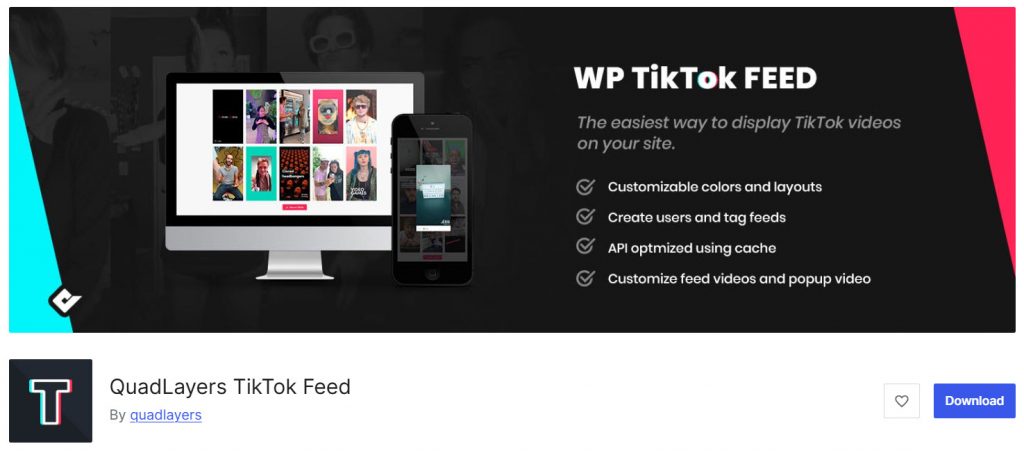
QuadLayers TikTok Feed is a lightweight plugin that allows you to easily display videos on your website. It helps you connect your account and showcase your latest videos with multiple layout options, including grid, carousel, and masonry.
The plugin is designed to be simple and fast, making it easy to integrate TikTok content into your website without much technical effort. You can customize the feed’s appearance to match your site’s design.
The Lite version is suitable for basic use, while the Pro version unlocks additional layouts, advanced customization, and more control over how your TikTok videos are displayed. This plugin is a good option for bloggers, creators, and small businesses that want a clean, simple way to embed TikTok videos on their WordPress sites.
Features
- Display TikTok videos on your WordPress site
- Multiple layout options, including grid, carousel, and masonry
- Easy TikTok account connection
- Customizable styling and design settings
- Responsive design for mobile devices
- Lightweight with good performance
- The Pro version adds more layouts and advanced customization
Pros and Cons
| Pros | Cons |
|---|---|
| Lightweight and easy to set up | The free version has limited layout options |
| Clean and simple interface | |
| Good performance on most websites | |
| Affordable Pro pricing |
Pricing
QuadLayers TikTok Feed is a freemium plugin. The Pro version starts at $49 per year.
6. Embed Block for TikTok

Embed Block for TikTok is a simple, lightweight plugin that adds a dedicated Gutenberg block to easily embed TikTok videos in your WordPress posts and pages. It removes the need to manually copy and paste embed codes every time you want to display a TikTok video.
This plugin is ideal for users who want a quick and clean way to add individual TikTok videos to their content without installing heavy social media feed plugins.
It works directly inside the WordPress block editor and supports responsive design, so your embedded videos look good on both desktop and mobile devices.
While it does not offer TikTok feed displays or advanced customization options, it excels at simplicity and performance. If your main goal is to occasionally embed TikTok videos into your blog posts or landing pages, this plugin is a practical and efficient choice.
Features
- Adds a dedicated Gutenberg block for embedding TikTok videos
- Easy embedding of TikTok videos without manual code
- Responsive design for mobile and desktop
- Lightweight with minimal impact on site performance
- Works directly inside the WordPress block editor
- Supports both video URLs and embed codes
Pros and Cons
| Pros | Cons |
|---|---|
| Very lightweight and fast | Limited to single video embedding |
| Simple and easy to use | |
| No unnecessary features or bloat | |
| Completely free with regular updates |
Pricing
Embed Block for TikTok is a free plugin available on the WordPress.org repository.
7. Add Tiktok Pixel for Tiktok ads

Add TikTok Pixel for TikTok ads is a lightweight plugin that helps you easily integrate the TikTok Pixel into your website. It allows you to add the TikTok advertising pixel without manually editing your theme files or using complex code snippets.
This plugin is useful for store owners and marketers who run ads and want to track conversions, page views, and other important events on their website. By adding the Pixel, you can better measure the performance of your advertising campaigns and optimize your ad targeting.
The plugin also supports adding the TikTok Events API for more accurate tracking. If your main goal is to integrate your site with TikTok advertising tools to improve campaign performance and retargeting, this plugin offers a simple, focused solution.
Features
- Easy installation of Pixel on your website
- Supports TikTok Events API for improved tracking accuracy
- Helps track conversions and optimize TikTok ads
- No coding required for adding the pixel
- Lightweight with minimal impact on site performance
- Simple settings interface for quick setup
Pros and Cons
| Pros | Cons |
|---|---|
| Simple and focused on TikTok Pixel integration | Limited to advertising tracking only |
| Lightweight and easy to use | |
| Good for TikTok ad performance tracking | |
| Completely free plugin |
Pricing
Add TikTok Pixel for TikTok ads is a free plugin available on the WordPress.org repository.
8. Pixel Manager for WooCommerce
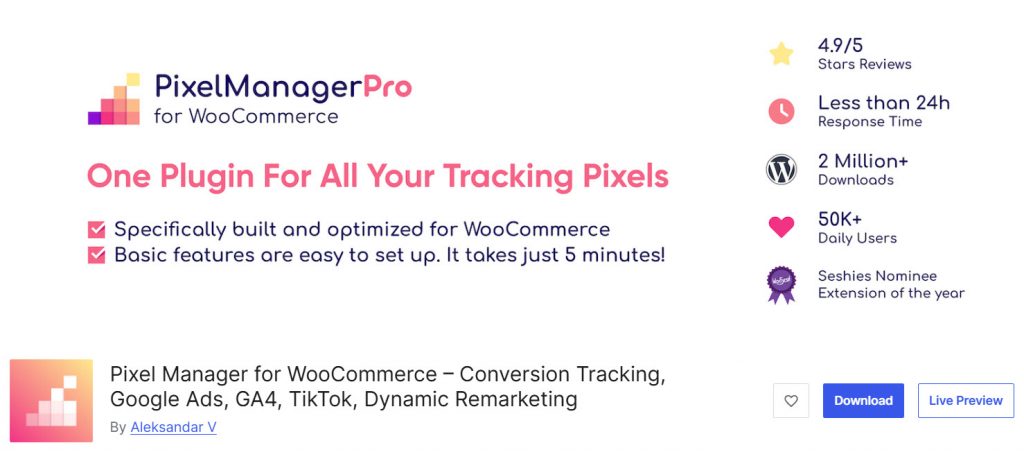
Pixel Manager for WooCommerce is a powerful conversion-tracking plugin that lets you manage multiple advertising pixels on your WordPress site from a single place. It supports popular platforms, including TikTok, Google, Meta (Facebook), and Pinterest, making it useful for store owners who run ads across different networks.
This plugin allows you to easily add the TikTok Pixel and configure the TikTok Events API for better tracking accuracy. It is especially helpful for WooCommerce stores that want centralized control over their tracking setup without adding multiple separate plugins.
The free version offers basic pixel management, while the Pro version unlocks advanced features like server-side tracking, enhanced e-commerce events, and more detailed reporting.
If you need a reliable way to manage the TikTok Pixel alongside other advertising platforms on your WooCommerce store, Pixel Manager for WooCommerce is a robust, professional solution.
Features
- Add and manage TikTok Pixel on your WooCommerce site
- Supports TikTok Events API for improved tracking
- Centralized management of multiple advertising pixels
- WooCommerce-specific conversion tracking
- Server-side tracking support in the Pro version
- Easy setup with minimal coding required
- Detailed event tracking for better ad optimization
Pros and Cons
| Pros | Cons |
|---|---|
| Excellent multi-platform pixel management | Significantly more expensive than dedicated TikTok plugins |
| Strong WooCommerce integration | |
| Supports TikTok Events API | |
| Reliable and regularly updated |
Pricing
Pixel Manager for WooCommerce is a freemium plugin. The Pro version starts at $149 per year.
Common Mistakes to Avoid While Using TikTok WordPress Plugins
Here are some common mistakes you should avoid when using TikTok plugins on your WordPress site:
- Choosing the Wrong Type of Plugin: Many users pick a TikTok feed plugin when they actually need a floating TikTok button or TikTok Pixel. Define your goal first (displaying videos, driving followers, or tracking ads) before selecting a plugin.
- Adding Too Many TikTok Elements: Placing multiple TikTok feeds, buttons, and videos on the same page can make your website look cluttered and slow down page load times. Keep the integration clean and purposeful.
- Ignoring Mobile Experience: TikTok content is primarily consumed on mobile devices. Make sure the plugin you choose displays TikTok videos and the floating button properly on smaller screens.
- Not Adding the TikTok Pixel Correctly: If you run TikTok ads, failing to properly integrate the TikTok Pixel means you won’t be able to track conversions or optimize your campaigns effectively.
- Using Outdated or Poorly Supported Plugins: Some TikTok plugins are no longer maintained. Always choose plugins that receive regular updates to avoid compatibility issues with the latest WordPress versions.
- Not Testing Site Performance: Embedding multiple TikTok videos can increase page load time. Always test your website speed after installing a TikTok plugin, especially if you use a feed or multiple videos on a single page.
Quick Summary
| Need | Recommended Plugin | Reason |
|---|---|---|
| Best TikTok Feed Display | Feeds for TikTok (Smash Balloon) | Best layouts, features, and support |
| Best Free TikTok Feed Plugin | QuadLayers TikTok Feed or Custom Feed | Good free versions |
| Best for TikTok Ad Tracking | TikTok (Official) or Pixel Manager | Strong pixel + Events API support |
| Best Budget Tracking Option | Add Tiktok Pixel for Tiktok ads | Completely free and focused |
| Best for Simple Video Embedding | Embed Block for TikTok | Lightweight and easy to use |
| Best for WooCommerce Stores | Pixel Manager for WooCommerce | Advanced tracking + multi-platform support |
Here are a few other articles you might be interested in:
- 920+ Reiki and Energy Healing Business Name Ideas
- 850+ Advertising Agency Name Ideas That Actually Stand Out
- What’s New in Bookster 3.3.0
- 720 Yoga Studio Name Ideas for a Calm, Memorable Brand
- 7 Best WP Simple Pay Alternatives & Payment Gateway Options
Frequently Asked Questions
Now, let’s take a look at some frequently asked questions and answers on this topic.
What is a TikTok plugin for WordPress?
A TikTok plugin for WordPress helps you connect your TikTok account with your website. These plugins allow you to embed TikTok videos, display your TikTok feed, add a floating TikTok button, or integrate the TikTok Pixel for advertising tracking.
How do I display TikTok videos on my WordPress site?
You can display TikTok videos on your WordPress site by using a TikTok feed plugin. Plugins like Feeds for TikTok and Custom Feed for TikTok let you connect your TikTok account and automatically display your latest videos in customizable layouts, such as grid, carousel, or masonry.
What is the best TikTok feed plugin for WordPress?
Feeds for TikTok by Smash Balloon is currently one of the best TikTok feed plugins for WordPress. It offers clean layouts, strong customization options, good performance, and regular updates. Other good options include QuadLayers TikTok Feed and Custom Feed for TikTok.
How do I add the TikTok Pixel to my WordPress website?
You can add the TikTok Pixel to your WordPress website using plugins like the official TikTok plugin or Add TikTok Pixel for TikTok ads. These plugins make it easy to install the pixel without editing code, helping you track conversions and optimize your TikTok ads.
Can I add a floating TikTok button on my WordPress site?
Yes. Some TikTok plugins allow you to add a static or animated floating TikTok button on your website. This button links directly to your TikTok profile and helps drive traffic from your WordPress site to your TikTok account.
Do TikTok plugins work with WooCommerce?
Yes. Several TikTok plugins work well with WooCommerce stores. You can use them to display TikTok videos on product pages or integrate the TikTok Pixel to track purchases and other important events for your TikTok advertising campaigns.
Is there a free TikTok plugin for WordPress?
Yes. There are several free TikTok plugins available, including Embed Block for TikTok, Add TikTok Pixel for TikTok ads, and the free versions of Feeds for TikTok and QuadLayers TikTok Feed. These are good options if you have basic needs.
Which plugin is best for embedding individual TikTok videos?
If you only want to embed individual TikTok videos occasionally, the Embed Block for TikTok is the best option. It adds a simple Gutenberg block that lets you easily embed TikTok videos directly into your posts and pages without any complicated setup.
Conclusion
Integrating TikTok with your WordPress site can significantly enhance your online presence by showcasing your latest videos and boosting audience engagement. Whether you want to display TikTok content on your website or track the performance of your TikTok ads, choosing the right plugin makes a big difference.
If your main goal is to display TikTok videos and feeds on your site, Feeds for TikTok by Smash Balloon stands out as the best overall option for its clean layouts, robust features, and reliable performance.
For lightweight, budget-friendly alternatives, QuadLayers’ TikTok Feed and Custom Feed for TikTok are also good choices. For TikTok advertising and conversion tracking, the official TikTok plugin or the Pixel Manager for WooCommerce is a more suitable option.
If you only need to embed individual TikTok videos occasionally, the Embed Block for TikTok offers a simple, lightweight solution. Before making a final decision, consider your specific needs, budget, and whether you require feed display, pixel tracking, or both.
Testing a plugin on a staging site first can help you find the one that best fits your website.
Which plugin are you going to use?
Let us know in the comments.
We hope you found this article helpful and enjoyed reading it. If you did, feel free to check out our blog archive for more useful guides and tips. Also, check out our YouTube channel, X, and Facebook page to get the latest news.