

Do you want to add a photography studio booking system to WordPress? If you are looking for a simple guide, keep reading.
Running a successful photography business requires an efficient way to manage appointments and client bookings. Instead of handling requests manually through messages or spreadsheets, you can automate the entire process by adding a booking system to your WordPress website.
A reliable WordPress booking plugin enables photographers and photo studios to accept photography booking requests, manage schedules, and organize photography sessions from a single dashboard. With the right booking solution, clients can choose a session type, select a time slot, and complete the payment process through a simple booking form.
Many tools, such as Bookly and other WordPress booking plugin options, also support Google Calendar sync, automated reminders, and secure bookings. This helps streamline the booking experience while reducing last-minute cancellations and scheduling conflicts.
In this post, we will show you how to do it with ease.
First, let’s see why you should add a photography studio booking system to WordPress.
Table of Contents
Why You Should Add a Photography Studio Booking System to WordPress
Adding a booking system to your WordPress photography website helps automate scheduling and improve the overall client experience.
- A WordPress booking plugin allows photographers and photo studios to accept appointment booking requests through a simple booking form, letting clients book sessions without the back-and-forth messages.
- The right booking system can simplify your workflow by managing schedules, preventing overlap, and organizing photography booking requests from a central admin dashboard.
- Many plugins support payment gateways, deposits, and booking confirmation notifications via email or SMS, helping reduce no-shows and secure bookings.
- A booking calendar WordPress setup allows clients to select available time slots on desktop, mobile devices, or tablets, creating a seamless booking experience.
- Modern scheduling software designed specifically for photography businesses helps photographers automate bookings, manage multiple clients, and personalize their booking templates to their brand.
How to Add a Photography Studio Booking System to WordPress
We will be using the Bookster WordPress plugin for this task. So the first thing you need to do is install and activate Bookster on your website.
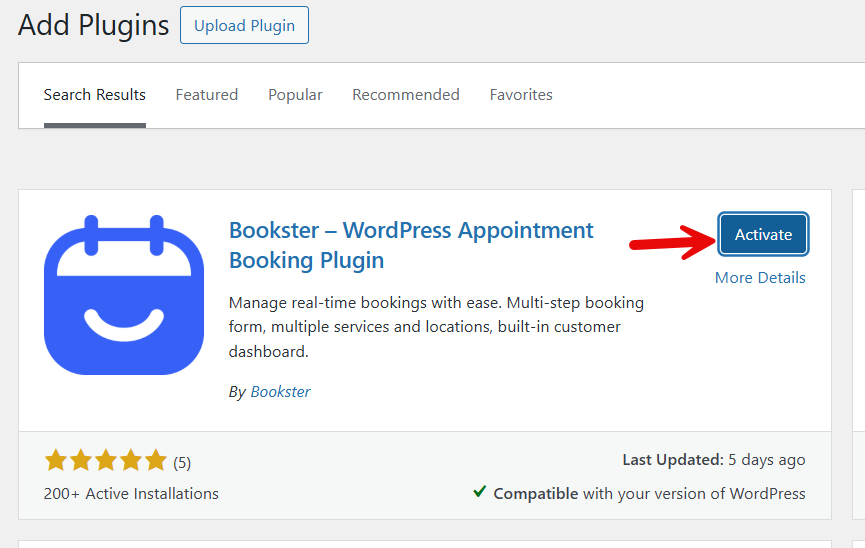
After finishing up activation, you will be redirected to the initial configuration wizard.
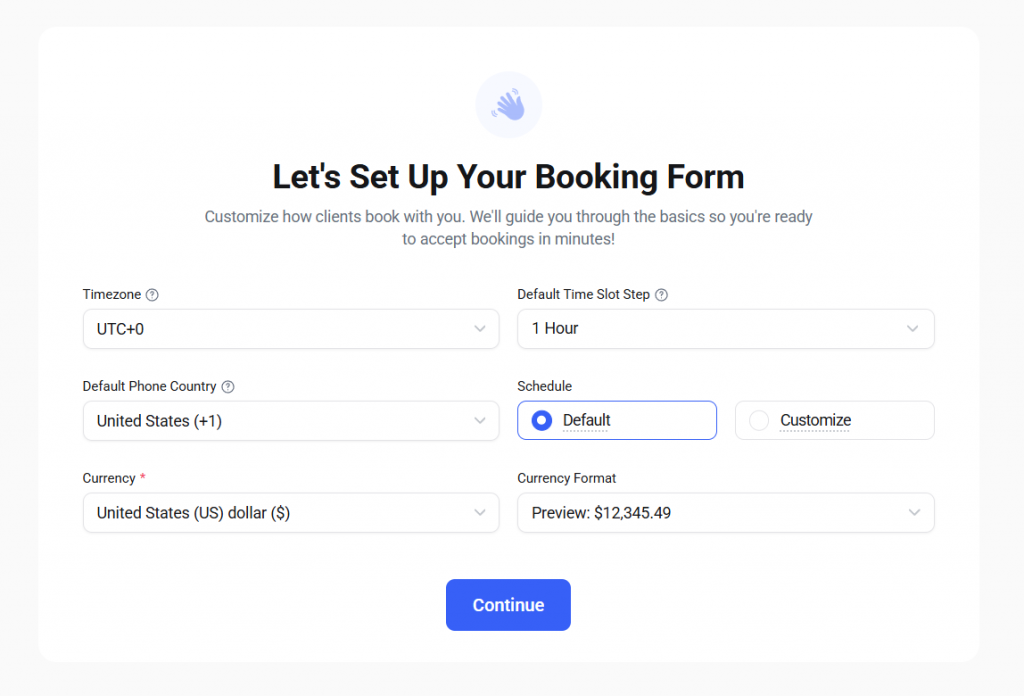
You can configure
- Timezone
- Default slot step
- Default phone currency
- Schedule
- Currency
- Currency format
Based on your requirements, you can configure this form. Next, you can add the agent.
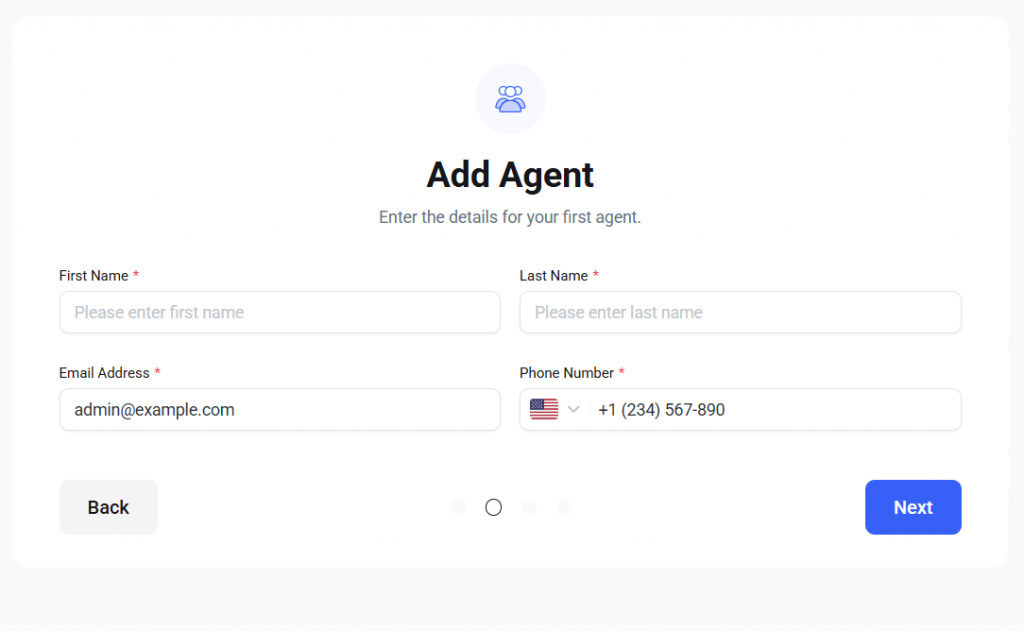
In the next step, you can add services.
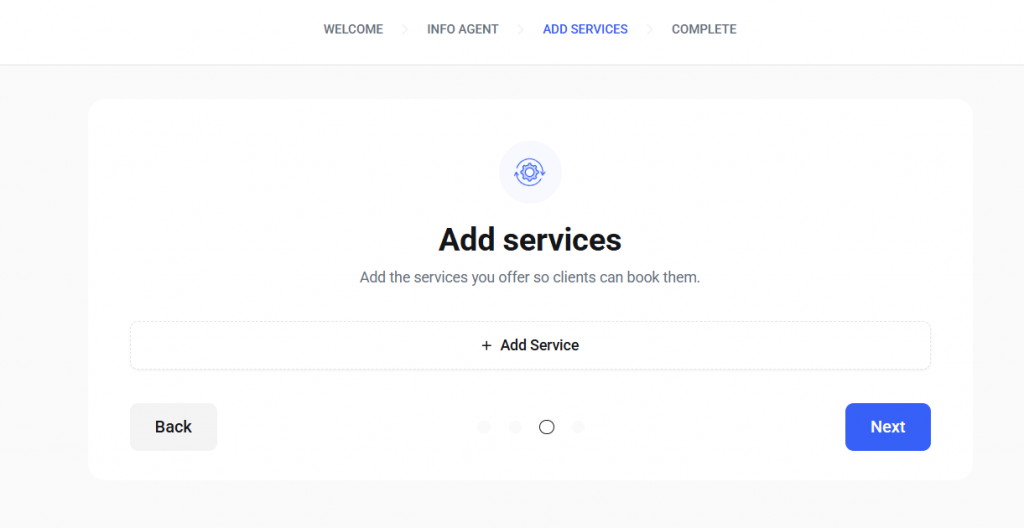
You can add services there, but you can also add them later. Once you are done with it, move to the final step.

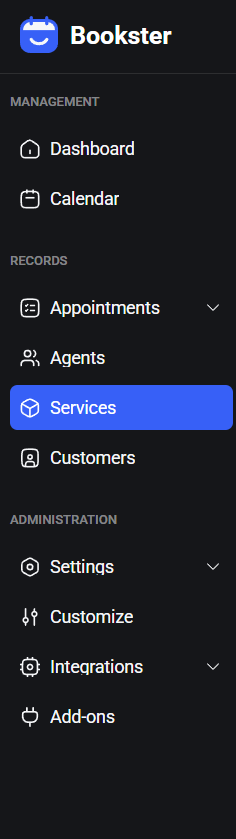
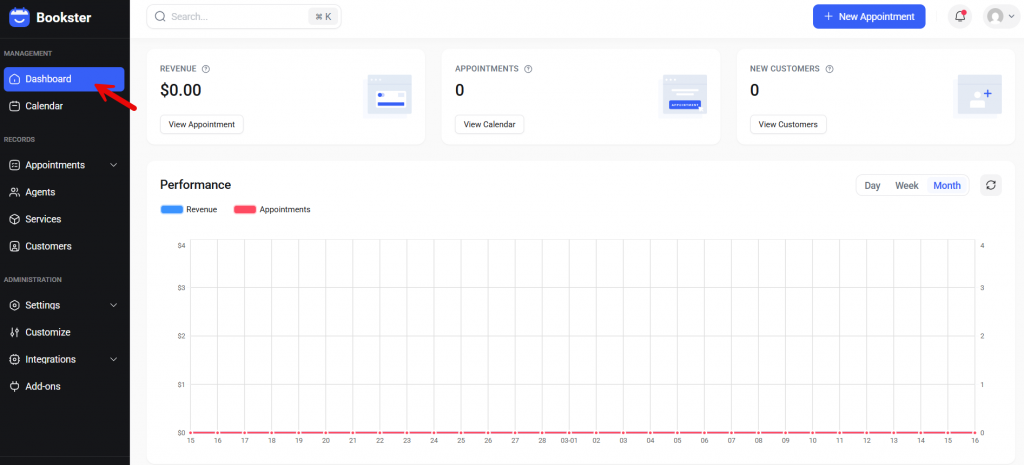
Move to the Bookster dashboard to continue customizing. On the left-hand side, you can see all the available Bookster settings.
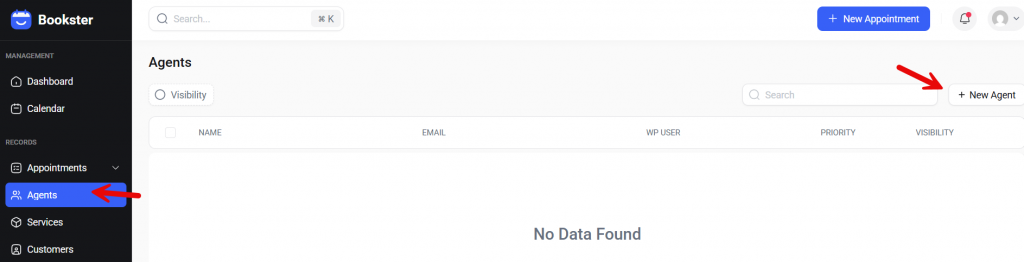
First, we will create all the agents we need.
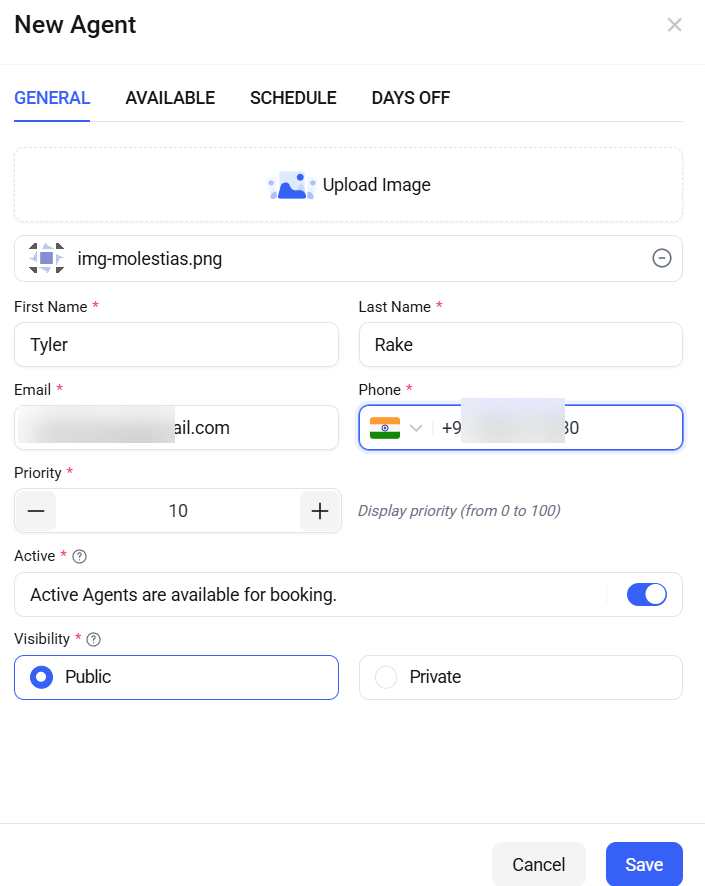
You will see four options.
- General
- Available
- Schedule
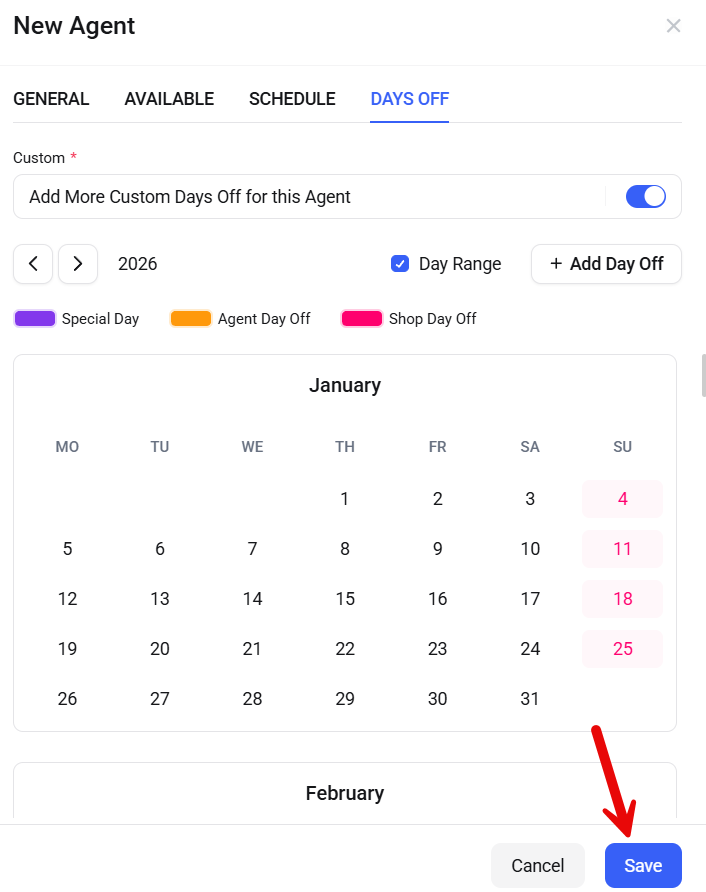
- Days off
Under general options, you can upload the profile picture, set the name, email address, phone number, and mark the agent as active. You can also set the agent’s visibility.
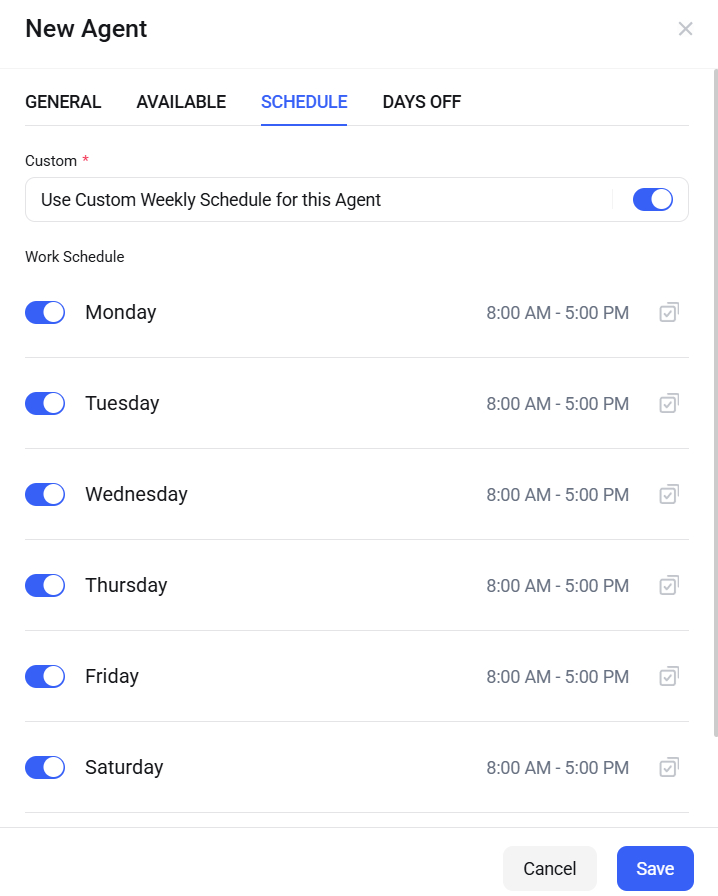
The availability option can be skipped. We will work on it after we have created the necessary services. Now, if you need to set a custom time for the agent, use the schedule option.
Next, if you need to add custom dates off for this specific agent, you can use the final option. Once you have done that, save the agent.
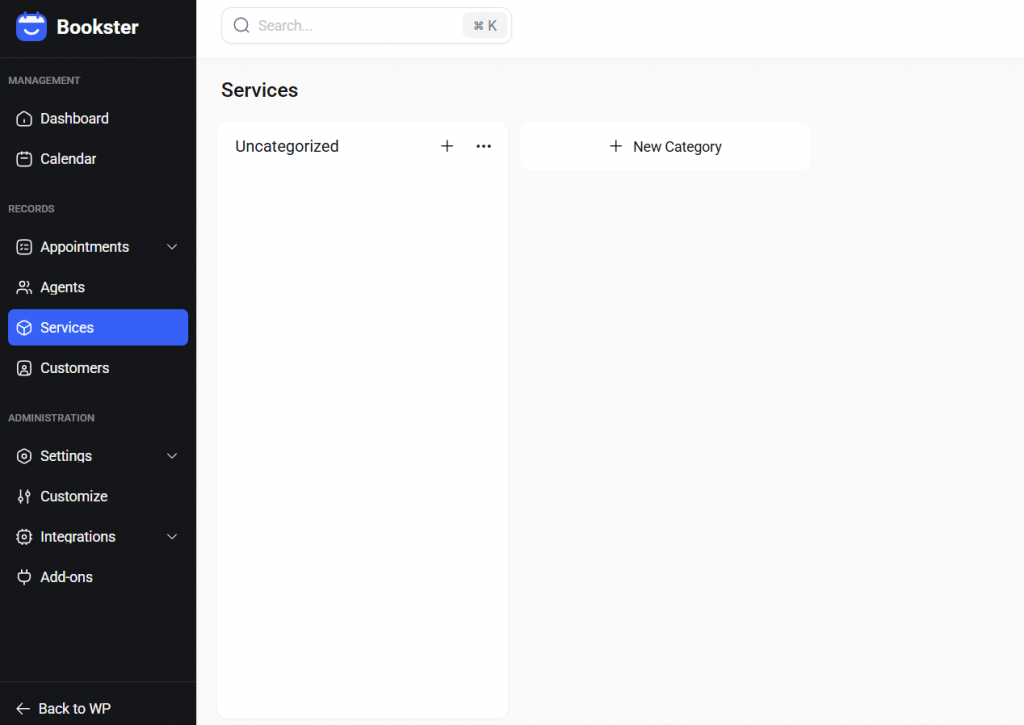
Now, let’s start with the services. You can create as many services and categories as you need.
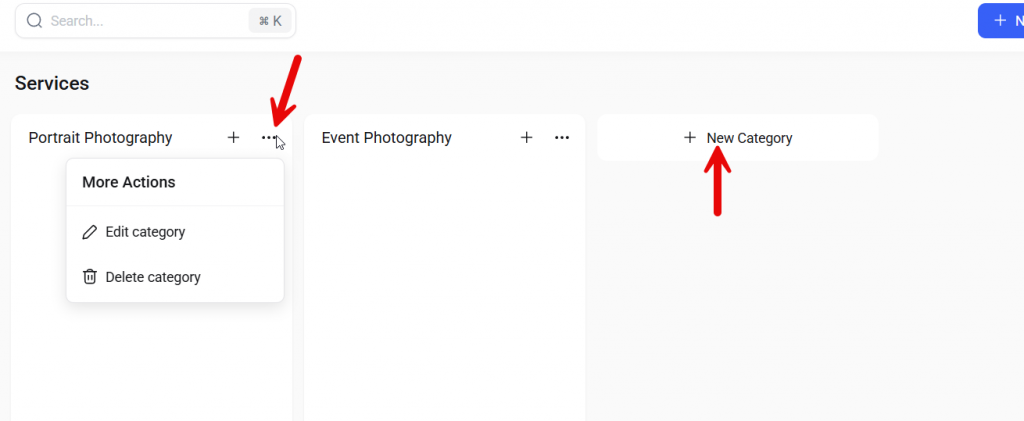
In this case, we will create 2 categories and 3 services under each. To create new categories, you can click the + New Category button. If you need to edit or delete an existing one, you can use the three-dot button.
When creating new services, you will see three options.
- General
- Available
- Schedule
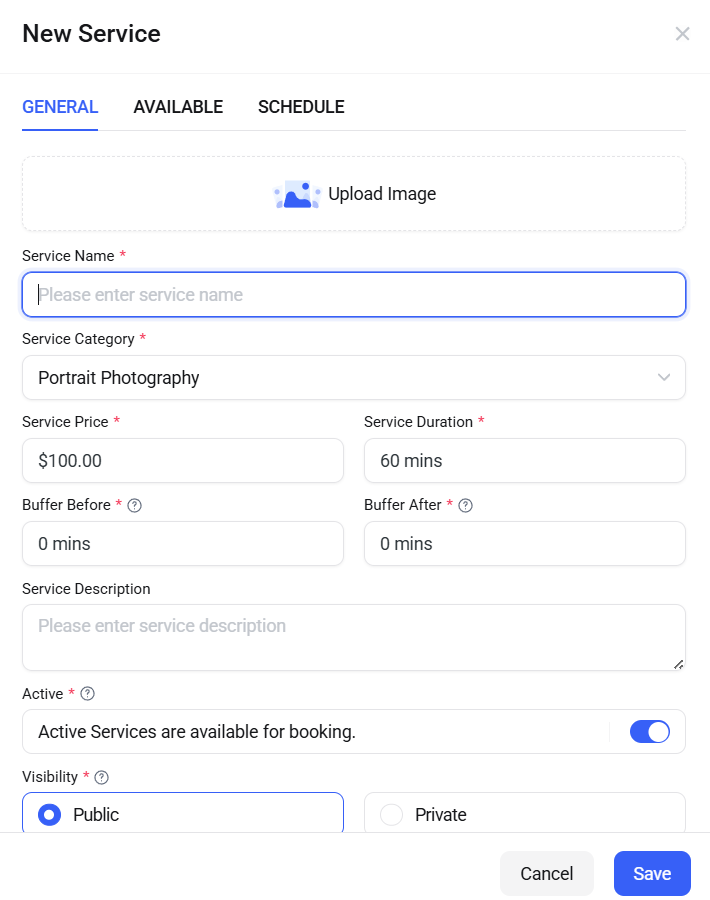
In the first option, you can add the image, service name, price, service duration, buffer before, buffer after, description, active, and visibility.
From the available section, you can choose which agents can do this service. Finally, you can also schedule the service for a specific time.
Similarly, create services for everything you offer to clients.
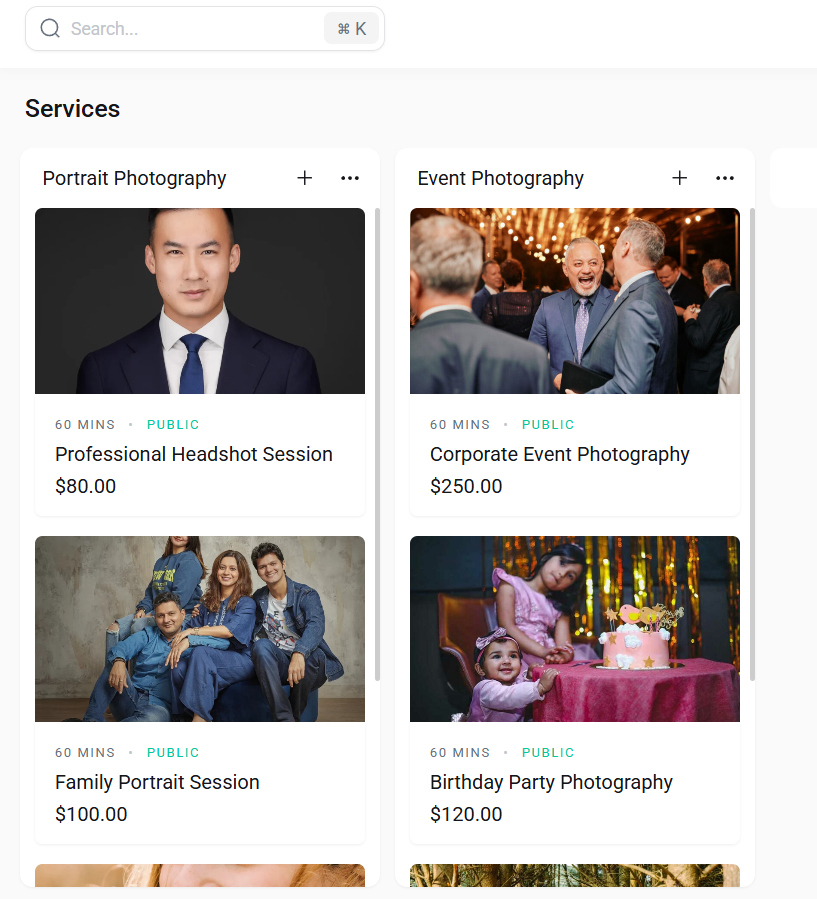
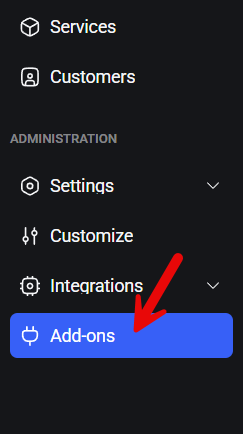
The next step is to integrate a payment collection system. Now, you need to go to the add-ons section.
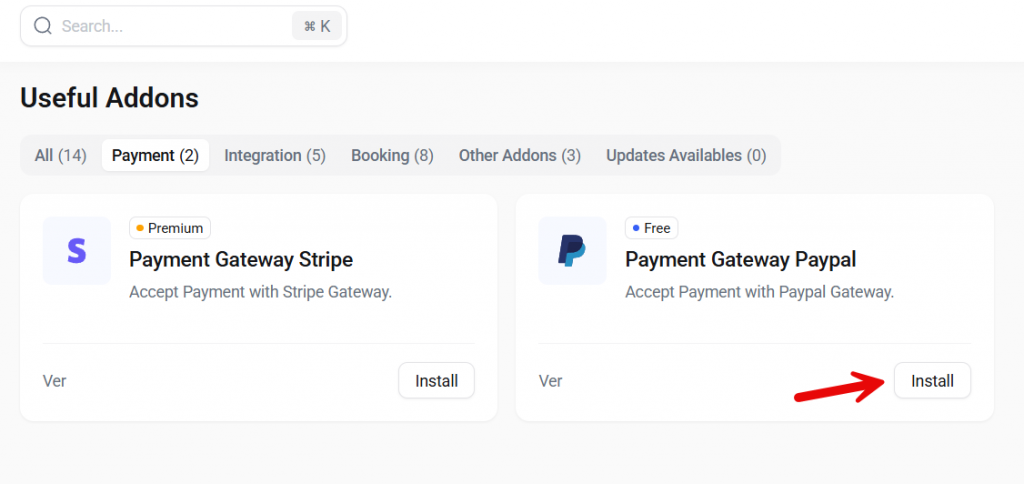
As of now, there are two payment add-ons available. In this case, we will be using PayPal.
Now move to the payment settings.
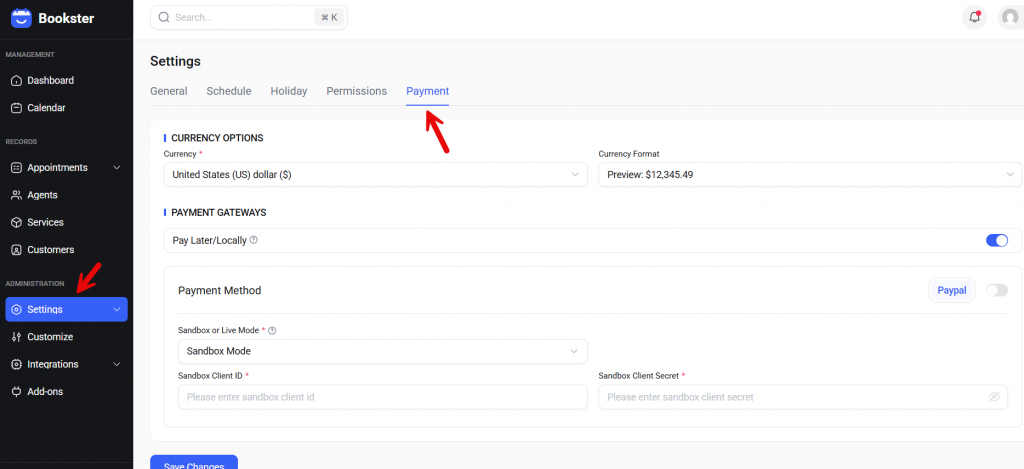
You can enable the pay locally option to collect cash offline. Once you have enabled the PayPal add-on, you can switch between sandbox and live mode. Sandbox mode will help you test things without any issues.
You have to paste the client ID and client secret to complete the integration. From now on, the customers can pay you via PayPal. Once you have configured everything, it is time to embed the booking form.
Go to any page you like and open it. The block you need to be using is the Bookster Booking Form.
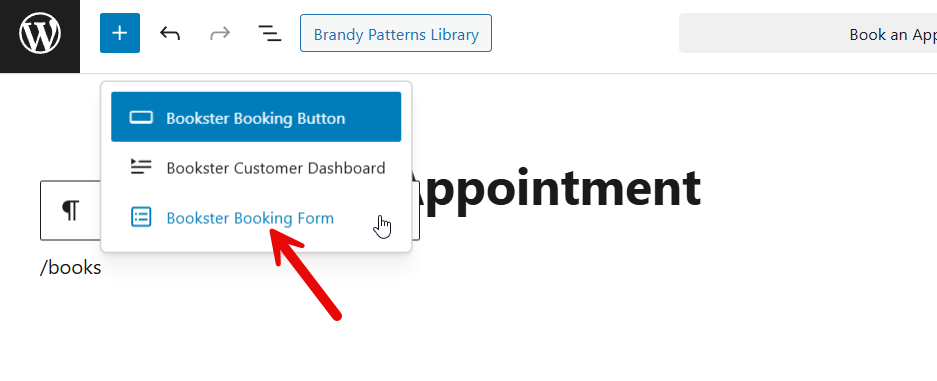
Now Gutenberg will add the block.

Once that is done, you can publish or update the page. After that, check the page from the front end.
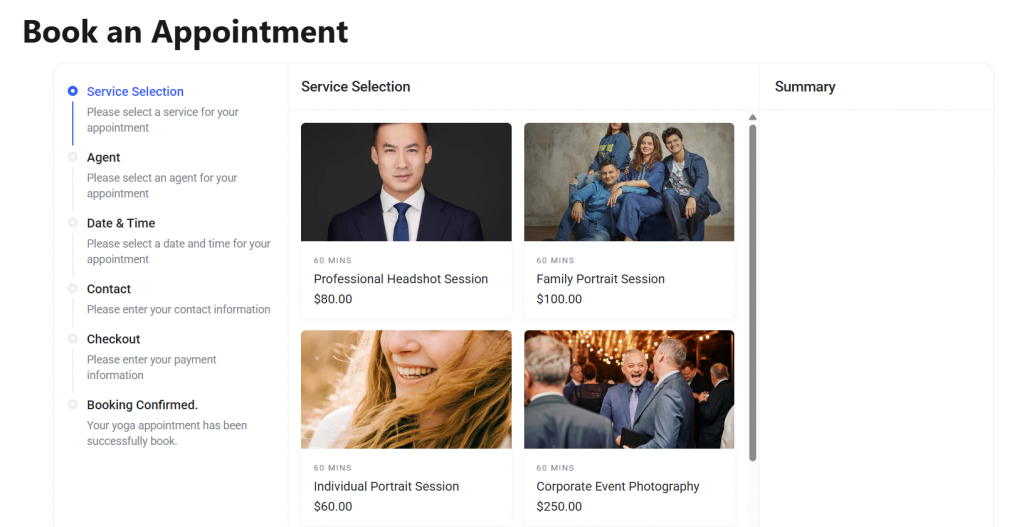
As you can see in the screenshot, customers can book the service from there. And when someone books appointments for your photography services, you can track everything from the dashboard.
That’s it!
This is how you can add a photography studio booking system to WordPress.
Best Practices You Should Follow
Setting up a WordPress booking system correctly helps photographers automate appointments and create a smoother booking experience for clients.
- Choose a reliable WordPress booking plugin designed specifically for photography booking so photographers and photo studios can manage schedules and bookings efficiently.
- Customize the booking form and form fields to match your photography business services and unique requirements.
- Configure the plugin’s settings properly so clients can only book available slots and avoid scheduling conflicts or unavailable dates.
- Use integrations and add-on tools to connect your booking solution to other tools, such as calendars and payment systems.
- If your studio handles multiple sessions, enable options such as group booking and unlimited staff members to support different photographers.
- Personalize the booking template, font, and design elements to match your brand and create a more intuitive booking experience.
- Regularly review your scheduling software settings and optimize the system to secure bookings and drastically reduce no-shows.
Here are some more posts you would find useful:
- 850+ Advertising Agency Name Ideas That Actually Stand Out
- What’s New in Bookster 3.3.0
- 720 Yoga Studio Name Ideas for a Calm, Memorable Brand
- 7 Best WP Simple Pay Alternatives & Payment Gateway Options
- 7 Best Google Calendar Alternatives for Your Calendar Needs
Frequently Asked Questions
Now, we will look at some of the frequently asked questions and answers.
What is the best plugin for a photography booking system in WordPress?
The best WordPress booking plugin should be user-friendly, flexible, and designed to manage appointments efficiently. Bookster is a great plugin for photographers who want a simple way to manage bookings. It provides essential features that help photographers organize sessions, manage schedules, and create an effortless booking experience for clients.
How does a photographer manage schedules with a booking plugin?
A booking plugin allows photographers to set availability, manage appointments, and organize schedules from a single dashboard. By configuring the plugin’s ‘settings’, photographers can eliminate scheduling conflicts and create a smoother booking workflow that matches their specific needs.
How does a photography booking form work?
A photography booking form allows clients to select a service, choose a date, and submit their request online. Once a client makes a booking, the system records the appointment and confirms it. This creates a user-friendly booking experience and helps secure bookings and reduce no-shows.
Can photographers add a booking system without complex scheduling software?
Yes. Many WordPress tools provide simple scheduling software that helps photographers manage bookings without complicated setups. These tools are ideal for photographers who want to automate their workflow and avoid using manual tools like spreadsheets.
Is Bookly a good option for photography booking?
Bookly is a popular appointment-scheduling solution used by many businesses. However, tools like Bookster provide a modern and user-friendly experience with essential features that make photography booking simple for photographers managing client sessions.
How can I add a booking system to my photography business website?
You can add a booking system by installing a WordPress booking plugin and configuring its settings. Bookster is ideal for photographers because it offers a free plugin that lets studios manage bookings, customize forms, and handle appointments directly from the WordPress dashboard.
What features should a photography booking solution include?
A good booking solution should include essential features such as customizable forms, flexible scheduling options, and tools that help manage a photographer’s workflow. These features help photographers handle bookings efficiently while improving the overall booking experience for clients.
Conclusion
Adding a booking system to your WordPress photography website can greatly improve how you manage appointments and client requests.
Instead of handling bookings manually, a WordPress booking plugin allows photographers to automate scheduling, manage sessions, and create a smoother booking experience for clients. A well-designed photography booking solution helps eliminate scheduling conflicts, organize appointments, and secure bookings while reducing no-shows.
For photographers who want a simple yet powerful system, Bookster is an excellent choice. This user-friendly booking plugin provides essential features that help photographers manage bookings directly from the WordPress dashboard. You can easily add a photography studio booking system to WordPress with Bookster.
With customizable booking forms and flexible settings, Bookster allows photography businesses to streamline their workflow and focus more on delivering great photography sessions, while the booking system handles scheduling.
We hope you found this article helpful and enjoyed reading it. If you did, feel free to check out our blog archive for more useful guides and tips. Also, check out our YouTube channel, X, and Facebook page to get the latest news.
What other website would you create with Bookster?
Let us know in the comments.

