
Are you looking for the best WP Fastest Cache alternatives? If you are, keep reading this article. We will be sharing the 7 best options you need to use!
WP Fastest Cache is one of the most popular caching plugins for WordPress, but it lacks some advanced features that many users need today.
If you want better performance, more control over caching settings, or stronger Core Web Vitals scores, exploring alternatives is a smart move. In this article, we compare the 7 best alternatives to WP Fastest Cache.
We evaluate each caching plugin based on speed improvements, features, ease of use, and overall value to help you choose the right solution to speed up your WordPress site and improve user experience.
First, let’s see what WP Fastest Cache is and why you need it.
Table of Contents
WP Fastest Cache: What Is It?

Link: https://wordpress.org/plugins/wp-fastest-cache/
Link: https://www.wpfastestcache.com/
WP Fastest Cache is a popular free caching plugin for WordPress. It helps improve website speed by generating static HTML files for your pages and posts, reducing server load and improving page load times.
The plugin offers useful features such as page caching, browser caching, minification, and Gzip compression.
It is known for being lightweight and beginner-friendly, with a simple interface that makes it easy to configure basic cache settings. However, the free version of WP Fastest Cache lacks several advanced features that many users need today.
This is why a growing number of WordPress users are exploring better WP Fastest Cache alternatives that offer stronger optimization, better performance, and more control over caching.
Why You Should Use WordPress Caching Plugins?
Without a caching plugin, your WordPress site generates every page from scratch whenever a visitor arrives. This process puts an unnecessary load on your server and significantly slows your website’s speed.
A good WordPress cache plugin helps speed up your site by creating static HTML versions of your pages. This reduces server load, improves page load time, and enhances overall site performance.
Caching also plays an important role in improving Core Web Vitals, which can positively impact your SEO rankings. Using a caching plugin is one of the simplest and most effective ways to optimize your website.
Whether you choose a free plugin or a premium solution, adding caching can make a noticeable difference in how fast your site loads for visitors and how well it performs in search engines.
What to Look for in WordPress Cache Plugins?
Choosing the right caching plugin is important for improving your website’s speed and user experience. Here are the key features you should consider:
- Page Caching: The plugin should provide robust page caching to serve static HTML files to visitors, significantly reducing server load and improving page load times.
- Browser Caching & Gzip Compression: Good caching plugins enable browser caching and Gzip compression to help returning visitors load your site faster by avoiding repeated downloads of the same files.
- Minification and Optimization: Look for built-in minification of CSS, JavaScript, and HTML files. This reduces file sizes and helps improve site speed and Core Web Vitals scores.
- Image Optimization & Lazy Loading: Serving WebP images and lazy-loading them can greatly reduce page load time, especially on content-heavy websites.
- Preloading and Cache Management: Features like preload, automatic cache clearing, and easy cache deletion help keep your site fast and up to date without manual effort.
- Ease of Use and Mobile Support: A good caching plugin should have a clean interface and offer separate mobile caching. Also consider whether the free version is sufficient or if you need to pay for advanced features.
Now, let’s move on to the main section of this blog post, where we’ll compare the 7 best WP Fastest Cache alternatives.
Best 7 WP Fastest Cache Alternatives
| Plugin Name | Free Version | Pricing | Page Caching | Advanced Optimizations | Ease of Use | Best For |
|---|---|---|---|---|---|---|
| FlyingPress | No | $59/year | Excellent | Critical CSS, Image Optimization, and Lazy Load | Easy | Best overall performance |
| WP Rocket | No | $41.30/year | Excellent | Critical CSS, Lazy Load, Database Optimization | Very Easy | Beginners wanting strong results |
| LiteSpeed Cache | Yes | Free | Excellent | Image Optimization, Critical CSS, Object Cache | Easy | Best free caching plugin |
| W3 Total Cache | Yes | $99/year (Pro) | Excellent | Object Cache, Database Cache, Minification | Hard | Advanced users needing full control |
| NitroPack | No | $7/month | Excellent | All-in-one (Critical CSS, CDN, Image Opt) | Very Easy | Maximum speed with minimal effort |
| WP Super Cache | Yes | Free | Good | Basic (Gzip, Preload) | Easy | Simple caching needs |
| Breeze | Yes | Free | Good | Basic Minification | Very Easy | Small websites and beginners |
1. FlyingPress
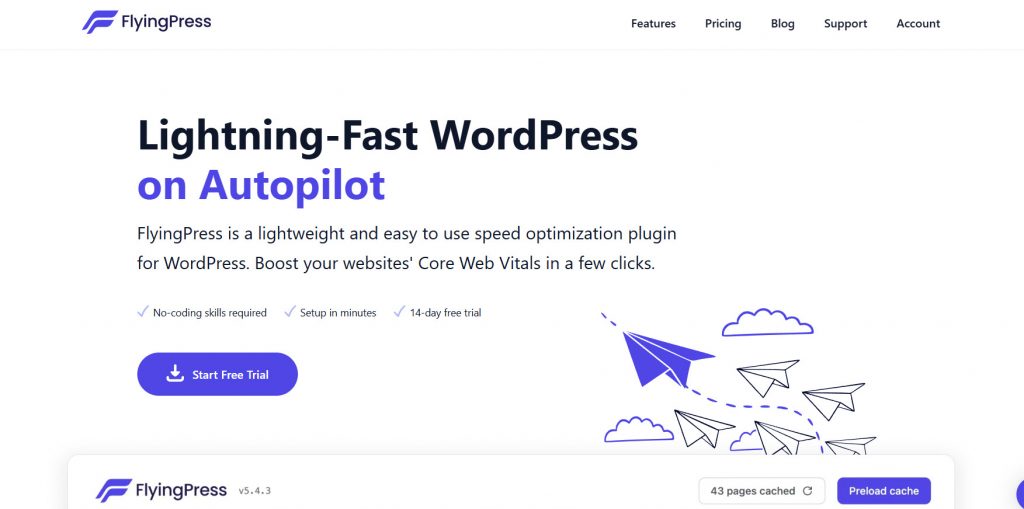
FlyingPress is a premium WordPress caching and optimization plugin designed to significantly boost your website’s performance. It combines powerful page caching with advanced optimization features, making it one of the strongest WP Fastest Cache alternatives available today.
Unlike many free caching plugins, FlyingPress takes a more complete approach by including critical CSS generation, image optimization, lazy loading, and seamless CDN integration. This makes it especially useful for users who want a high-performance solution without needing to install multiple separate plugins.
The plugin is known for its clean interface and strong focus on Core Web Vitals. It automatically applies many performance optimizations, helping you speed up your site with minimal manual configuration.
Features
- Advanced page caching with automatic cache clearing
- Critical CSS and unused CSS removal
- Image optimization and WebP conversion
- Lazy loading for images and iframes
- Built-in CDN support
- Database optimization tools
Pros and Cons
| Pros | Cons |
|---|---|
| Excellent overall site speed improvements | Premium only (no free version) |
| Strong focus on Core Web Vitals | |
| Clean interface with good automation | |
| Includes many optimization features |
Pricing
FlyingPress is a premium plugin. The pricing starts at $59 per year for a single site.
2. WP Super Cache
WP Super Cache is a free and open-source caching plugin developed by Automattic, the company behind WordPress.com. It is one of the oldest and most popular caching plugins for WordPress, designed to speed up your site by generating static HTML files of your pages.
The plugin offers basic page caching, along with features such as Gzip compression, cache preloading, and CDN support. It is relatively easy to configure, making it suitable for beginners who want a simple caching solution without paying for premium features.
However, WP Super Cache lacks many of the advanced optimization features that modern caching plugins offer, such as critical CSS generation, automatic image optimization, and advanced cache control.
Because of these limitations, many WordPress users eventually look for more powerful alternatives to WP Fastest Cache.
Features
- Page caching to serve static HTML files
- Gzip compression support
- Cache preloading options
- Basic CDN integration
- Easy cache clearing from the dashboard
- Mobile user agent detection
Pros and Cons
| Pros | Cons |
|---|---|
| Completely free and open-source | Lacks advanced optimization features |
| Developed and maintained by Automattic | |
| Simple interface suitable for beginners | |
| Lightweight with decent basic performance |
Pricing
WP Super Cache is a free plugin available on the WordPress.org repository.
3. WP Rocket

WP Rocket is one of the most popular premium caching plugins for WordPress. It is known for being beginner-friendly while offering powerful performance optimization features that go beyond basic page caching.
Unlike WP Fastest Cache, WP Rocket provides a more complete solution with built-in file optimization, lazy loading, database optimization, and CDN integration.
It automatically applies many performance improvements, making it easier for users to speed up their WordPress site without deep technical knowledge. The plugin focuses heavily on improving Core Web Vitals and overall user experience.
Because it is a paid-only plugin with no free version, it is often chosen by users who want a reliable, regularly updated caching solution with excellent support and consistent results.
Features
- Advanced page caching with automatic cache clearing
- File optimization (CSS, JavaScript minification, and combination)
- Lazy loading for images, videos, and iframes
- Critical CSS generation
- Database optimization tools
- CDN integration with popular providers
Pros and Cons
| Pros | Cons |
|---|---|
| Very easy to use with excellent results | No free version (premium only) |
| Strong focus on Core Web Vitals | |
| Regular updates and reliable performance | |
| Great customer support |
Pricing
WP Rocket is a premium plugin. The pricing starts at $41.30 per year (billed annually).
4. W3 Total Cache
W3 Total Cache is a powerful and feature-rich caching plugin for WordPress. It is one of the most advanced caching solutions available and offers a wider range of optimization options than simpler plugins like WP Fastest Cache.
The plugin supports page, object, database, and browser caching, as well as CDN integration. It also includes minification, lazy loading, and various performance tuning settings.
Because of its depth, W3 Total Cache is often preferred by developers and users who need more control over how their site is cached and optimized. However, the plugin has a steeper learning curve than WP Fastest Cache.
The interface can feel overwhelming for beginners, and improper configuration may sometimes lead to issues. The free version is quite capable, while the Pro version adds more advanced features and priority support.
Features
- Page caching with multiple storage options
- Object caching and database caching support
- Browser caching and Gzip compression
- Minification of CSS, JavaScript, and HTML
- CDN integration with popular providers
- Lazy loading for images and iframes
Pros and Cons
| Pros | Cons |
|---|---|
| Extremely feature-rich and flexible | Steep learning curve for beginners |
| Strong free version available | |
| Excellent for advanced performance tuning | |
| Good CDN and object caching support |
Pricing
W3 Total Cache is a freemium plugin. The Pro version starts at $99 per year.
5. LiteSpeed Cache
LiteSpeed Cache is one of the most powerful and popular caching plugins for WordPress. It is completely free and offers a wide range of performance optimization features that go far beyond basic page caching.
The plugin works exceptionally well on LiteSpeed servers and performs well on other hosting environments. It includes advanced features such as image optimization, lazy loading, CSS and JavaScript minification, object caching, and a powerful crawler for cache preloading.
These tools help speed up your site and improve your Core Web Vitals scores.
Because it is free and regularly updated with new optimization features, LiteSpeed Cache has become a top choice for many WordPress users looking for a strong WP Fastest Cache alternative without paying for premium plugins.
Features
- Advanced page caching with automatic cache clearing
- Image optimization with WebP and AVIF support
- Lazy loading for images, videos, and iframes
- CSS, JavaScript, and HTML minification
- Object caching (Redis and Memcached support)
- Database optimization tools
Pros and Cons
| Pros | Cons |
|---|---|
| Completely free with excellent features | Best performance on LiteSpeed servers |
| Very actively developed and updated | |
| Strong image optimization and lazy loading | |
| Great for both beginners and advanced users |
Pricing
LiteSpeed Cache is a free plugin available on the WordPress.org repository.
6. Breeze Cache
Breeze is a free caching plugin developed by Cloudways. It is designed to be simple and lightweight, making it a good option for users who want to improve their website speed without dealing with complex settings.
The plugin offers essential caching features such as page caching, browser caching, Gzip compression, and basic minification. It also includes options to automatically clean the cache and to exclude specific pages or user roles from caching.
While it performs well for basic needs, Breeze lacks many advanced optimization features found in stronger WP Fastest Cache alternatives, such as critical CSS, image optimization, and object caching.
Because of its simplicity and clean interface, Breeze is suitable for beginners and small- to medium-sized websites that do not require extensive performance tuning.
Features
- Page caching with automatic cache clearing
- Browser caching and Gzip compression
- Basic CSS, JavaScript, and HTML minification
- Option to exclude pages, cookies, or user roles from cache
- Database optimization tools
- Mobile user agent detection
Pros and Cons
| Pros | Cons |
|---|---|
| Completely free with a clean interface | Lacks advanced optimization features |
| Lightweight and easy to configure | |
| Developed and maintained by Cloudways | |
| Good for beginners and small sites |
Pricing
Breeze is a free plugin available on the WordPress.org repository.
7. NitroPack
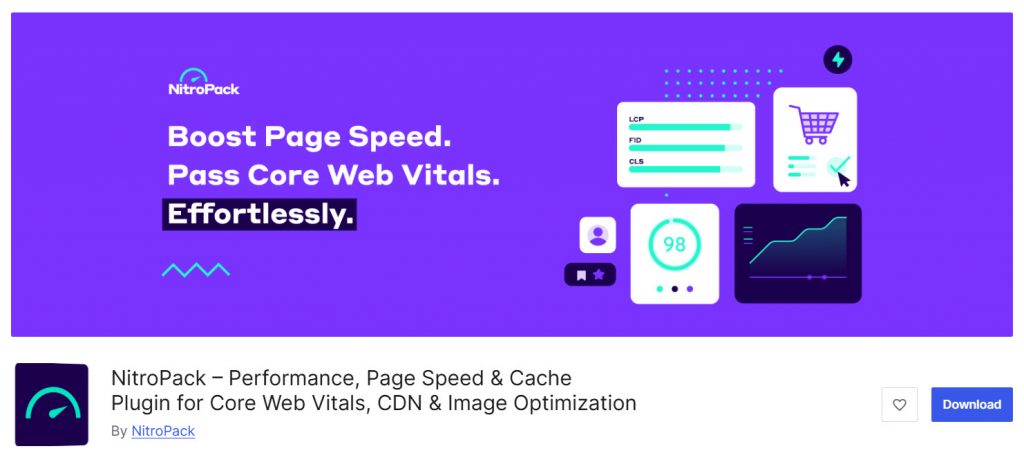
NitroPack is a powerful all-in-one performance optimization solution for WordPress. It goes beyond basic caching by combining advanced features like Critical CSS generation, image optimization, lazy loading, and a global CDN into a single service.
Unlike traditional caching plugins such as WP Fastest Cache, NitroPack is a SaaS-based solution that handles most optimizations automatically on its servers.
This makes it easier for users to achieve strong Core Web Vitals scores with minimal manual configuration. It is especially useful for websites that need significant speed improvements without spending too much time tweaking settings.
While NitroPack delivers excellent performance, it is more expensive than most caching plugins, and its cost increases with your website traffic. It is a good choice for users who prioritize speed and are willing to pay for convenience and results.
Features
- Advanced page caching with automatic optimization
- Critical CSS and unused CSS removal
- Automatic image optimization and WebP conversion
- Lazy loading for images, videos, and iframes
- Built-in global CDN
Pros and Cons
| Pros | Cons |
|---|---|
| Excellent speed improvements | More expensive than most caching plugins |
| Very easy to use with minimal setup | Pricing increases with traffic |
| Strong focus on Core Web Vitals | |
| Combines many optimizations in one tool |
Pricing
NitroPack is a premium service. The pricing starts at $7 per month (billed annually), with higher plans available based on monthly page views.
Quick Summary
| Use Case | Recommended Plugin | Reason |
|---|---|---|
| Best Overall Performance | FlyingPress | Strong speed improvements + good features |
| Best for Beginners | WP Rocket | Easiest to use with excellent results |
| Best Free Plugin | LiteSpeed Cache | Most powerful free caching plugin available |
| Best Premium Value | WP Rocket | Great balance of price, features, and ease of use |
| Best for Maximum Speed (Low Effort) | NitroPack | All-in-one optimization with CDN |
| Best for Advanced Users | W3 Total Cache | Most configuration options and control |
| Best Simple & Lightweight Option | Breeze | Clean interface, good for small sites |
Common Mistakes While Choosing a WordPress Cache Plugin
Choosing the right caching plugin can significantly improve your website speed, but many users make mistakes that limit their results. Here are some common mistakes to avoid:
- Choosing Only Based on Price: Many users pick a plugin just because it is free. While there are good free plugins available, some popular caching plugins lack advanced features that can make a big difference in site performance.
- Ignoring Server Compatibility: Not every caching plugin works equally well on all hosting environments. For example, some plugins perform much better on specific servers, so it’s important to choose one that fits your hosting setup.
- Overlooking Ease of Use: Some caching plugins come with complex settings that can be overwhelming for beginners. If you are not comfortable tweaking cache settings, it’s better to choose a plugin with a simpler interface.
- Not Testing on a Staging Site: Installing a caching plugin directly on a live site without testing can sometimes cause issues. Always test the plugin on a staging site first to avoid breaking your website.
- Focusing Only on Page Caching: Many users choose a plugin only for basic page caching. However, the best WordPress caching plugins also include features such as minification, lazy loading, and image optimization to further speed up your site.
- Ignoring Long-Term Support and Updates: Some plugins are no longer actively maintained. Choosing a plugin that receives regular updates is important to ensure compatibility with future WordPress versions and security improvements.
Here is a list of related posts you need to be looking at:
- Best 7 WP Fastest Cache Alternatives for WordPress
- 8 Best TikTok Plugins for WordPress in 2026 Compared
- Best 9 FedEx WooCommerce Plugins for Delivery Tracking
- Best Deposits & Partial Payments Plugins for WooCommerce
- Best 7 WooCommerce Point of Sale Plugins
Frequently Asked Questions
Now, let’s take a look at some frequently asked questions and answers on this topic.
What is the best WP Fastest Cache alternative?
The best WP Fastest Cache alternative depends on your needs. FlyingPress and WP Rocket are excellent premium options that deliver strong performance and are easy to set up. For a powerful free solution, LiteSpeed Cache is currently one of the top choices among WordPress users.
Is LiteSpeed Cache better than WP Fastest Cache?
Yes. LiteSpeed Cache offers more advanced features than WP Fastest Cache, including image optimization, critical CSS, lazy loading, and better cache management. It is also regularly updated and completely free, making it a strong alternative for many websites.
Should I use a free or premium caching plugin?
It depends on your requirements. Free plugins like LiteSpeed Cache and W3 Total Cache offer good performance. However, premium plugins like WP Rocket and FlyingPress usually provide better results, easier setup, and stronger optimization features with less manual configuration.
Does WP Rocket work better than WP Fastest Cache?
WP Rocket generally performs better than WP Fastest Cache because it includes advanced features like Critical CSS, lazy loading, and database optimization out of the box. It is also more beginner-friendly and regularly updated.
Can I use multiple caching plugins together?
No. You should never use more than one caching plugin at the same time. Using multiple caching plugins can cause conflicts, break your website, or negatively affect performance. Always use only one caching plugin.
Which caching plugin is best for beginners?
WP Rocket and FlyingPress are considered the best caching plugins for beginners. They offer simple interfaces, one-click optimizations, and strong performance improvements without requiring deep technical knowledge.
Does using a caching plugin improve Core Web Vitals?
Yes. A good caching plugin can significantly improve Core Web Vitals scores by reducing page load time, improving Largest Contentful Paint (LCP), and enhancing overall site speed. This can also positively impact SEO.
How do I switch from WP Fastest Cache to another plugin?
First, clear the cache in WP Fastest Cache, and then deactivate and delete the plugin. After that, install and activate your new caching plugin. It is recommended to test the new plugin on a staging site before using it on your live website.
Is NitroPack worth the price?
NitroPack is worth considering if you want maximum speed with minimal effort. It offers excellent performance results through its all-in-one optimization service. However, it is more expensive than traditional caching plugins, and the cost increases with higher website traffic.
Which caching plugin offers the best performance?
Plugins like FlyingPress, WP Rocket, and NitroPack generally deliver the best performance results. Among free options, LiteSpeed Cache performs very well, especially when used on LiteSpeed servers. The best plugin for you depends on your website type, hosting, and budget.
Conclusion
WP Fastest Cache is a decent free plugin, but it lacks many advanced features modern websites need to improve speed and Core Web Vitals. This is why many users are now looking for stronger alternatives to WP Fastest Cache.
Here’s a quick recommendation:
- Best Overall: FlyingPress and WP Rocket deliver excellent performance with easy setup.
- Best Free Option: LiteSpeed Cache stands out with powerful features and regular updates.
- Best for Beginners: WP Rocket is the easiest to use with strong results.
- Best for Advanced Users: W3 Total Cache offers the most control and customization.
The right caching plugin depends on your budget, technical comfort, and how much speed improvement you need. If WP Fastest Cache is not delivering the results you want, switching to a better alternative can significantly improve your website’s performance.
Which plugin are you going to use?
Let us know in the comments.
We hope you found this article helpful and enjoyed reading it. If you did, feel free to check out our blog archive for more useful guides and tips. Also, check out our YouTube channel, X, and Facebook page to get the latest news.