


Are you looking for the best Alternatives to Doodle? If you are, keep reading this article. Here, we will show you the best booking plugins and tools instead of Doodle.
Doodle is a popular scheduling tool, but many WordPress users are looking for better alternatives that offer deeper integration, greater flexibility, and advanced booking features.
If you run a service-based business, agency, or appointment-heavy website, switching to a dedicated WordPress booking plugin can give you better control, improved customer experience, and higher conversion rates.
In this guide, we compare the 7 best alternatives to Doodle for WordPress. We focus on ease of use, features, pricing, and real-world performance to help you find the right booking solution for your needs.
Before we move further into the list, let’s see what Doodle is and what they offer.
Table of Contents
Doodle: An Introduction
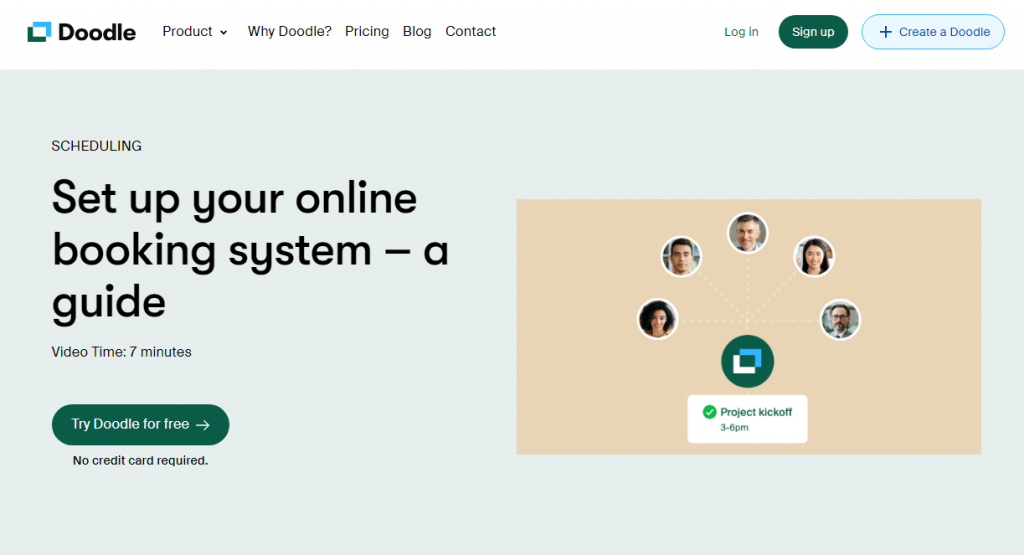
Doodle is an excellent tool for booking meetings and appointments. Whether you need a brief meeting on your phone or a formal conference with several attendees, Doodle has you covered.
You can sync Doodle with Google Calendar or use Zapier to link it to over 750 other apps. Not only that, but you can also automate processes such as adding new poll participants to a CRM or sending email notifications when people vote in your poll.
Here are some other major features of Doodle:
- Zapier integration with Google Calendar
- Automated alerts and reminders
- Bookings for teams and recurring appointments
- It comes with both the free and paid versions
- Reliable and straightforward to use
If the features offered in the free version are not enough, you can upgrade to the pro version for further features and integrations.
Now you know what Doodle is and what they have to offer. The following section will outline factors to consider when looking for alternatives to Doodle or booking plugins in general.
What to Look for in a WordPress Booking Plugin
Let’s take a look at some key factors to consider when choosing a WordPress booking plugin or Doodle alternative:
- Compatibility: To ensure a smooth booking experience for your customers, the plugin should integrate seamlessly with your existing website and feature an intuitive user interface.
- Flexibility: Look for a plugin that lets you customize your booking form, set different pricing options, and manage multiple calendars effortlessly.
- Security: A plugin that provides a secure transaction environment while protecting clients’ personal and financial information. Look for plugins that support SSL encryption and have built-in security features to protect sensitive data.
- Functionality: Consider reliable customer support for issues or questions about the plugin’s features. Regular updates are also necessary to address bugs or security vulnerabilities.
- Review and ratings: Lastly, take some time to research user reviews and ratings. Studying what other users say can provide valuable insights to help you make an informed decision.
Now you know what to look for in a WordPress booking plugin. Next, we will move on to the article’s core and show you the seven best Doodle alternatives.
Best Alternatives to Doodle Booking for WordPress
In a nutshell, the best alternatives to Doodle are:
| Plugin | Free Version | Pro Starting Price | Key Strength | Best For |
|---|---|---|---|---|
| Bookster | Yes | $39/year | Multi-staff & service booking | Service businesses & agencies |
| LatePoint | Yes | $79/year | Modern interface & staff management | Professional appointment booking |
| Setmore | Yes | $10/month | Simple setup & mobile apps | Beginners & small businesses |
| Calendly | Yes | $10/month | Easy scheduling & integrations | Individual professionals |
| Amelia | Yes | $49/year | Advanced features & group booking | Complex scheduling needs |
| Booknetic | No | $99 (one-time) | Comprehensive booking system | Full-featured booking sites |
| Bookly | Yes | $49/year | Flexible forms & staff management | Growing service businesses |
Below, we’ll go over what sets these booking plugins apart. You can select one of several options based on your needs and preferences.
Without further ado, let’s check out the list.
1. Bookster
If you are looking for the #1 booking plugin for WordPress, check out Bookster. Bookster has so many cutting-edge features you will love. With the plugin, you can create unlimited services and agents for the website. Since the platform also has an easy-to-use setup wizard, configuring the plugin would be easy.
You can also enable email notifications for new appointments on your website. This way, you can keep updated with what’s happening with the website. Another thing you will like is the category feature. You can create categories and assign services to them to make your job easier.
The plugin also has online payment gateway integration. So, the online payment gateway integration feature will be handy if you need to accept payments from your clients beforehand. Integrating PayPal with the plugin is not challenging. No coding is required, and you can complete it without issue.
Features
- Easy to use
- eCommerce optimized
- Online payment gateway integration
- Accept offline payments
- Create unlimited agents and services
Pros and Cons
| Pros | Cons |
|---|---|
| Strong multi-staff and service management | Pro version needed for advanced features |
| Clean booking interface | |
| Good WooCommerce integration | |
| Reliable performance |
Pricing
Bookster is a freemium WordPress plugin. You can get the free version of the plugin from the repository. The premium version can be purchased from our official website. The premium version starts at $39 a year.
2. LatePoint
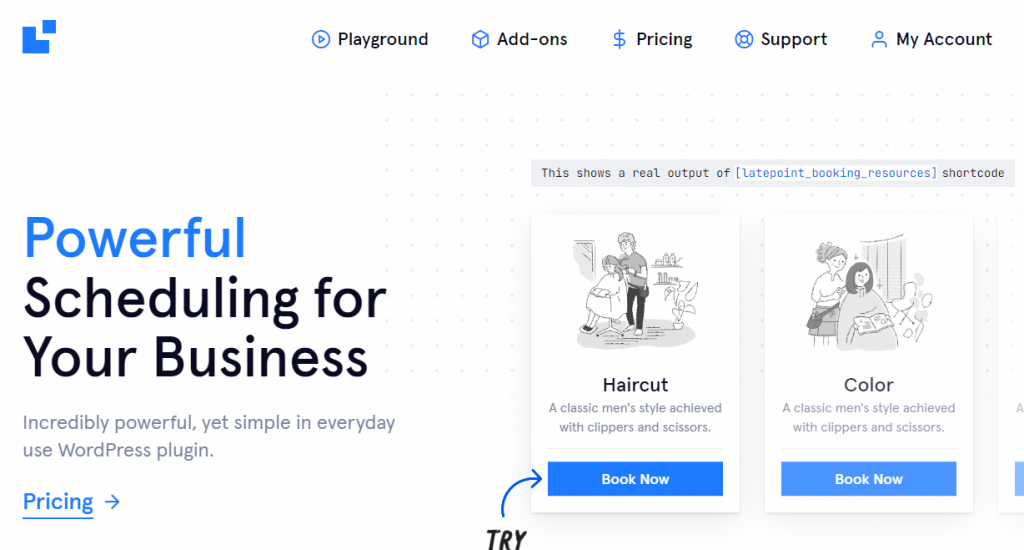
LatePoint is a popular Doodle alternative for appointment booking. Its popularity is due to its versatility, which any business can use.
One of the plugin’s standout features is its sleek, simplified front-end booking interface. It has a smooth booking system that takes place entirely within a user-friendly pop-up, with no need for page reloads. It also helps you take group bookings, process payments securely, and send SMS reminders to clients.
Furthermore, it includes several unique features, such as an integrated chat system. Using LatePoint lets you accept group reservations, securely collect payments, and send SMS reminders to your customers and agents. LatePoint also provides an easy-to-use dashboard for managing appointments, along with a variety of add-ons to expand its functionality.
Features
- Offers multilingual support
- Add custom fields to existing forms
- Set custom timetables by day, hour, etc
- Provide social login options
- It comes with a package of various add-ons
Pros and Cons
| Pros | Cons |
|---|---|
| Modern and professional booking interface | A Pro version is mandatory to unlock more features |
| Excellent staff management tools | |
| Smooth user experience | |
| Regular updates |
Pricing
LatePoint is only available in the premium version. Its annual cost is $79 and includes lifetime updates and six months of support.
3. Setmore

Setmore is an excellent alternative to Doodle if you want more functionality without breaking the bank. As with any other booking plugin, you have full control over how you create your booking page. This is very useful if you want your company’s identity to be unique.
Beyond the appointments, Setmore handles more. It also allows businesses to schedule courses. This booking option is beneficial for educators and instructors. Also, Setmore is a bit better than Doodle because Doodle lacks meeting polls, which are Calendly’s most significant feature.
Additionally, the plugin integrates with video conferencing tools, transforming simple timetables into actionable meetings. Setmore facilitates Telegram, video, Zoom, or Google Meet video calls. The video call links in the appointment confirmation message allow customers to contact you instantly.
Features
- Apps for iOS and Android
- Create an unlimited number of appointments
- Integrate social media platforms for instant booking
- Includes multiple payment options (PayPal, Square, and Stripe)
- Compatible with platforms like Slack, Zendesk, Salesforce, and more
Pros and Cons
| Pros | Cons |
|---|---|
| Easy setup and mobile apps | Limited advanced booking features |
| Good free plan | |
| Simple interface for beginners | |
| Strong calendar sync |
Pricing
Setmore is a freemium tool. You can get free and premium versions from their official website pricing page. Its premium version starts at $5 per month for a single-user license.
4. Calendly
Calendly is yet another popular Doodle alternative and the most user-friendly online appointment-scheduling tool, thanks to its straightforward design. It makes booking appointments simple by promptly displaying your availability and automatically creating new calendar events.
Compared to Doodle, Calendly offers more ways to share your availability. You can send a link to your booking pages, embed the booking flow on a website, or even include exact hours in an email. You can also make booking links to expire after a single usage to protect the privacy and security of your calendar.
Furthermore, Calendly gives you unmatched control over your meetings and appointments. In addition to limiting the number of bookings each day, you can also include time padding before and after each meeting. This allows you plenty of time to prepare and transition between appointments without feeling rushed.
Features
- Create personalized availability
- Support for several time zones, languages, and currencies
- Integrations for Zoom, Salesforce, and Stripe
- Monitor analytics of your scheduling activities.
- Integrate seamlessly with standard calendars
Pros and Cons
| Pros | Cons |
|---|---|
| Extremely easy to use | Limited WordPress integration |
| Strong external calendar sync | Subscription-based pricing |
| Good for individual professionals | |
| Reliable and popular |
Pricing
Calendly is a freemium tool that comes with a four-tier pricing plan. The most basic package costs $10/month.
5. Amelia
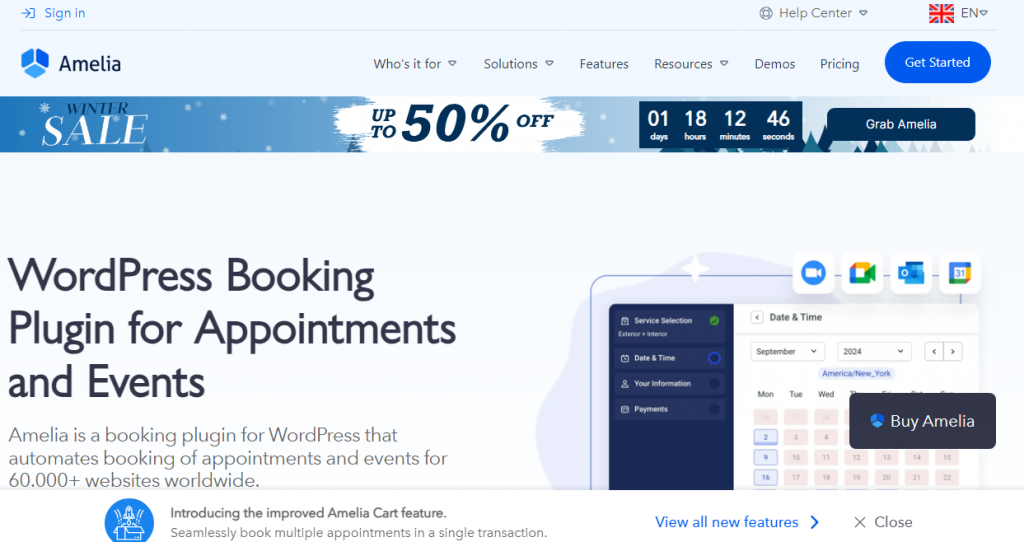
Amelia is an excellent booking plugin for WordPress. It works well for many businesses, including gyms, medical facilities, attorneys, spas, salons, and photographers. This great Doodle alternative for WordPress enables you to automate the booking system from your website.
It has many unique features, such as a step-by-step booking system for clients and support for two-way Google Calendar synchronization to help individuals manage their schedules. Appointment payments can be made by clients using Stripe or PayPal. Also, if you want support for invoices and taxation, WooCommerce can be integrated.
And like every other tool, the free version is more than enough for simple needs. But you’ll need to upgrade to the premium version to unlock features such as online payments, recurring appointments, unlimited staff, and personalized notifications.
Features
- Offer client discounts
- Showcase the services in a grid gallery format
- Let clients make bookings from a single page
- Allows customers to book directly with one of your staff members
- Offer bookings on specific days and provide additional customer service
Pros and Cons
| Pros | Cons |
|---|---|
| Advanced booking and group appointment features | Can be overwhelming for beginners |
| Strong customization options | |
| Good for complex scheduling | |
| Regular updates |
Pricing
Amelia is a freemium WordPress booking plugin. You can download the free version from the WordPress plugin directory and get the premium version from their official websites, which starts at $49/year.
6. Booknetic
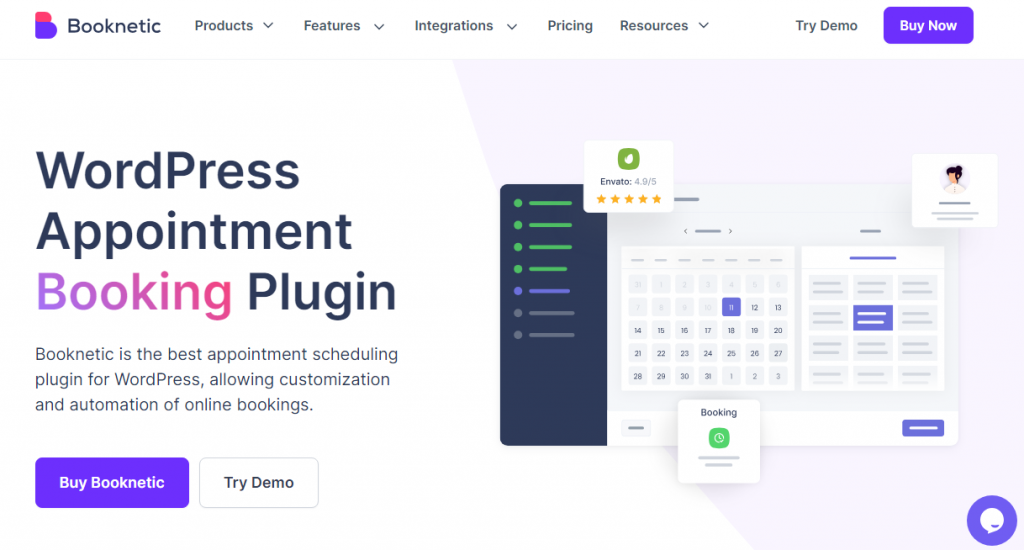
Booknetic provides a comprehensive booking and appointment scheduling platform for companies of all sizes, professionals, and organizations. It includes automated reminders, payment integration, and versatile forms.
It allows you to schedule several appointments, including one-on-one meetings, group sessions, and events. You can also provide services for businesses, such as beauty treatments, private lessons, and even car maintenance. To manage the availability, you can specify hours, days, the number of people, vacations, and other details.
Further, you have support for PayPal, Mollie, Razorpay, Square, and Stripe to charge for bookings. But if that’s not enough, you can also integrate WooCommerce. Not only that, but you can also offer a full or partial payment for your customers.
Features
- An intuitive dashboard
- Schedule recurring or group appointments.
- Email or SMS to send customized notifications.
- Unique dashboard for each admin
- Form builder with drag-and-drop functionality
Pros and Cons
| Pros | Cons |
|---|---|
| Comprehensive all-in-one booking system | No free version |
| Strong payment and management tools | |
| Lifetime deal option | |
| Feature-rich |
Pricing
Booknetic is available only as a premium version. It costs $99 (one-time fee) and includes lifetime updates and 6 months of support. If you need an annual license, it will cost you $45 a year.
7. Bookly
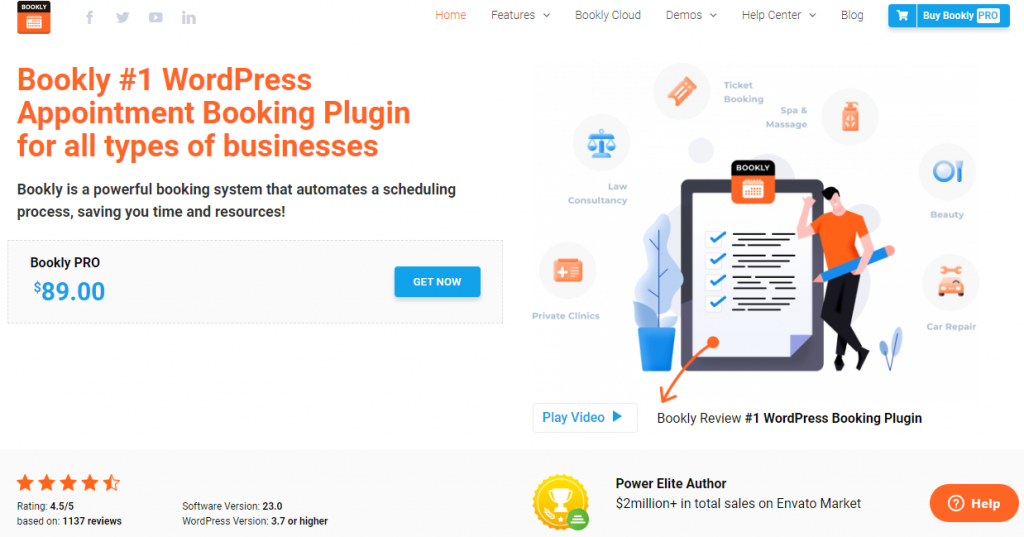
Bookly is another leading WordPress scheduling plugin with a user-friendly interface and powerful features. You can use this plugin for any business, whether a restaurant, clinic, spa, or repair shop. It also provides next-level customization options to align the booking forms with your brand aesthetic.
You can add an extra layer of security by configuring controls and permissions. Only authorized personnel can access and manage the booking system with this feature. It also provides a comprehensive overview of all appointments in a single view.
The automated scheduling feature is another game-changer offered by Bookly. Say goodbye to manual appointment management, as Bookly automatically assigns time slots based on availability. This feature saves time while reducing the chances of double bookings and scheduling conflicts.
Features
- Lifetime license without any recurring fees or subscriptions
- Supports more than 15+ payment gateways
- Add an unlimited number of staff members
- Complete control over the appointment slot
- Import or export the client’s stats along with the payment details
Pros and Cons
| Pros | Cons |
|---|---|
| Flexible booking forms and staff management | Can feel heavy with many add-ons |
| Good free version | |
| Strong customization | |
| Popular and actively maintained |
Pricing
Bookly is a freemium booking plugin with a lite version available in the WordPress repository. On the other hand, the premium version costs $49 a year and is available on its official website.
Common Mistakes to Avoid When Choosing a Doodle Alternative for WordPress
Here are some common mistakes you should avoid when selecting a booking plugin:
- Ignoring Calendar Sync Quality: Some plugins have poor two-way sync with Google Calendar or Outlook. Always test sync features before committing.
- Choosing a Plugin Without Mobile Optimization: Many customers book on their phones. Choose a fully responsive plugin that offers a smooth mobile booking experience.
- Overlooking Payment Integration: If you need to collect payments, ensure the plugin supports reliable payment gateways such as PayPal, Stripe, or WooCommerce.
- Not Testing Free Versions Thoroughly: Many plugins look good on paper but feel clunky in real use. Always test the free version on a staging site.
- Ignoring Performance Impact: Heavy plugins can slow down your site. Prioritize lightweight options like Bookster or LatePoint if speed is important.
- Skipping Long-Term Support & Updates: Booking plugins handle sensitive data. Choose actively maintained plugins with good support and regular updates.
Avoiding these mistakes will help you select a reliable Doodle alternative that grows with your business.
Frequently Asked Questions
Now, let’s take a look at some frequently asked questions and answers on this topic.
What are the best Doodle alternatives for WordPress?
The best Doodle alternatives for WordPress include Bookster, Amelia, LatePoint, and Bookly. These plugins offer stronger booking features, better WooCommerce integration, and more customization options compared to Doodle.
Is Bookster a good alternative to Doodle?
Yes. Bookster is one of the strongest Doodle alternatives for WordPress. It provides multi-staff booking, service categories, online payments, and a clean booking interface that works well for service businesses.
How does Amelia compare to Doodle for WordPress booking?
Amelia is a powerful alternative to Doodle for WordPress. It offers advanced features such as group bookings, recurring appointments, and robust calendar management, making it suitable for businesses with complex scheduling needs.
Can LatePoint replace Doodle for appointment booking?
Yes. LatePoint is an excellent Doodle alternative with a modern booking interface, staff management, and seamless integration with WordPress. It is especially good for agencies and multi-staff businesses.
Is Bookly better than Doodle for WordPress users?
Bookly is a popular Doodle alternative for WordPress. It provides flexible booking forms, staff management, and payment integration. It is a good choice for users who want a feature-rich booking system inside WordPress.
Which is the best free Doodle alternative for WordPress?
Among the plugins mentioned, Bookster offers a capable free version. For users on a budget, it is one of the better free Doodle alternatives available for WordPress.
Do these Doodle alternatives support online payments?
Yes. Plugins like Bookster, Amelia, Booknetic, and Bookly support online payments through gateways such as PayPal, Stripe, and WooCommerce, making them more advanced than basic Doodle scheduling.
Here are some other articles you will find useful:
- What Is ‘Buffer Time,’ and Why Your Calendar Probably Needs More of It
- 920+ Reiki and Energy Healing Business Name Ideas
- 850+ Advertising Agency Name Ideas That Actually Stand Out
- What’s New in Bookster 3.3.0
- 720 Yoga Studio Name Ideas for a Calm, Memorable Brand
Conclusion
As with any plugin list, your requirements and budget determine the best WordPress appointment booking plugin. However, we have a few recommendations.
For a truly out-of-the-box experience, consider Bookster, LatePoint, and Bookly. All of these plugins include modern front-end and back-end interfaces, as well as other helpful built-in features.
On the other hand, Setmore is a fantastic Doodle alternative that is easier for beginners to customize if you want something lightweight (but still has all the functionality you need).
Amelia is also worth it, especially while using Elementor to design your website. Additionally, consider Calendly or Booknetic to accept full-day reservations for a rental property or hotel.
Do you have any further questions about selecting the best alternatives to Doodle booking for WordPress? Please ask your queries in the comments section!
We hope you found this article helpful and enjoyed reading it. If you did, feel free to check out our blog archive for more useful guides and tips. Also, check out our YouTube channel, X, and Facebook page to get the latest news.
