
Are you looking for a comparison of the Bookster vs MotoPress Appointment Booking plugin? In this post, we are going to compare them side by side so you can pick the right option based on your preferences.
Choosing the right booking plugin is essential for building a reliable appointment booking system in WordPress.
If you’re comparing Bookster vs MotoPress Appointment Booking, both plugins offer powerful features for managing schedules, handling bookings, and improving the overall booking experience.
MotoPress is a well-known WordPress booking plugin with built-in tools for appointment scheduling, payment integration, and booking management. At the same time, Bookster is a modern booking solution designed to simplify workflows and provide a more user-friendly experience for businesses.
In this comparison, we’ll explore key differences between these two plugins, including features, flexibility, pricing, and ease of use, so you can choose the best plugin for your specific needs and create a seamless booking system for your website.
First, we will see what each plugin offers.
Table of Contents
Bookster: An Introduction
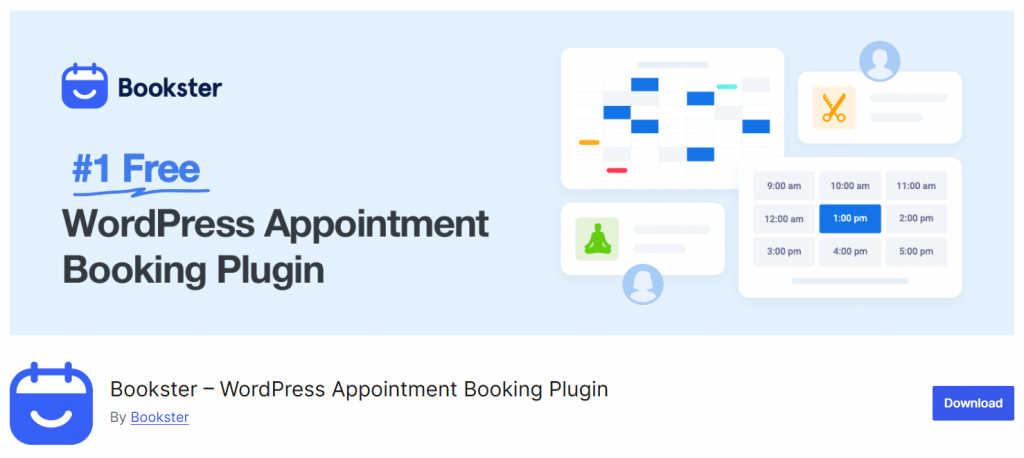
Bookster is a modern WordPress booking plugin designed to streamline appointment booking for businesses seeking a simple, efficient online booking system.
As one of the best WordPress appointment booking plugins, it helps WordPress users create a smooth booking experience directly on their WordPress website.
This booking plugin is built with flexibility in mind, offering customizable booking forms, a responsive design, and advanced features to manage appointments with ease. Bookster supports payment gateways, booking confirmations, and a booking calendar to handle an unlimited number of booking requests.
It is a powerful WordPress appointment plugin designed for businesses such as salons, consultants, and service providers who need a reliable booking system.
With a free version available, Bookster makes it easy to create booking forms and manage bookings and scheduling without complexity.
MotoPress Appointment Booking: An Introduction
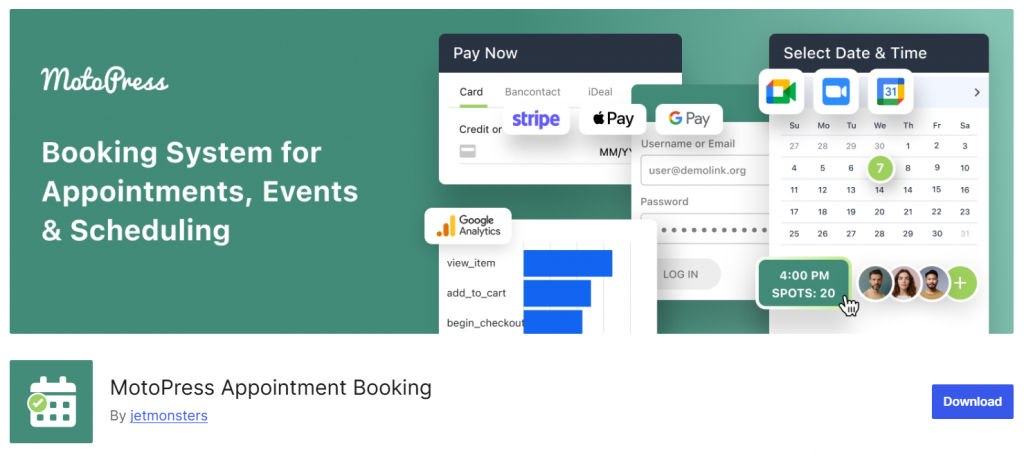
MotoPress Appointment Booking is a powerful WordPress booking plugin built to handle appointment booking for a wide range of businesses. As one of the popular WordPress appointment booking plugins, it offers a solid booking system designed to streamline appointment scheduling directly from the WordPress website.
This WordPress appointment plugin, built by MotoPress, includes advanced booking features such as flexible scheduling, responsive booking form support, and options to customize the booking process based on business needs.
It is often considered among the best WordPress booking plugins for its ability to manage unlimited booking requests and offer flexible booking options. The plugin is designed for businesses, such as salon booking systems and service providers, who need a reliable solution.
With built-in payment tools during the booking process, MotoPress helps create a professional, modern WordPress appointment-booking experience.
What to Look for in a WordPress Appointment Booking Plugin
Choosing the right WordPress appointment booking plugin depends on your business needs, features, and how easily you can manage bookings.
- Look for a WordPress plugin that offers a complete booking system to manage appointments directly from your WordPress website with minimal setup.
- The best appointment plugins should include flexible scheduling, a booking calendar, and options to customize your booking form for different services.
- Check whether the WordPress booking plugin supports payments during the booking process, especially if you plan to use WooCommerce bookings or similar tools.
- Many booking plugins available offer a free version, so you can test features before upgrading to a premium plan.
- Choose a booking plugin designed for businesses, such as a salon booking system plugin or even a hotel booking plugin, depending on your use case.
- When searching for the best WordPress booking plugin, compare top WordPress appointment tools and review a list of the best options to find the right WordPress booking plugin for your needs.
Bookster vs MotoPress Appointment Booking
We will be comparing:
- Core features and functionalities
- Booking form and user experience
- Pricing and overall value
- Payment gateways and transactions
- Integrations and compatibility
- Notifications and automation
- Booking management and admin control
- Customization and flexibility
- Performance and ease of use
- Best use cases and target users
Let’s have a closer look below.
1. Core Features and Functionalities
Bookster
Bookster is designed as a streamlined all-in-one booking solution that focuses on essential features while maintaining speed and ease of use. It delivers everything needed to manage appointments without requiring extensive configuration.
Core features: Real-time availability management to prevent double bookings; flexible time-slot control with buffer settings; service and staff management for handling individual or team bookings; clean, optimized booking form for a faster user experience; built-in calendar for tracking appointments; customer management with booking history.
Bookster keeps its feature set focused and efficient, allowing users to launch and manage bookings without dealing with unnecessary complexity.
MotoPress Appointment Booking
MotoPress Appointment Booking offers a more structured feature set with detailed configuration options, making it suitable for businesses that need precise control over booking rules.
Core features: Step-by-step booking wizard for selecting services and time slots; support for unlimited services, employees, and locations; individual employee schedules with working hours and breaks; group bookings and multi-service appointments; built-in availability calendar; payment options and coupon support; customizable booking forms and notifications.
MotoPress provides a broader set of built-in controls, but the system can feel more complex due to its configuration-heavy approach.
Final Verdict: Which Offers Better Core Features?
Both plugins cover the essential booking functionalities required for most businesses. However, Bookster delivers these features in a more streamlined and performance-focused way, making it easier to set up and manage.
MotoPress Appointment Booking offers more structured controls and slightly broader functionality, but this comes at the cost of added complexity. For most users, Bookster provides a better balance between features, usability, and efficiency.
2. Booking Form and User Experience
Bookster
Bookster is designed with a strong focus on frontend user experience, ensuring that the booking process is fast, intuitive, and conversion-friendly. The booking form is clean, modern, and optimized to reduce friction at every step.
User experience features: Smooth and minimal booking flow with fewer steps; fast-loading form that improves performance; clear service and time selection interface; mobile-friendly design for seamless booking on any device; user dashboard for managing bookings, rescheduling, and cancellations.
Bookster prioritizes simplicity and speed, which helps reduce drop-offs and improve overall booking completion rates. It is especially effective for businesses that rely on a high volume of online appointments.
MotoPress Appointment Booking
MotoPress Appointment Booking offers a structured booking form with a step-by-step process that guides users through service selection, staff choice, and scheduling.
User experience features: Multi-step booking wizard for guided navigation; clear separation of booking steps; support for selecting multiple services and staff; responsive design for different devices; customizable form elements.
While the structured approach helps users understand the process, it can feel longer and slightly slower compared to more streamlined booking flows. This may impact the user experience, especially for customers seeking quick bookings.
Final Verdict: Which Offers a Better User Experience?
When it comes to booking form design and overall user experience, Bookster has a clear advantage. It’s fast, modern, and simplified booking flow makes it easier for customers to complete appointments quickly.
MotoPress Appointment Booking provides a more guided experience, but the multi-step process can feel slower and less optimized for conversions. For businesses focused on user experience and higher booking rates, Bookster is the better choice.
3. Pricing and Overall Value
Bookster
Bookster follows a freemium pricing model, allowing users to start with a free version and upgrade as their needs grow. The paid plans start at $39 per year, making it one of the more affordable options in this category while still offering a strong feature set.
Pricing structure: Free version available for basic booking needs; paid plans starting at $39 per year; scalable upgrades based on business requirements; core booking features accessible without immediate investment.
In terms of value, Bookster delivers a strong balance of affordability and functionality. The lower starting price, combined with a feature-rich free tier, makes it appealing for freelancers, small businesses, and growing service providers who want cost control without sacrificing usability.
MotoPress Appointment Booking
MotoPress Appointment Booking also uses a freemium model, with a free version available and paid plans starting at $49 per year. It provides a solid foundation for appointment scheduling, with additional features unlocked through premium plans and add-ons.
Pricing structure: Free version available with limited functionality; paid plans starting at $49 per year; optional add-ons for extended features; higher tiers for advanced capabilities and multiple-site usage.
While MotoPress remains competitively priced, the slightly higher entry point and reliance on add-ons can increase the overall cost depending on business needs.
Final Verdict: Which Offers Better Value?
Both plugins offer freemium models, but Bookster provides better value due to its lower starting price and strong free tier. It allows users to access essential booking functionality at a lower cost while scaling affordably.
MotoPress Appointment Booking is still a reliable option, but its higher starting price and potential add-on costs make Bookster the more cost-efficient choice for most users.
4. Payment Gateways and Transactions
Bookster
Bookster provides a simple and streamlined payment system that integrates directly into the booking flow, keeping the entire transaction process lightweight and easy to manage. It avoids unnecessary complexity and focuses on essential payment needs for service-based businesses.
Payment capabilities: Support for popular gateways such as Stripe and PayPal, depending on configuration; option for manual or on-site payments; ability to manage paid and unpaid bookings from the admin dashboard; support for full or partial payments based on setup; seamless checkout embedded within the booking process.
Bookster is designed to reduce friction during checkout, making it easier for customers to complete bookings quickly while ensuring businesses can track and manage payments efficiently.
MotoPress Appointment Booking
MotoPress Appointment Booking offers a more advanced and flexible payment system, suitable for businesses that require multiple payment options and deeper transaction control.
Payment capabilities: Stripe integration for card payments; PayPal support for online transactions; direct bank transfer and on-site payment options; ability to configure full payments or deposits; WooCommerce integration for expanded payment gateway support; automatic booking confirmation based on payment status.
MotoPress offers greater flexibility in payment handling, especially when combined with WooCommerce, but it requires more configuration steps than simpler solutions.
Final Verdict: Which Handles Payments Better?
Both plugins handle transactions effectively, but their approaches differ significantly. Bookster offers a simpler, faster, and more streamlined payment experience that is easier to set up and manage.
MotoPress Appointment Booking provides more advanced payment flexibility and gateway options, but requires additional configuration and setup. For most users, Bookster delivers a better balance of simplicity, speed, and usability in payment handling.
5. Integrations and Compatibility
Bookster
Bookster is designed to work smoothly within the WordPress ecosystem while keeping dependencies lightweight. It focuses on essential integrations that support core booking operations without overcomplicating the setup.
Integrations and compatibility: Compatibility with major WordPress themes and page builders; integration with standard WordPress email systems for notifications; support for payment gateways based on plan level; responsive design across mobile, tablet, and desktop devices; smooth operation in modern WordPress environments without a heavy reliance on third-party dependencies.
Bookster prioritizes stability and performance, ensuring that integrations do not slow down the system or require complex configuration. It is ideal for users who want a plug-and-play experience with minimal setup friction.
MotoPress Appointment Booking
MotoPress Appointment Booking offers a wider range of integrations, especially for users who need more advanced connectivity with external tools and WordPress plugins.
Integrations and compatibility: Compatibility with page builders like Elementor and Gutenberg; integration with WooCommerce for payments and eCommerce workflows; support for multiple payment gateways depending on configuration; compatibility with Zoom and Google Calendar for scheduling workflows; email and notification system integration; support for multilingual setups using translation plugins.
MotoPress provides stronger ecosystem integration, especially for businesses that rely on multiple tools and external services. However, this flexibility can also require more setup and configuration effort.
Final Verdict: Which Offers Better Integration Support?
Both plugins integrate well within WordPress environments, but they serve different needs. Bookster focuses on simplicity, stability, and lightweight compatibility, making it easy to deploy without technical overhead.
MotoPress Appointment Booking offers broader integration options and more advanced connectivity, but requires more configuration and setup time. For most users, Bookster provides a smoother and more efficient integration experience, while MotoPress is better suited for complex, multi-tool workflows.
6. Notifications and Automation
Bookster
Bookster offers a streamlined notification and automation system designed to keep both admins and customers informed without requiring complex setup. It focuses on essential automation features that improve efficiency and reduce manual work.
Notification and automation features: Automated email notifications for booking confirmations, cancellations, and updates; real-time alerts for new appointments; customizable notification triggers based on booking actions; reminders to reduce missed appointments; centralized control over communication settings.
Bookster keeps automation simple and effective, ensuring that businesses can maintain consistent communication with minimal effort.
MotoPress Appointment Booking
MotoPress Appointment Booking provides a more structured notification system with detailed configuration options, allowing users to control how and when notifications are sent.
Notification and automation features: Email notifications for customers and admins; configurable templates for different booking events; automated reminders for upcoming appointments; customizable triggers based on booking status; support for managing communication across multiple services and staff.
MotoPress offers more granular control over notifications, but setting up automation can take more time due to its configuration-heavy approach.
Final Verdict: Which Handles Automation Better?
Both plugins provide reliable notification and automation features, but Bookster stands out for its simplicity and ease of use. It delivers essential automation in a clean and efficient way, making it ideal for most users.
MotoPress Appointment Booking offers more detailed control, but requires more setup and management. For users who want effective automation without complexity, Bookster is the better choice.
7. Booking Management and Admin Control
Bookster
Bookster provides a streamlined, efficient booking management system focused on real-time control and ease of use. The admin interface is designed to reduce friction, allowing users to manage appointments quickly without navigating complex menus.
Management features: Centralized dashboard for viewing and managing all bookings; real-time updates to prevent conflicts and double bookings; easy rescheduling and cancellation handling; customer management with booking history tracking; service and staff assignment with flexible controls; automated notifications for admins and customers.
Bookster’s strength lies in its simplicity and speed. Everything is accessible from a single interface, making it ideal for business owners who want full control without spending too much time on administration.
MotoPress Appointment Booking
MotoPress Appointment Booking offers a more detailed and structured admin control system, giving users access to a wide range of configuration options for managing bookings.
Management features: Admin calendar view for tracking appointments; detailed booking controls with service, staff, and location management; manual and automatic approval options for appointments; customer data management; configurable booking rules and restrictions; notification and reminder settings.
MotoPress offers a high level of control, but the interface can feel more complex due to the number of settings and configuration layers. Managing bookings may require more time, especially for new users.
Final Verdict: Which Offers Better Control?
Both plugins provide strong booking management capabilities, but Bookster stands out for its simplicity and efficiency. It allows users to manage bookings quickly with a clean interface and real-time updates.
MotoPress Appointment Booking offers more structured, detailed controls, but it adds complexity. For most users, Bookster delivers a better balance between control, speed, and ease of management.
8. Customization and Flexibility
Bookster
Bookster is built to offer flexibility without adding unnecessary complexity. It allows users to customize booking workflows, services, and schedules while keeping everything accessible through a clean, intuitive interface.
Customization capabilities: Flexible time slot configuration with custom durations and buffer times; customizable booking forms designed for a smooth user flow; client dashboard for managing bookings, cancellations, and rescheduling; adjustable staff schedules, services, and availability rules; configurable notifications and reminders.
Bookster focuses on practical customization that improves efficiency and user experience, making it easy to adapt the system without technical expertise.
MotoPress Appointment Booking
MotoPress Appointment Booking offers a more structured and detailed customization approach, giving users control over various booking elements through settings and integrations.
Customization capabilities: Booking form customization, including fields and labels; design and layout adjustments using page builders; shortcode and block-based customization for services, staff, and locations; integration with tools like Elementor and Gutenberg; configurable email templates and notification settings.
MotoPress provides deeper customization options, but it often requires more time and familiarity to fully utilize its capabilities.
Final Verdict: Which Is More Flexible?
Both plugins offer solid customization options, but they differ in execution. Bookster delivers flexibility in a streamlined, user-friendly way, making it easier for most users to customize quickly.
MotoPress Appointment Booking provides more structured and detailed control, but at the cost of added complexity. For most users, Bookster offers a better balance between flexibility and ease of use.
9. Performance and Ease of Use
Bookster
Bookster is built with a modern architecture that focuses on speed, lightweight execution, and a smooth user experience. It avoids unnecessary bloat, which helps keep your WordPress site responsive even when handling multiple bookings.
From a usability standpoint, Bookster offers a clean and intuitive interface. The booking flow is streamlined, allowing users to complete appointments quickly without confusion. On the backend, navigation is straightforward, reducing the learning curve for beginners while still giving advanced users enough control.
In terms of performance, this approach translates into faster load times, better frontend responsiveness, and a more seamless booking experience for customers. For businesses where speed directly impacts conversions, this is a major advantage.
MotoPress Appointment Booking
MotoPress Appointment Booking provides stable, reliable performance, but its structure is more traditional and configuration-heavy. It includes most of the core plugin’s features, which can make it feel slightly heavier than more modern solutions.
On the usability side, MotoPress offers a guided setup process with clearly defined settings. This is helpful for users who prefer a structured workflow, but it can feel less intuitive and require more time to fully configure.
According to comparisons, MotoPress focuses on delivering essential features within the core plugin rather than optimizing for flexibility or speed-focused UX.
The interface is functional and reliable, but not as streamlined, which can slow down both setup and day-to-day management, especially for new users.
Final Verdict: Which Is Better?
When it comes to performance and ease of use, Bookster clearly has the edge. Its lightweight design, faster booking flow, and user-friendly interface make it easier to set up and manage, while delivering a better customer experience.
MotoPress Appointment Booking remains a solid option for users who prefer a more structured system, but it requires more effort to configure and does not feel as optimized for speed or simplicity.
10. Best Use Cases and Target Users
Bookster
Bookster is designed for users who need a flexible, high-performance booking system with a modern interface and minimal setup complexity. It works especially well in scenarios where user experience and conversion optimization are priorities.
Best use cases: Service-based businesses such as salons, fitness trainers, consultants, and coaching services; agencies or freelancers managing multiple bookings; businesses seeking a fast, clean booking flow to increase conversions; websites that need a scalable solution without affecting performance.
Target users: Beginners who want a quick and simple setup; intermediate WordPress users who need customization without complexity; business owners focused on automation, growth, and improving booking efficiency.
Bookster is ideal for those who value speed, clean design, and a smooth booking journey that enhances customer experience.
MotoPress Appointment Booking
MotoPress Appointment Booking is better suited for users who prefer a more structured booking system with predefined configurations and a traditional workflow.
Best use cases: Small to medium businesses with straightforward appointment needs; businesses that rely on fixed schedules and predefined services; users who prefer a guided setup process.
Target users: Beginners who are comfortable spending time configuring settings; businesses with simple booking workflows; users already familiar with the MotoPress ecosystem.
MotoPress works well for users who prioritize stability and structured booking management over flexibility and modern design.
Final Verdict: Which One Is Better for Your Use Case?
For most real-world scenarios, Bookster is the better choice. It delivers a modern booking experience, faster performance, and greater flexibility, making it suitable for both small businesses and growing brands.
While MotoPress Appointment Booking can handle basic scheduling needs, it becomes limiting as requirements grow. If the goal is to build a scalable, user-friendly booking system that improves conversions, Bookster is the stronger long-term solution.
Here are a few more articles you will find useful:
- Best 7 WP Fastest Cache Alternatives for WordPress
- 8 Best TikTok Plugins for WordPress in 2026 Compared
- Best 9 FedEx WooCommerce Plugins for Delivery Tracking
- Best Deposits & Partial Payments Plugins for WooCommerce
- Best 7 WooCommerce Point of Sale Plugins
Frequently Asked Questions
Now, let’s take a look at some frequently asked questions and answers about this topic.
What are the best booking plugins for WordPress?
The best WordPress booking plugins include flexible scheduling, a booking calendar, and a customizable booking form. Popular options include plugins like Bookster, as well as others listed among booking plugins in 2026. The right plugin depends on your business needs and how you want to manage appointments.
How do I choose the right WordPress booking plugin?
To choose the right WordPress booking plugin, focus on features like ease of use, booking form customization, and scheduling flexibility. The booking plugin depends on your workflow, so compare multiple WordPress plugins and find the best option that fits your requirements.
What features should a WordPress appointment booking plugin include?
The best WordPress appointment booking plugins should include a booking calendar, custom booking options, and a responsive booking form for your website. A good WordPress appointment plugin also helps manage appointments directly from your WordPress dashboard.
Are there free booking plugins for WordPress?
Yes, many WordPress booking plugins offer a free version with basic features. Some tools, such as Bookster and WP Simple Booking Calendar, offer simple scheduling options, while more advanced plugins include premium features for growing businesses.
How does a booking form work in WordPress?
A booking form allows users to select a service, choose a time, and submit their request. The booking form uses a plugin that automatically records the appointment and updates availability, making it easier to manage bookings.
Which is the best WordPress booking plugin for businesses?
The best WordPress booking plugin is one that matches your business model. Bookster is a modern WordPress plugin that helps businesses create a custom booking system with a smooth user experience. It is ideal for users looking for a simple yet powerful booking solution.
Do I need coding skills to use a WordPress appointment plugin?
No, most WordPress appointment booking plugins are beginner-friendly. A WordPress plugin that helps manage bookings usually includes a visual interface, so you can configure settings and manage appointments without coding.
Conclusion
Choosing the right WordPress appointment booking plugin is essential for creating a smooth and reliable booking system.
With many WordPress booking plugins available, it’s important to find the best solution that matches your business needs and workflow. A well-designed booking plugin helps manage appointments, improve the booking experience, and simplify scheduling directly from your WordPress website.
While there are several popular options, Bookster stands out as a modern WordPress booking plugin designed for ease of use and flexibility. It offers a clean interface, a customizable booking form, and essential features to handle appointments efficiently.
For businesses seeking a powerful yet user-friendly solution, Bookster is a strong choice for streamlining booking and delivering a better customer experience.
We hope you found this article helpful and enjoyed reading it. If you did, feel free to check out our blog archive for more useful guides and tips. Also, check out our YouTube channel, X, and Facebook page to get the latest news.
Which plugin are you going to choose?
Let us know in the comments.