

Are you looking for the best WordPress store locator plugins? This article will show six of the best WordPress store locator plugins you should try.
If you run a business with multiple branches, listing all branches on your website is a feasible idea. This way, if a customer needs to visit a branch nearby, they can quickly check your website, find the nearest branch, and see it.
When you use WordPress, displaying all branches on the website is simple.
All you need to use is the WordPress store locator plugin.
If you are looking for the right tool and need help with it, keep reading this guide. This post will show you the top six WordPress store locator plugins you should try.
But before going further, let’s see what to look for in WordPress store locator plugins.
Table of Contents
What to Look for in WordPress Store Locator Plugins
When you are looking for WordPress store locator plugins, consider these factors:
- Google Maps integration: Learn how to complete the integration. Most plugins can do this with API keys. Choosing a plugin with a minimalistic configuration is ideal.
- Pricing: You do not need to choose an expensive store locator plugin. Multiple free and affordable options are available to help you with the task.
- Support: Contact the support team if you need help with the plugin. So, ensure the plugin has a good support team.
- Responsiveness: As mobile usage increases, you should always choose a responsive theme and plugins. This way, the website will fit on everyone’s screens.
- Customization options: If you need to tweak the map, check what customization the plugin offers.
Now you know what to look for in WordPress store locator plugins. In the next section, we will move to the article’s core, listing all the top six plugins you should check.
Best 6 WordPress Store Locator Plugins
The best six store locator plugins are:
| Plugin Name | Free Version | Pricing | Key Strength | Best For |
|---|---|---|---|---|
| WP Store Locator | Yes | Freemium (add-ons paid) | Simple setup & unlimited stores | Beginners & basic needs |
| Mapify | Yes | $29/month | Interactive maps & bulk upload | Modern & visually rich maps |
| Store Locator Plus | Yes | Freemium (add-ons paid) | WooCommerce integration | Stores selling products |
| WP Multi Store Locator Pro | No | $149 (one-time) | Multiple templates & categories | Advanced multi-location stores |
| Agile Store Locator | Yes | $149 (one-time) | Categories, tags & manager list | Stores with many categories |
| Locatoraid Store Locator | Yes | $59/year | Responsive design & customization | Professional multi-store websites |
Each plugin has unique features. Below, we explain what makes them special. You can choose an option based on your preferences and requirements.
Without any further ado, let’s get into the list.
1. WP Store Locator
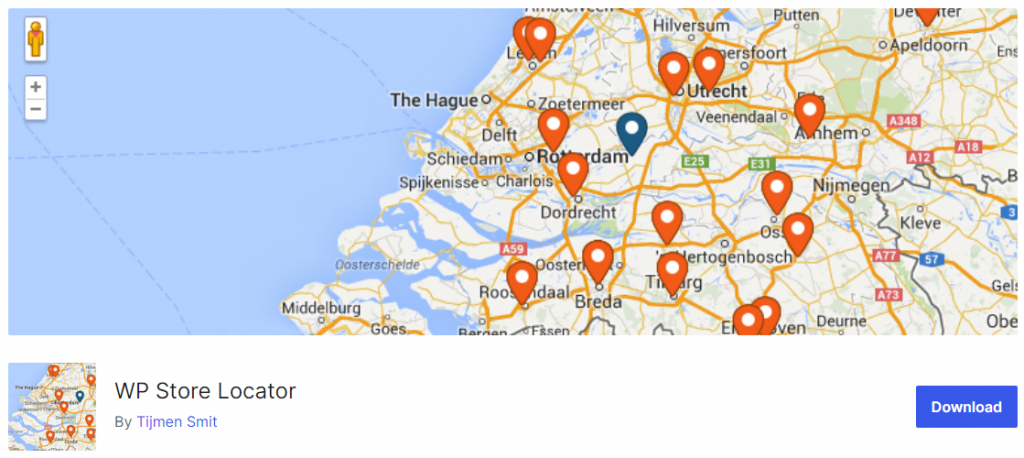
If you want an easy-to-use WordPress store locator plugin, check WP Store Locator. With the help of this plugin, you can mark unlimited stores on your map. WP Store Locator will not limit the number of locations you can have in the plugin. Since the plugin is easy to use, you do not need to code to use it.
Multiple add-ons are available to enhance the plugin’s features. For example, the three popular add-ons are search widgets, statistics, and CSV manager. With the help of these tools, you can do more with the WP Store Locator plugin. When you need to mark a location, you can easily drag it and drop the marker on the exact location.
Features
- An unlimited number of stores
- Easy to use
- Easy integrations
- Multilingual compatible
- Multiple marker icons
Pros and Cons
| Pros | Cons |
|---|---|
| Easy setup and unlimited stores | Limited advanced features in free version |
| Good Google Maps integration | |
| Lightweight and fast | |
| Regular updates |
Pricing
WP Store Locator is a freemium tool. The free plugin can be downloaded from the WordPress plugin repository, and the premium add-ons from the company’s official website.
2. Mapify
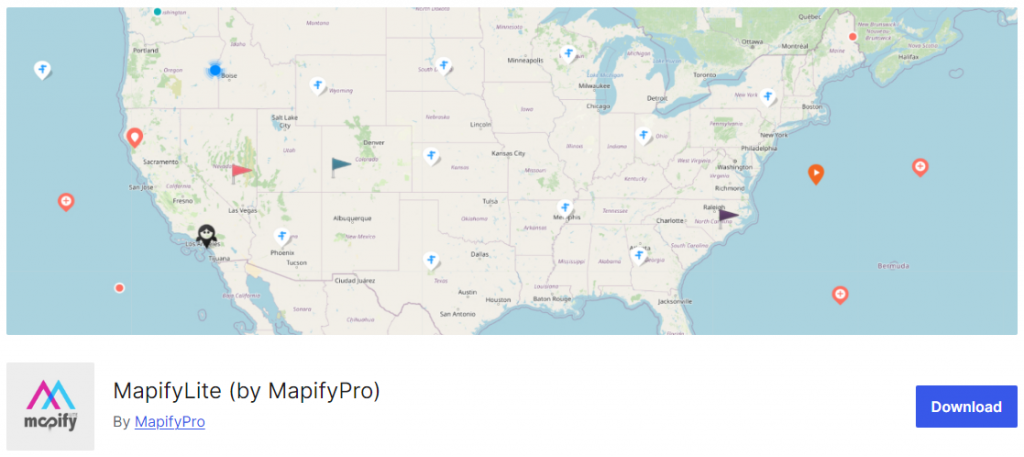
Mapify is a top-notch WordPress plugin to help create stunning, interactive maps for your website. This plugin is perfect for businesses that want to showcase their store locations, provide directions, and improve the overall user experience for their customers.
Mapify offers many features that distinguish it from other WordPress store locator plugins. With the plugin, you can easily add unlimited locations to your map, customize markers and tooltips, and even include photos and videos for each location. This allows you to create a unique and engaging experience for your website visitors.
Features
- Multiple modes
- Bulk upload map locations
- Responsive
- Tooltips
- Social media sharing
Pros and Cons
| Pros | Cons |
|---|---|
| Beautiful interactive maps | Monthly subscription pricing |
| Bulk location upload | |
| Modern design and tooltips | |
| Good customization options |
Pricing
Mapify is a freemium WordPress plugin. The free version can be downloaded from the WordPress plugin repository, while the premium version costs $29 per month.
3. Store Locator Plus
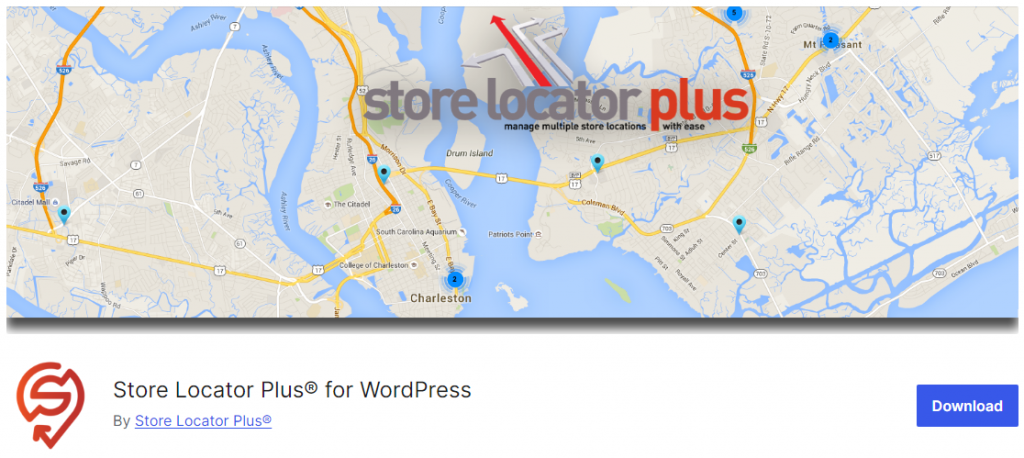
Store Locator Plus offers a range of features, including adding unlimited locations, customizing the map display, and even integrating with other popular WordPress plugins like WooCommerce. The user-friendly interface allows you to easily manage and update your store information.
In addition to its core functionality, Store Locator Plus offers premium add-ons that further extend its capabilities. These add-ons include features such as advanced search options, custom fields, and the ability to create custom maps with your own markers and styling.
Features
- Responsive design
- WooCommerce integration
- Interactive and shareable map
- Blazingly fast
- Zero coding required
Pros and Cons
| Pros | Cons |
|---|---|
| Strong WooCommerce integration | Some features locked behind add-ons |
| Good search and filtering options | |
| Reliable performance | |
| Active development |
Pricing
Store Locator Plus is a freemium plugin. The plugin and add-ons can be downloaded from the company’s official website, where they are available for free.
4. WP Multi Store Locator Pro
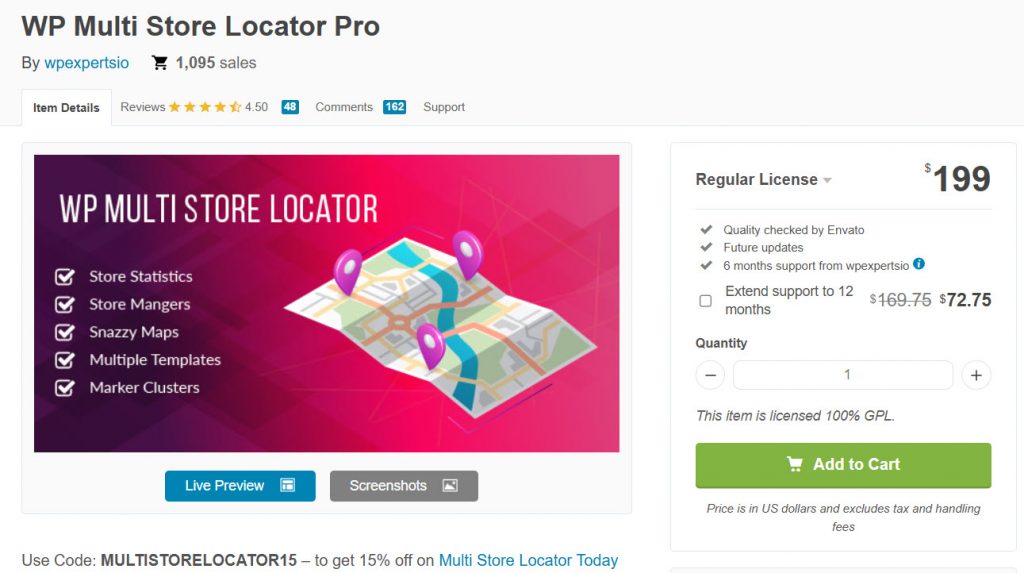
Next, we have the WP Multi Store Locator Pro. It’s a powerful tool for businesses with multiple store locations. It offers features like nearby store search, support for multiple templates, map-based directions from point A to Point B, custom markers & clusters, and store statistics. You can customize everything, including map templates, layouts, styles, and color options.
The plugin also provides a complete package with features such as a search store, nearby store functionality, support for multiple templates, custom map styles, and store tags. The user can use a shortcode to display a search map anywhere on a page or post.
Features
- Store categories
- Store Tags
- Store Manager list
- Import/Export functionality
- Multiple Templates
Pros and Cons
| Pros | Cons |
|---|---|
| Multiple templates and customization | Higher one-time price |
| Store categories and tags | |
| Import/Export functionality | |
| Good for multi-location businesses |
Pricing
WP Multi Store Locator Pro is a premium plugin. You can get it from the CodeCanyon marketplace. The price of this plugin is $199 (one-time fee).
5. Agile Store Locator
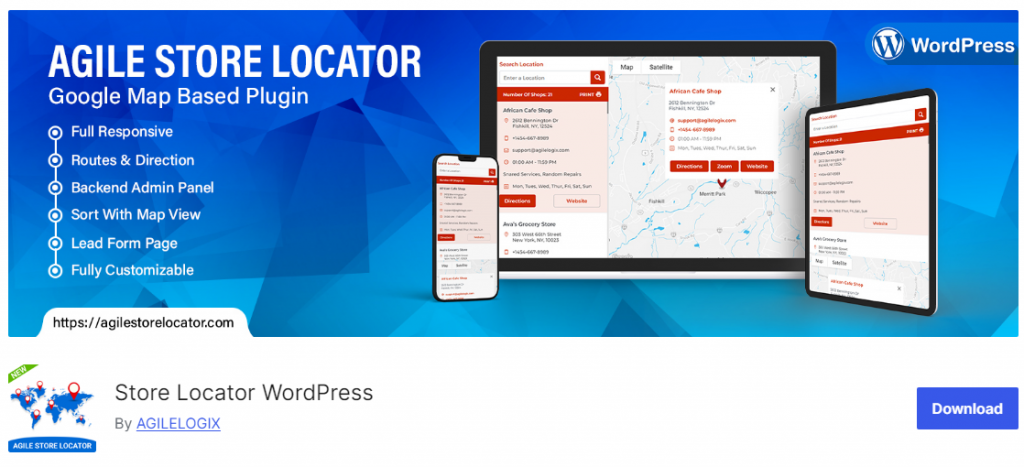
Next, we have the Agile Store Locator. One of the key features of the Agile Store Locator plugin is its ability to organize store locations effectively using multiple categories and tags. This lets users quickly find the most relevant stores based on their preferences and needs.
Additionally, the plugin offers a store manager list that lets you assign managers to specific stores, providing a more efficient way to manage your store locations. In summary, the Agile Store Locator plugin is an excellent business choice.
Features
- User-friendly design
- Zoom options
- Restrict to a country
- Custom map language
- Random sorting
Pros and Cons
| Pros | Cons |
|---|---|
| Strong category and tag system | Interface can feel slightly dated |
| Store manager list | |
| Good customization options | |
| Affordable one-time pricing |
Pricing
Agile Store Locator is a freemium plugin. The lite version can be downloaded from the WordPress plugins repository. The premium version costs $149 (one-time fee) and can be obtained from the CodeCanyon marketplace.
6. Locatoraid Store Locator
The final option we have for you is the Locatoraid Store Locator. One of the critical features of the Locatoraid Store Locator plugin is its responsive design, which ensures a seamless user experience across various devices. This means your customers can easily access your store locator on their smartphones, tablets, or computers without hassle.
In addition to these features, the Locatoraid Store Locator plugin also offers customizable map styles, multiple store categories, and the ability to import/export data for easy management. These features make it a top choice for businesses looking to improve their customer’s experience by providing an easy-to-use and informative store locator on their WordPress site.
Features
- Customizable map styles
- Store manager list
- Import/export functionality
- Multiple templates
- Embed map functionality
Pros and Cons
| Pros | Cons |
|---|---|
| Responsive design | Annual renewal pricing |
| Good embed and customization options | |
| Import/Export functionality | |
| Solid multi-store support |
Pricing
Locatoraid Store Locator is a freemium plugin. The free version can be downloaded from the WordPress plugin repository, while the premium version costs $59 a year.
Common Mistakes to Avoid When Choosing a WordPress Store Locator Plugin
Here are some common mistakes you should avoid when selecting a WordPress store locator plugin:
- Not Checking Google Maps API Costs: Many users forget that Google Maps charges for requests beyond a certain limit. Always review the pricing and usage limits.
- Ignoring Mobile Responsiveness: A large percentage of users search for stores on mobile. Always test the plugin on mobile devices before finalizing.
- Overlooking Customization Options: Choosing a plugin with limited styling options can make the map look out of place on your website.
- Not Testing Search and Filter Features: Basic plugins may lack good search or category filtering, making it hard for customers to find the right store.
- Skipping Performance Testing: Heavy plugins can slow down your site. Always test page speed after installation.
- Ignoring Long-Term Support: Pick actively maintained plugins with good update history to avoid compatibility issues with future WordPress updates.
Avoiding these mistakes will help you choose a reliable store locator that provides a great experience for your customers.
Here are a few more articles you might find helpful:
- 700+ Candle Business Name Ideas You Can Use for Your Business
- What Is ‘Buffer Time,’ and Why Your Calendar Probably Needs More of It
- 650+ Best Landscaping Business Name Ideas for Your Next Business
- 750+ Best Bakery Business Name Ideas for Your Next Business
- 920+ Reiki and Energy Healing Business Name Ideas
Frequently Asked Questions
Now, let’s take a look at some frequently asked questions and answers on this topic.
What is a WordPress store locator plugin?
A WordPress store locator plugin allows you to display all your business locations on an interactive map. Customers can easily find the nearest store, get directions, and view store details directly on your website.
Why should I use a store locator plugin on my website?
A store locator plugin improves user experience by helping customers quickly find your physical stores. It increases foot traffic, reduces support queries, and makes your website more useful for local searches.
Which is the best WordPress store locator plugin?
The best plugin depends on your needs. WP Store Locator is great for beginners, while WP Multi Store Locator Pro and Agile Store Locator are better for advanced multi-location businesses.
Are these store locator plugins mobile-friendly?
Yes. All the recommended plugins in this list are fully responsive and work well on smartphones, tablets, and desktops, ensuring a good experience for mobile users.
Can I add unlimited store locations?
Yes. Plugins like WP Store Locator, Mapify, and WP Multi Store Locator Pro allow you to add unlimited store locations without any restrictions.
Do these plugins support Google Maps?
Yes. All the plugins mentioned in this article use Google Maps as the base and require a Google Maps API key for full functionality.
Can I customize the map’s appearance?
Yes. Most plugins, including Mapify, Agile Store Locator, and Locatoraid, offer good customization options for map styles, markers, colors, and layouts.
Do these store locator plugins support categories and tags?
Yes. Plugins like Agile Store Locator and WP Multi Store Locator Pro allow you to organize locations using categories and tags for better filtering.
Are these plugins beginner-friendly?
Yes. WP Store Locator and Mapify are particularly beginner-friendly with easy setup wizards and minimal configuration required.
How do I choose the right store locator plugin?
Consider your number of locations, need for categories, customization requirements, budget, and mobile performance. Test the free versions first to see which one best fits your website.
Conclusion
A store locator plugin will be helpful when running a business with multiple branches. Since you use WordPress, the customization options are unlimited. In this article, we have shown you six of the top WordPress store locator plugins.
Each has unique features, and the integration is simple. All you need to do is enter your Google Maps API key to start displaying stores on the map. When it comes to embedding, you can use the shortcodes.
Based on your preferences, pick a plugin.
Which WordPress store locator plugin are you going to use?
Let us know in the comments.
We hope you found this article helpful and enjoyed reading it. If you did, feel free to check out our blog archive for more useful guides and tips. Also, check out our YouTube channel, X, and Facebook page to get the latest news.
