
Are you looking for the best WooCommerce email customizer plugins? If you are, keep reading this post. Here, we will show you seven WooCommerce email plugins you need to try.
Email communication plays a critical role in how customers experience your WooCommerce store. From order confirmations to shipping updates, every message reflects your brand and directly supports your email marketing efforts.
However, WooCommerce’s built-in email system offers limited design and customization options, which is why many store owners rely on a WooCommerce email customizer plugin.
The right tool helps you customize your WooCommerce emails, improve transactional email design, and strengthen engagement through better branding and layout control. In this guide, we’ve curated a list of the best WooCommerce email customizer plugins and email marketing tools for WooCommerce.
These plugins combine powerful email customization features with marketing automation, making them ideal for store owners looking for the best WooCommerce email solutions and scalable email marketing platforms.
First, let’s take a look at what WooCommerce email plugins are and why you need them.
Table of Contents
What are WooCommerce Email Customizer Plugins
WooCommerce email plugins are tools that help you customize and manage the emails sent from your WooCommerce store. While default WooCommerce emails handle basic order and account notifications, they offer limited design and branding options.
A WooCommerce email customizer plugin lets you edit email content, layouts, and styles using a visual email editor or the WordPress Customizer.
Most WooCommerce email customizer plugins include drag-and-drop email builders, pre-built email templates, and personalization features for different email types. Many also serve as an email marketing plugin, supporting email automation and WooCommerce email marketing campaigns.
Overall, these plugins improve how WooCommerce transactional emails look and function, making them more professional and effective for store communication.
What to Look for In WooCommerce Email Customizer Plugins
Choosing the right WooCommerce email plugin depends on how well it helps you customize, automate, and manage your store’s email communication.
- WooCommerce email customizer: A visual editor with flexible email templates lets you customize your WooCommerce emails without code, keeping branding consistent.
- Email marketing features: The plugin should work as an email marketing tool with options for automation, campaigns, and customer segmentation.
- Integration with WooCommerce: Deep integration ensures emails use WooCommerce order data and sync smoothly with your WooCommerce store and WordPress setup.
- Template and personalization options: Support for dynamic fields helps personalize emails and improve engagement across transactional and marketing messages.
- Performance and pricing: A reliable plugin with a free version or decent free plans, plus stable delivery, is ideal for long-term WooCommerce email marketing.
Now, let’s take a look at the best WooCommerce email customizer plugins you need to try.
Best WooCommerce Email Customizer Plugins You Need to Try
| Feature / Plugin | YayMail | Kadence WooCommerce Email Designer | Email Customizer for WooCommerce (ThemeHigh) | YITH WooCommerce Email Templates | WooCommerce Email Customizer by MailPoet | Email Template Customizer (VillaTheme) | WebToffee Email Customizer |
|---|---|---|---|---|---|---|---|
| Visual drag-and-drop builder | ✓ | ✓ | ✓ | ✗ | ✓ | ✓ | ✓ |
| Pre-built email templates | ✓ | ✗ | ✗ | ✓ | ✓ | ✗ | ✓ |
| WooCommerce email customization | ✓ | ✓ | ✓ | ✓ | ✓ | ✓ | ✓ |
| Supports transactional emails | ✓ | ✓ | ✓ | ✓ | ✓ | ✓ | ✓ |
| Live email preview | ✓ | ✓ | ✓ | ✗ | ✓ | ✓ | ✓ |
| Customize individual email types | ✓ | ✓ | ✓ | ✓ | ✓ | ✓ | ✓ |
| Drag-and-drop content blocks | ✓ | ✓ | ✓ | ✗ | ✓ | ✓ | ✓ |
| Free version available | ✓ | ✓ | ✓ | ✓ (limited) | ✓ | ✓ | ✓ |
| Premium version available | ✓ | ✓ | ✓ | ✓ | ✓ | ✓ | ✓ |
| Ease of use | High | High | Medium | Medium | High | Medium | Medium |
Let’s take a closer look at each option below.
1. YayMail
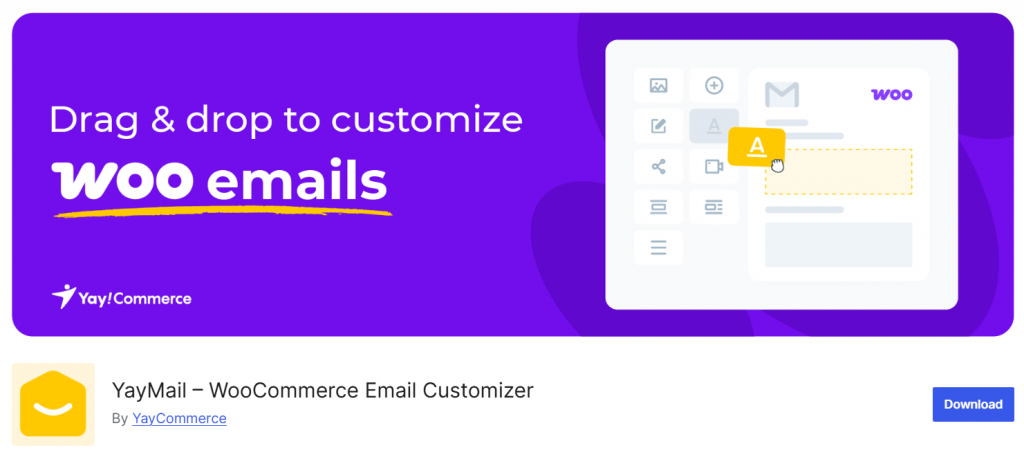
YayMail is a WooCommerce email customizer plugin that lets store owners design transactional emails using a visual drag-and-drop editor rather than editing HTML templates.
It integrates directly with WooCommerce and works within the WordPress environment, making it easy to customize order confirmations, invoices, refunds, and customer notifications. Users can modify layouts, colors, fonts, and content blocks while previewing changes in real time.
The plugin supports dynamic placeholders for customer and order data, helping maintain consistent branding across all WooCommerce emails. YayMail is suitable for both beginners and advanced users who want more control over WooCommerce email templates without relying on developers.
Features
- Live preview editor for WooCommerce email templates
- Supports order, customer, and admin notification emails
- Works with shortcodes and dynamic order data
- Compatible with most WooCommerce plugins and themes
- Free version available with a flexible pro plan
Pros
- Beginner-friendly interface
- Creates branded and professional-looking emails
- Works well with popular WooCommerce setups
Cons
- Advanced styling options require the pro version
Pricing
YayMail is a freemium plugin. You can download the free version plugin from the WordPress repository. The premium version will cost you $99 a year for a yearly license or $299 for a lifetime license.
2. Kadence WooCommerce Email Designer
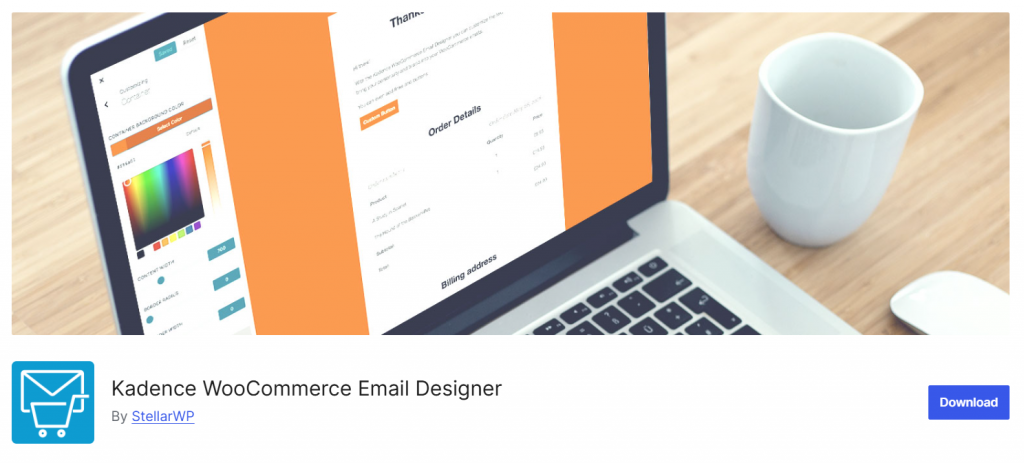
Kadence WooCommerce Email Designer lets store owners customize WooCommerce emails using the native WordPress theme customizer, rather than writing code.
It is a practical solution for WooCommerce stores that need branded transactional emails without relying on clunky or disconnected tools that are not integrated with the live WooCommerce setup.
Since WooCommerce doesn’t offer advanced design controls by default, this plugin helps bridge that gap by allowing users to adjust colors, typography, headers, and layout in real time.
It works well with most WooCommerce themes and plugins, making it suitable for dozens of WooCommerce stores seeking simple yet consistent email branding. Compared to external email marketing platforms for WooCommerce, it focuses purely on transactional email design rather than full marketing automation.
Features
- Uses the WordPress theme customizer interface
- Live preview of WooCommerce emails
- Custom header, footer, and typography controls
- Works with most WooCommerce plugins
Pros
- No coding required
- Native WordPress experience
- Lightweight and easy to configure
Cons
- Limited advanced layout blocks
- No built-in email marketing automation
Pricing
Free plugin. You can download it from the WordPress plugins repository.
3. Email Customizer for WooCommerce by ThemeHigh

Email Customizer for WooCommerce by ThemeHigh helps WooCommerce store owners customize transactional emails using a visual builder instead of editing PHP templates. It is built for users who want better branding without relying on heavy email marketing platforms or clunky plugins.
Since a WooCommerce store without extra tools offers very limited styling control, this plugin works as a practical solution for WooCommerce sites that only need email design, not full marketing automation. It supports core WooCommerce emails such as order notifications and customer emails, allowing you to add logos, colors, and layout changes.
For users who want to customize WooCommerce emails with a lightweight plugin that integrates with other plugins and common themes, ThemeHigh’s solution keeps things simple and reliable.
Features
- Drag-and-drop email template editor
- Custom branding (logo, colors, typography)
- Supports default WooCommerce email templates
- Live preview of email changes
Pros
- Easy to use for beginners
- Focused only on email customization
- Works well with most WooCommerce setups
Cons
- Limited design blocks compared to advanced builders
- No built-in email marketing automation
Pricing
It is a freemium plugin, with pricing starting at $39 a year.
4. YITH WooCommerce Email Templates
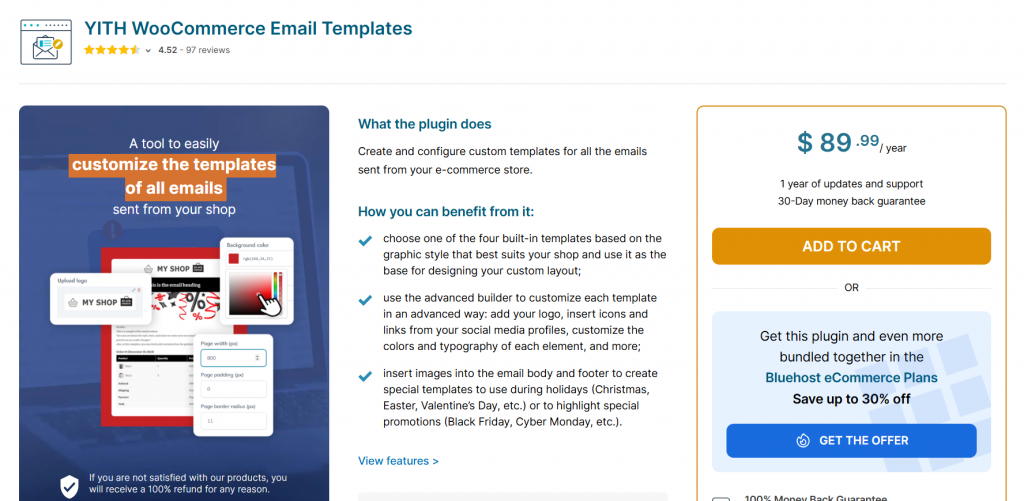
YITH WooCommerce Email Templates is designed for WooCommerce store owners who want to customize transactional emails without touching code. It provides a visual editor that replaces the plain default WooCommerce templates with branded layouts that match your store design.
Since WooCommerce doesn’t offer robust styling controls out of the box, this plugin is a practical solution for WooCommerce sites that need consistent email branding across order confirmations, invoices, and customer notifications.
It integrates smoothly with common WooCommerce plugins and supports multiple template elements, including logos, colors, and typography. For stores that only need email customization rather than full email marketing automation, it offers a focused and lightweight approach compared to larger email marketing platforms for WooCommerce.
Features
- Visual email template editor
- Custom logo, colors, and layout options
- Supports core WooCommerce emails
- Compatible with most WooCommerce themes
Pros
- Simple and beginner-friendly
- Clean, professional templates
- Good compatibility with WooCommerce plugins
Cons
- Limited design blocks compared to full builders
- No built-in email marketing or automation
Pricing
It is a premium plugin, and the price starts at $89.99 a year.
5. WooCommerce Email Customizer by MailPoet
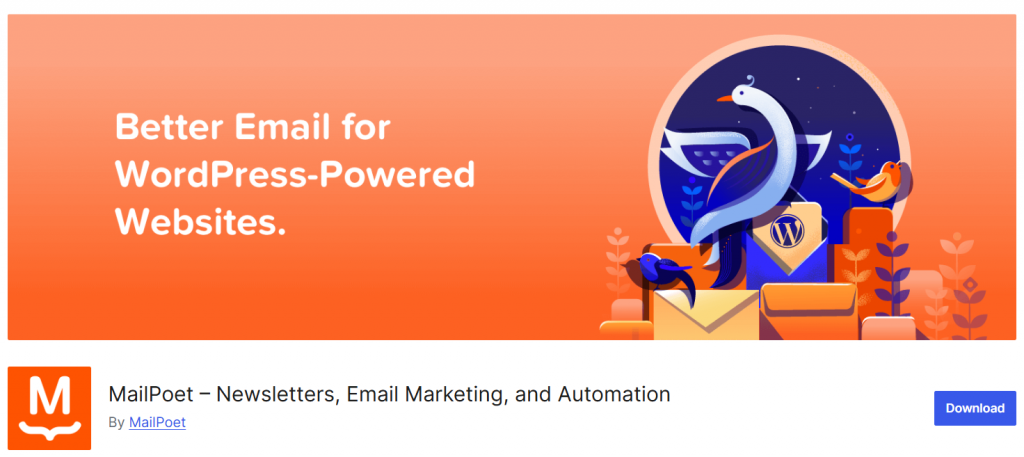
WooCommerce Email Customizer by MailPoet is designed for store owners who want better-looking transactional emails without relying on full email marketing platforms. It allows you to customize WooCommerce emails using a visual editor, making it easier to build layouts that match your brand and improve trust with customers.
While WooCommerce doesn’t offer advanced styling options by default, this plugin fills that gap by giving you control over colors, headers, footers, and content blocks. Compared to clunky, large email marketing tools or plugins, MailPoet’s approach focuses on simplicity and compatibility.
It works well with WooCommerce plugins and supports common store setups, making it a popular WooCommerce email customizer for users who only need design features rather than complex automation.
Features
- Visual email editor for WooCommerce templates
- Custom headers, footers, and branding
- Works with core WooCommerce transactional emails
- Compatible with most WooCommerce themes
Pros
- Simple and beginner-friendly
- Good balance between design and performance
- Integrates smoothly with WooCommerce
Cons
- Fewer layout blocks than advanced builders
- No advanced email marketing automation
Pricing
It is a free WordPress plugin available in the WordPress repository.
6. Email Template Customizer for WooCommerce by VillaTheme
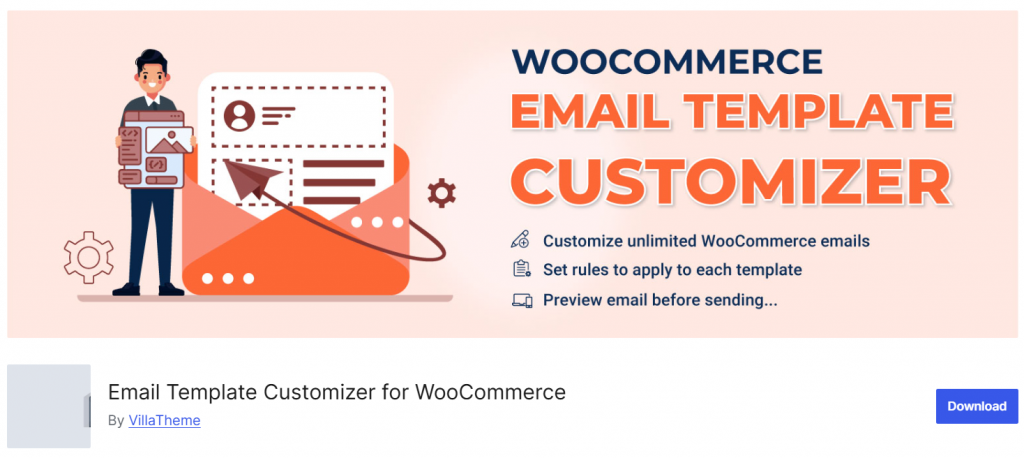
Email Template Customizer for WooCommerce by VillaTheme gives store owners full visual control over transactional emails without relying on external email marketing platforms.
You can customize your WooCommerce emails using a drag-and-drop style builder with real-time preview, making it easy to match your brand identity across order confirmations, refunds, and customer notifications.
Compared to clunky plugins or those that require CSS knowledge, this solution keeps the workflow simple and practical. It works well alongside other WooCommerce plugins and avoids conflicts with most themes.
For stores that do not need complex automations from tools like Omnisend or large email marketing platforms, this plugin offers a balanced approach by providing design flexibility without unnecessary overhead and helping email communication look professional and trustworthy.
Features
- Visual email template builder with live preview
- Supports all default WooCommerce email types
- Custom colors, fonts, and layout controls
- Compatible with most WooCommerce themes
Pros
- Beginner-friendly interface
- Good balance between simplicity and customization
- Reliable for standard WooCommerce email workflows
Cons
- No built-in email marketing automation
- Design elements are more limited than page builders
Pricing
It is a freemium WordPress plugin. The premium version will cost you $32 a year.
7. WebToffee Email Customizer
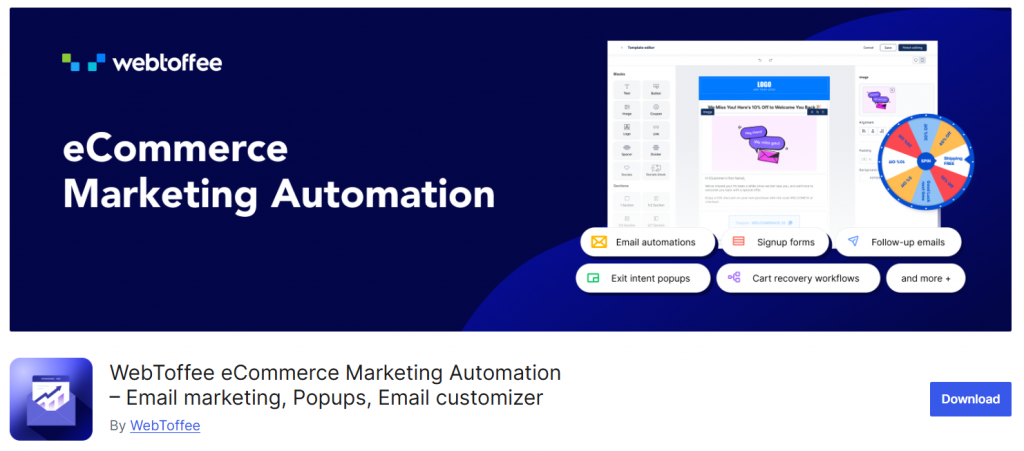
WebToffee Email Customizer is built for WooCommerce store owners who want more control over transactional emails without touching code. It lets you customize your WooCommerce emails using a live preview editor, so you can adjust layouts, colors, typography, and content blocks in real time.
Since WooCommerce emails using the native system are limited in design, this plugin offers a practical solution for WooCommerce stores seeking branded, professional-looking messages. It integrates smoothly with most WooCommerce setups and avoids the complexity of full email marketing platforms or clunky plugins.
For many stores, it serves as a lightweight alternative to heavy email marketing tools while still helping emails build trust and consistency across order notifications and customer communications.
Features
- Drag-and-drop style email template editor
- Live preview for WooCommerce transactional emails
- Custom branding, colors, and layouts
- Works with default WooCommerce email types
Pros
- Easy to use for non-technical users
- Lightweight compared to full marketing platforms
- Good compatibility with WooCommerce themes
Cons
- Limited advanced automation features
- Fewer design blocks than premium builders
Pricing
It is a free WordPress plugin.
Here are some more articles you might find interesting:
- Best 7 WP Fastest Cache Alternatives for WordPress
- 8 Best TikTok Plugins for WordPress in 2026 Compared
- Best 9 FedEx WooCommerce Plugins for Delivery Tracking
- Best Deposits & Partial Payments Plugins for WooCommerce
- Best 7 WooCommerce Point of Sale Plugins
Frequently Asked Questions
Now, let’s take a look at some frequently asked questions and answers about this topic.
What are WooCommerce email plugins used for?
WooCommerce email plugins help customize your WooCommerce emails and improve email marketing by enhancing default transactional messages with branded designs and marketing features.
Are WooCommerce email customizer plugins different from email marketing tools?
Yes. WooCommerce email customizer plugins focus on the design and layout of transactional emails, while WooCommerce email marketing tools support automation, campaigns, and audience management.
Can these plugins work with any WooCommerce store?
Most WooCommerce plugins integrate smoothly with WooCommerce and WordPress, making them suitable for small shops and large stores using popular WooCommerce setups.
Do I need coding skills to customize WooCommerce emails?
No. Most tools use a familiar WordPress customizer or visual builder, allowing store owners to personalize emails without touching code.
Are free WooCommerce email plugins reliable?
A free plugin can handle basic needs, but premium versions offer better marketing automation, templates, and email marketing platform integrations for WooCommerce.
Will these plugins replace email marketing platforms?
Not fully. They enhance WooCommerce transactional email templates, but full email marketing platforms handle newsletters, segmentation, and automation workflows.
How do I pick the best WooCommerce email plugin?
Focus on WooCommerce integration, ease of use, and support for email marketing automation. Picking the best depends on whether you need simple customization or a full email marketing plugin for WooCommerce.
Conclusion
In conclusion, choosing the right WooCommerce email plugin is essential if you want to turn standard store notifications into a reliable email marketing tool.
The best WooCommerce email customizer plugins help you customize your WooCommerce emails, improve branding, and build customer trust through consistent communication.
Among all the options, YayMail stands out as the most flexible and user-friendly WooCommerce email customizer, offering a visual editor, ready-made templates, and strong compatibility with WooCommerce workflows.
For store owners looking for the best WooCommerce email marketing plugin, YayMail delivers a complete solution that transforms transactional emails into a powerful marketing tool for your WooCommerce store.
We hope you found this article helpful and enjoyed reading it. If you did, feel free to check out our blog archive for more useful guides and tips. Also, check out our YouTube channel, X, and Facebook page to get the latest news.
Which plugin are you going to use?
Let us know in the comments.