

Are you looking for the best Imagify alternatives? If you are, keep reading this article. Here are the best seven tools.
Image optimization is critical to building a fast, reliable WordPress site, mainly as modern websites rely heavily on visual content. Large image files can slow page load times, degrade user experience, and reduce search visibility.
While Imagify is a popular image optimization plugin, many site owners seek alternatives that offer different pricing models, better image compression, or additional features.
In this guide, we explore the best WordPress image optimizer plugins that help optimize images, reduce image file size, and maintain high image quality across your WordPress website.
First, let’s see why image optimization is critical for WordPress websites.
Why Image Optimization Is Critical for WordPress Websites
Image optimization is critical for any WordPress site because large image files directly affect loading speed, user experience, and search visibility.
Using image optimization plugins helps compress images, reduce file size, and maintain high quality.
A reliable WordPress image optimization plugin can automatically optimize images during uploads, manage bulk optimization in the WordPress media library, and support multiple image formats, such as PNG.
Compared with manual optimization tools, WordPress image optimizer plugins streamline the optimization process, making them a best practice, especially when evaluating alternatives to Imagify or other popular image compression solutions.
Table of Contents
What Is Imagify and Why Look for Imagify Alternatives
Imagify is a popular image optimization plugin for WordPress users who want to reduce image file sizes while maintaining high image quality.
It offers automatic optimization, image resizing, and support for multiple image formats directly from the WordPress dashboard. However, pricing limitations, per-image restrictions, and specific workflow requirements often prompt site owners to seek an alternative to Imagify.
Exploring Imagify alternatives helps you find WordPress image optimization plugins that better fit your budget, handle large volumes of images efficiently, and deliver the best WordPress image optimization for your site.
What to Look for in a WordPress Image Optimizer Plugin
Choosing the right WordPress image optimizer plugin is essential to ensure consistent optimization without compromising performance or image quality.
With many image optimization plugins available, including popular Imagify alternatives, focusing on the features that matter most helps you select the best WordPress image optimizer plugin for your site and long-term growth within the WordPress ecosystem.
- Support for effective image compression that reduces image file sizes without affecting the original image quality
- Automatic optimization for every new image uploaded, so image optimization happens without manual effort
- Bulk optimization options to handle many image files already stored in the media library
- Compatibility with common image types and support for multiple image formats, such as PNG image files
- Flexible pricing, including a free image optimizer option or generous limits per image
- Easy setup inside the WordPress dashboard with an interface that feels native to WordPress plugins
- Advanced image compression tools that reduce the image size while preserving the best image appearance
- Integration with other plugins for WordPress and smooth performance across the WordPress ecosystem
7 Best Imagify Alternatives for WordPress Image Optimization
In a nutshell, the best options are:
- ShortPixel Image Optimizer
- Smush Image Optimization
- EWWW Image Optimizer
- Optimole
- reSmush.it Image Optimizer
- Kraken Image Optimizer
- TinyPNG
Below, we outline what each plugin offers.
1. ShortPixel Image Optimizer
ShortPixel Image Optimiser is a comprehensive WordPress image compression plugin known for its flexible optimization modes and strong support for a wide range of image formats.
Unlike plugins that focus solely on lossy compression, ShortPixel gives you multiple compression options: lossy, glossy, and lossless, so that you can choose the right balance between file size and image fidelity.
The plugin works directly with your WordPress media library and can also optimize PDF files. ShortPixel includes tools to convert images to WebP format, reducing load times for supported browsers.
With bulk optimization and detailed optimization statistics available in the WordPress dashboard, site owners can see how much space and bandwidth they save. ShortPixel’s flexible settings make it suitable for everything from personal blogs to large, image-heavy WordPress sites.
Features
- Multiple compression modes (lossy, glossy, lossless)
- WebP conversion support for modern image delivery
- Bulk optimization with detailed statistics
- Automatic optimization on new uploads
- PDF optimization support
- Optimization reports inside WordPress
Pros
- Choice of compression levels to suit different needs
- Supports modern formats like WebP
- Includes optimization analytics
Cons
- Requires an API key for use
- Free quota is limited per month
Pricing
Free quota includes a set number of image credits per month. Paid plans add additional credits and higher usage limits.
2. Smush Image Optimization
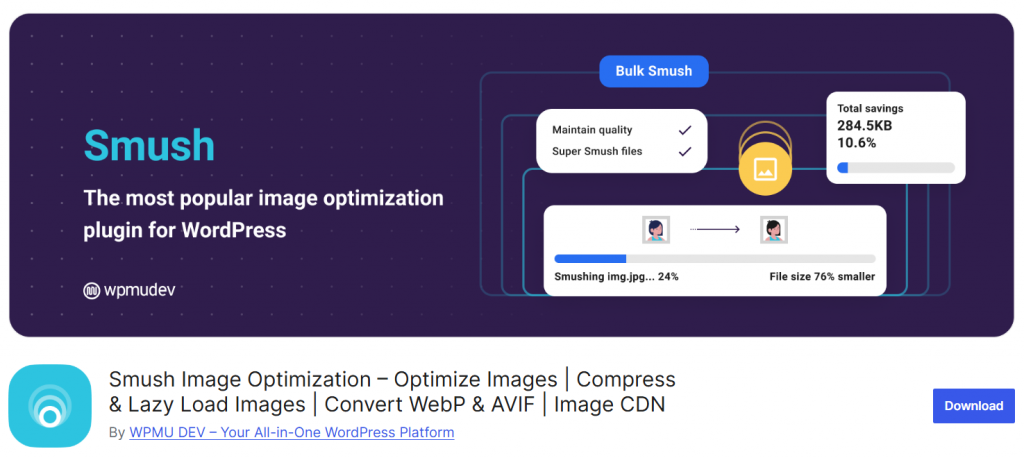
Smush Image Optimization is a widely used WordPress image optimization plugin that reduces image file sizes without compromising visible image quality.
It integrates directly with the WordPress media library to compress images as you upload them and provides a bulk optimization tool for previously uploaded media.
Smush also lets you automatically resize large photos to specified maximum dimensions, helping control page load times by preventing oversized image files from slowing your site. The plugin includes a setting to strip unnecessary data from images, such as metadata, to reduce file sizes further.
With its intuitive WordPress dashboard interface, Smush is suitable for site owners who want efficient image compression and control over image sizes without added complexity.
Features
- Automatic image compression on upload
- Bulk optimization for existing media files
- Image resizing to set maximum dimensions
- Option to remove metadata from images
- Integrates with WordPress media library
- Handles large image files efficiently
Pros
- Easy to configure from the WordPress dashboard
- Built‑in image resizing improves performance
- Good balance of simplicity and functionality
Cons
- Advanced features require a premium upgrade
- May not compress some image formats as aggressively
Pricing
A free version is available, and they offer a premium plugin for advanced capabilities.
3. EWWW Image Optimizer
EWWW Image Optimizer is a WordPress image optimization plugin that focuses on lossless and lossy compression directly within your server environment.
Unlike some tools that send images to an external service for processing, EWWW can optimize images locally when your server meets the required specifications. The plugin also supports WebP conversion and offers options to strip unnecessary data from images to reduce file sizes further.
With automatic optimization for new uploads and a bulk optimizer for existing media, EWWW provides flexible control over how your images are processed. It integrates seamlessly with the WordPress media library. It supports a wide range of formats, making it a strong choice for users who want an image compressor that operates efficiently in the background.
Features
- Local and cloud-based image compression
- Automatic optimization for new uploads
- Bulk optimizer for existing media library files
- Support for WebP conversion
- Options to remove image metadata
- Compatible with multiple image formats
Pros
- Offers both local and cloud optimization
- Removes unnecessary data to reduce file sizes
- Supports modern formats like WebP
Cons
- Local optimization may require server resources
- Advanced cloud features may require paid credits
Pricing
The free version plugin can be downloaded from the WordPress plugins repository. A premium version is also available with additional optimization options.
4. Optimole
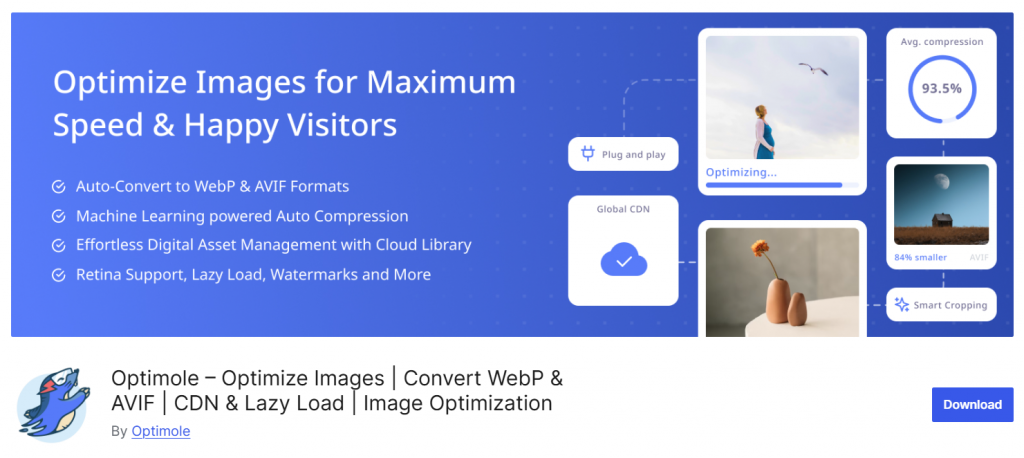
Optimole is a cloud‑based WordPress image optimization plugin that focuses on real‑time image compression and adaptive delivery. Instead of processing images on your server, Optimole offloads optimization to a remote service, ensuring your WordPress hosting is not taxed during compression.
The plugin serves images through a global content delivery network, automatically resizing and compressing them based on the visitor’s device and screen size. This adaptive approach helps ensure fast load times and efficient bandwidth usage.
Optimole also offers lazy loading and automatic WebP conversion, making it a strong choice for sites with diverse image requirements. The plugin integrates seamlessly with the WordPress media library and operates behind the scenes to maintain high image performance without manual intervention.
Features
- Real‑time image compression via cloud service
- Adaptive image delivery based on device
- WebP conversion for supported browsers
- Lazy loading is built in
- Global content delivery network support
- No server load during optimization
Pros
- Offloads compression work outside your hosting environment
- Automatically serves optimized images by device
- Includes lazy loading for better performance
Cons
- Relies on external service for core functionality
- Free plan limits the monthly optimization quota
Pricing
A free tier is available with usage limits; paid plans increase quotas and features.
5. reSmush.it Image Optimizer

reSmush.it Image Optimizer is a WordPress image compression plugin that provides straightforward optimization based on free image compression services. It lets you optimize JPEG, PNG, and GIF files up to a defined file-size threshold, making it a suitable option for sites with moderate media needs.
The plugin integrates directly with the WordPress media library, allowing you to compress images automatically on upload or process existing files in bulk. reSmush.it focuses on core image size reduction without overwhelming settings, making it a good choice for users who want simple, no‑frills compression.
While it may not offer the advanced controls of some other tools, it provides a reliable way to reduce image file sizes and improve site performance without additional cost.
Features
- Free image compression through an external API
- Automatic optimization for new uploads
- Bulk optimization for existing media files
- Supports JPEG, PNG, and GIF formats
- Simple interface within WordPress
- No local server resources required
Pros
- Completely free compression service
- Easy to set up for basic optimization
- Works within the WordPress media library
Cons
- Limited control over compression levels
- Optimization may be less aggressive than other tools
Pricing
Free image optimization plugin available from the WordPress.org repository.
6. Kraken Image Optimizer

Kraken Image Optimizer is a dedicated WordPress image compression plugin that reliably reduces file sizes while preserving high visual quality, making it a strong alternative to Imagify.
The plugin integrates with your WordPress media library to automatically optimize images on upload and offers bulk optimization for existing media. Kraken supports multiple image formats and efficiently compresses image data to improve page load times and overall performance.
With a straightforward setup via the WordPress dashboard, site owners can enable optimization without technical complexity. Kraken’s focus on balancing image size with clear image quality makes it a strong fit for WordPress image optimization plugins.
Features
- Automatic optimization on image upload
- Bulk image compression for existing media
- Supports multiple image formats, including JPEG and PNG
- Maintains high image quality while reducing file size
- Easy configuration via WordPress dashboard
- Works with large image files
Pros
- Efficient compression while maintaining image quality
- Simple setup for WordPress users
- Improves loading performance for image-heavy sites
Cons
- May require an API key or account setup
- Free usage limits for image optimization
Pricing
Free tier available with usage limits; paid plans based on image credits or subscriptions.
7. TinyPNG
TinyPNG is a dedicated WordPress image compression plugin that reduces image file size without compromising visual quality. It uses the best lossy compression techniques to optimize JPEG, PNG, and WebP images, making it a reliable Imagify alternative for WordPress sites that rely heavily on media content.
The plugin automatically compresses new image uploads and can also bulk-optimize existing images in the WordPress media library. It preserves the original image dimensions while significantly reducing file sizes, improving page speed, Core Web Vitals, and overall site performance.
TinyPNG integrates smoothly into the WordPress dashboard and requires minimal configuration, making it suitable for beginners and experienced users alike. It is especially useful for websites that want consistent image quality while keeping bandwidth usage and storage costs under control.
Features
- Automatic image compression on upload
- Bulk image optimization from the media library
- Supports JPEG, PNG, and WebP formats
- Maintains high image quality
- Optimizes image sizes without resizing
- Simple WordPress dashboard integration
Pros
- Excellent balance between compression and quality
- Very easy to use and set up
- Reliable for high-traffic WordPress sites
Cons
- Monthly compression limits on free plan
- Requires an external API connection
Pricing
Free tier with limits, with paid plans based on monthly image compression usage.
Frequently Asked Questions
Now, let’s review some frequently asked questions and answers about this topic.
What are Imagify alternatives in WordPress image optimization plugins?
Imagify alternatives are WordPress image optimization plugins that focus on image compression and performance improvement. They help reduce image file sizes, automatically optimize images, and maintain high image quality while improving page speed.
How do image optimizer plugins improve WordPress performance?
Image optimizer plugins improve performance by reducing image sizes and optimizing images during upload. Smaller image files load faster, reduce server load, and help deliver the best WordPress image experience across devices.
Are image optimization plugins safe for image quality?
Most image optimization plugins compress images without sacrificing image quality. They use advanced compression methods to reduce image sizes while preserving the original image quality.
Do WordPress image optimizer plugins support automatic optimization?
Yes, many WordPress image optimizer plugins automatically optimize new image uploads. This ensures every image added to the WordPress site is optimized without manual effort from the WordPress dashboard.
Can image compression plugins handle different image formats?
Image compression plugins typically support multiple image formats, including JPEG and PNG. Supporting various image formats allows better image optimization across different use cases.
Is bulk image optimization possible with WordPress plugins?
Bulk optimization allows you to optimize existing images in the WordPress media library at once. This feature is helpful for WordPress sites with many older images uploaded before using an image optimization plugin.
How do I choose the best WordPress image optimization plugin?
Choosing the best image optimization plugin depends on compression quality, supported image formats, ease of use, and pricing. The right plugin helps optimize images efficiently while maintaining image quality.
Conclusion
Image optimization is no longer optional for modern WordPress sites, and this guide makes it clear that image optimization plugins offer practical solutions for improving performance.
The 6 best options discussed show how an image compressor can reduce image sizes without losing quality, manage image data efficiently, and support the best format for different use cases.
Many image optimizer plugins for WordPress provide effortless image handling, automatic optimization, and care of new image uploads, making them suitable for beginners and advanced users alike.
With top alternatives to Imagify available, it is clear that image optimization plugins for WordPress focus on maintaining image size without affecting quality.
From easy-to-use tools to popular image optimization plugins, finding the right image optimizer for WordPress depends on workflow, supported image formats, and overall efficiency.
If you are looking for the best image optimization approach, these options are strong in terms of performance and reliability.
Which plugin will you use?
Let us know in the comments.
