

Do you want to convert a WordPress post to a page? If you are looking for a simple guide, keep reading this article.
Converting a post to a page in WordPress is a common task for website owners who want to change the layout or structure of their content.
Whether you accidentally created a post instead of a page or want to organize your popular posts as static pages, WordPress provides different ways to convert posts to pages.
This guide will walk you through converting a WordPress post to a page, covering both manual methods and plugin-based solutions. By following these steps, you can easily manage your posts and pages without losing content or disrupting your website layout.
First, let’s see the difference between a post and a page.
Table of Contents
Difference Between a Post and a Page in WordPress
In WordPress, understanding the difference between posts and pages is crucial before converting posts to pages.
A post is typically part of your blog content, displayed in chronological order, categorized, and tagged. Posts are dynamic and ideal for updates or news on your WordPress website.
A page, on the other hand, is static and designed for content that doesn’t change often, such as a contact page or about page.
WordPress doesn’t allow direct conversion by default, so you may need a plugin or follow specific methods to change a WordPress post into a page. Knowing these differences ensures you use the correct content type for your site layout and SEO needs.
Reasons to Convert a WordPress Post to a Page
There are several reasons why you might want to convert a WordPress post to a page. Sometimes, content created as a post is better suited for a static page, such as a homepage, contact page, or important information that should not appear in chronological order.
Converting posts to pages helps improve site layout, organize content more effectively, and enhance the user experience on your WordPress website.
You might also want to change a post type to match your site’s theme or to highlight specific content without burying it among other posts. Using a plugin or simple methods, you can change a WordPress post into a page quickly and maintain all the existing content.
How to Convert a Post to a Page in WordPress
Now, let’s get into the tutorial. The first step is to log in to the WordPress dashboard. We need to install and activate a simple plugin for the task. The plugin is called Post Type Switcher.
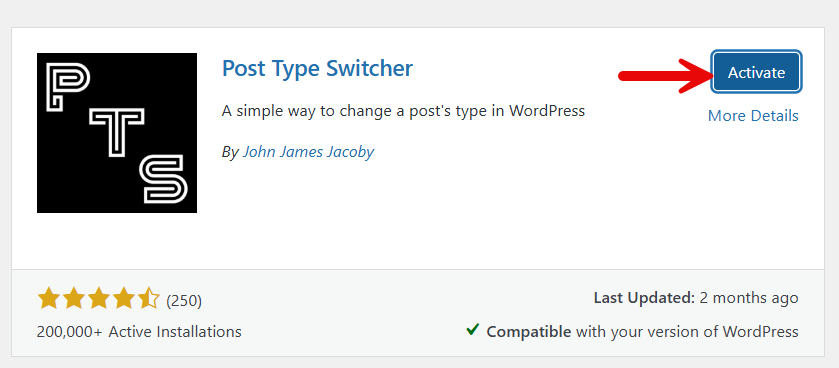
After activation, you are ready to change the post type of content you have on the website. You need to open the post that you want to update. On the right hand side panel, you will see an option to switch the post type.
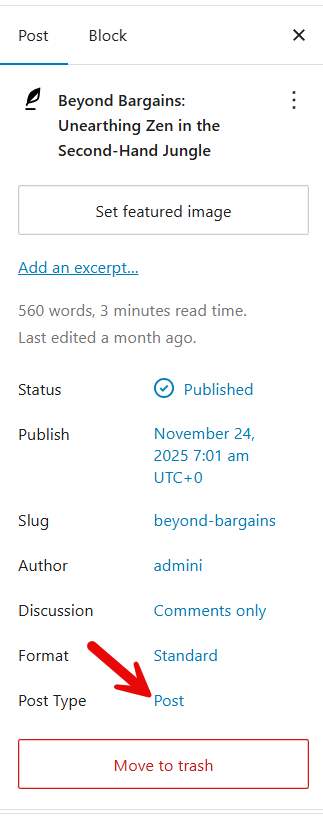
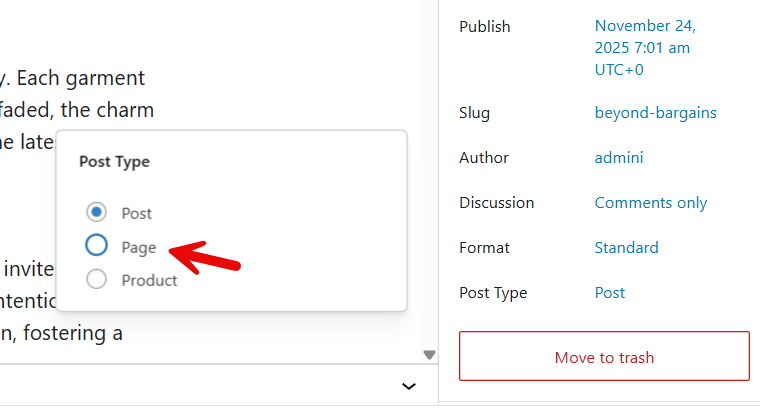
Click on it and choose the page from there.
Next, confirm the conversion.
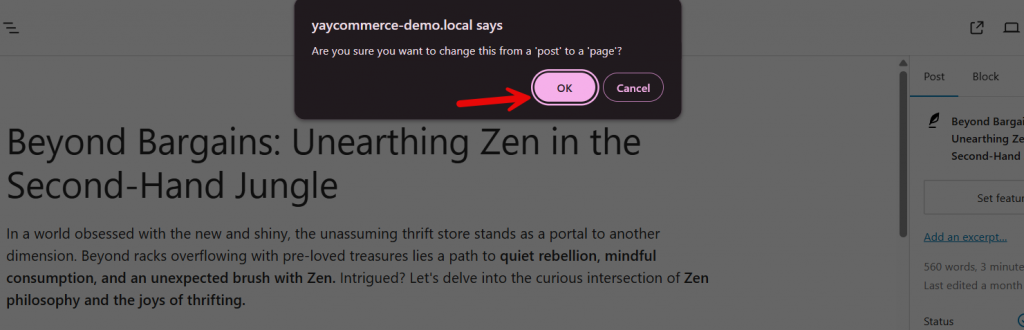
The plugin will now convert the post to a page.
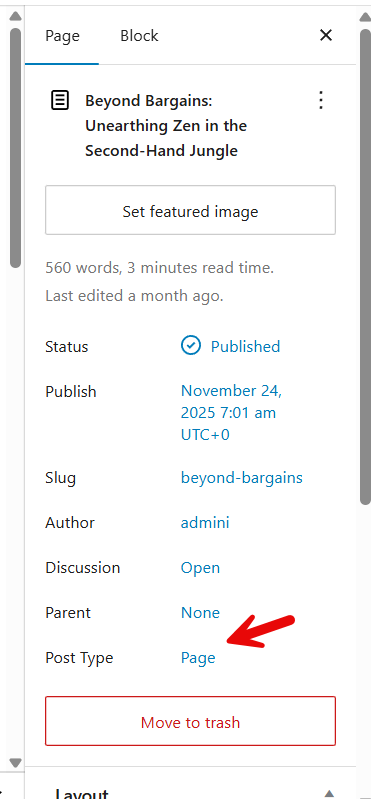
You can also see the converted post under the pages section.
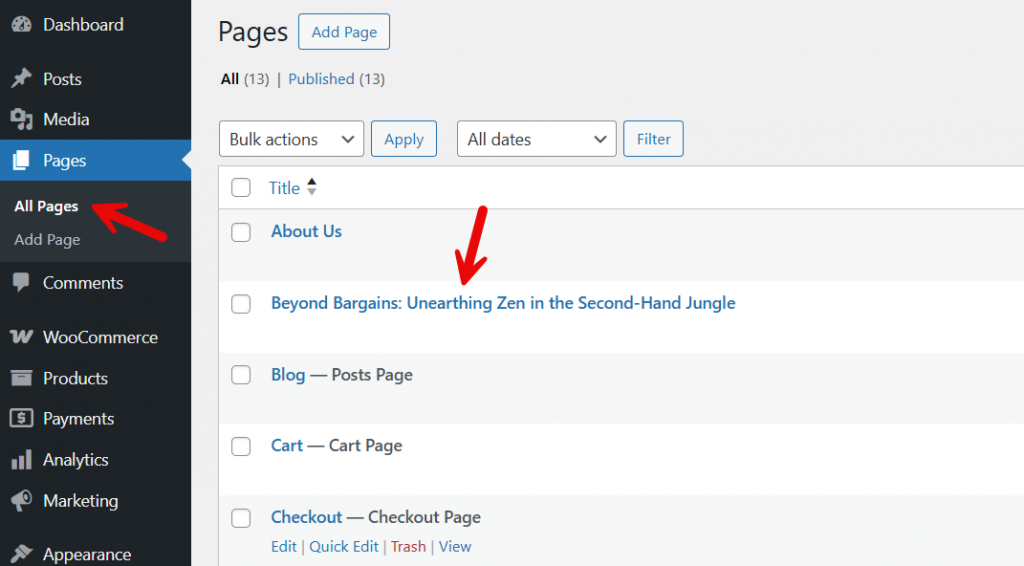
That is it.
This is how you can convert a post to a page in WordPress.
Frequently Asked Questions
Now, let’s take a look at some of the frequently asked questions and answers regarding this topic.
Can I convert a post to a page in WordPress without affecting my content?
Yes, you can convert a post to a page in WordPress while keeping the content intact. Using the right method or plugin ensures your text, images, and formatting are preserved during the conversion.
What are the ways to convert posts to pages in WordPress?
You can convert posts to pages manually by editing the post_type in the database, or more safely by using a plugin that handles the conversion automatically. Both methods are widely used depending on your comfort level.
Will changing a post to a page affect SEO or URLs?
It can affect your website SEO if the URL structure changes. Always update internal links, and consider redirects if the post URL differs from the new page URL to maintain search engine rankings.
Can I convert multiple posts to pages at once?
Yes, some plugins allow bulk conversion, so you can select multiple posts and convert them to pages in one go without editing them individually.
Is it possible to revert a page back to a post?
Yes, vice-versa conversion is possible. Many plugins provide options to switch a page back to a post if you need to adjust your content structure.
Do I need to backup my website before converting posts to pages?
Always backup your WordPress site before making changes like converting posts to pages. This prevents accidental data loss and allows you to restore your content if something goes wrong.
Can I convert a post to a page without using a plugin?
Yes, you can edit the post_type via WordPress or use SQL queries, but this requires technical knowledge. Plugins are recommended for beginners to simplify the process and reduce risk.
Conclusion
Converting a WordPress post to a page is a helpful way to organize your website and present important content in a static format.
Whether you need to change a post type to improve layout, highlight key information, or improve your site structure, WordPress offers simple methods and plugins to streamline the process.
By following the proper steps, you can convert your posts into pages without losing content or SEO value. This ensures your WordPress website remains organized, user-friendly, and aligned with your content strategy.
Making these changes can enhance navigation, improve the overall user experience, and help you manage your posts and pages efficiently.
