

Are you looking for the best WordPress table of contents plugins? If you are, keep reading this post. Here, we will show you seven of the best WordPress table of contents plugins you need to try.
Creating a clear table of contents can dramatically improve the user experience on your WordPress site.
For bloggers and website owners, a well-structured WordPress table of contents plugin makes it easy to add a table of contents to your blog posts and pages, helping readers navigate long content effortlessly.
With the right content plugins for WordPress, you can automatically generate a table, customize its style, and ensure it’s SEO-friendly. Whether you want a simple table of contents block or a dedicated table of contents plugin, there are options that suit every WordPress theme and page builder.
In this guide, we’ll explore the 7 best table of contents WordPress plugins you should try in 2026.
First, let’s see what table of contents plugins are and why you need them.
Table of Contents
What Are WordPress Table of Contents Plugins
A WordPress table of contents plugin helps you create a table of contents for your blog posts and pages, improving navigation and user experience.
These table of contents plugins allow WordPress users to easily add a table without manual coding, offering easy customization options to match your WordPress theme or page builder.
Popular plugins like LuckyWP Table of Contents, Heroic Table of Contents, and CM Table of Contents automatically generate an SEO-friendly table of contents, improving WordPress SEO.
Whether you want a simple table of contents block or a dedicated TOC plugin, these best table of contents WordPress plugins for 2026 make it simple to add contents to your WordPress site with just a few clicks.
What to Look for In WordPress Table of Contents Plugins
Choosing the right table of contents plugins can greatly enhance navigation and SEO on your WordPress site.
- Easy-to-use table of contents plugin: Look for a plugin that automatically generates a table and is beginner-friendly, allowing you to add contents on any page without coding.
- Customization options: The plugin should offer styling features to style the table of contents, including font, colors, and placement, to match your WordPress theme.
- SEO-friendly table of contents plugin: Ensure the plugin creates a SEO-friendly table of contents that improves search engine visibility.
- Compatibility with page builders and the WordPress block editor: The plugin should integrate with popular page builders and support the table of contents block.
- Free vs premium features: Choose a plugin that fits your needs, whether a free WordPress table of contents plugin or a premium option with advanced contents plugins to enhance your site.
Best 7 WordPress Table of Contents Plugins to Try
| Plugin | Auto‑Generate TOC | Gutenberg Block / Editor Support | Customization Options | Works With Page Builders |
|---|---|---|---|---|
| LuckyWP Table of Contents | Yes, automatic and manual insert via block or shortcode | Yes, provides block support | Headings depth, style, color schemes, smooth scroll | Yes (Elementor, Beaver, WPML, etc.) |
| Heroic Table of Contents | Yes, detects headings and auto‑generates TOC | Yes, Gutenberg block | 4 pre‑built styles, hide/relabel headings | Works with any theme |
| Easy Table of Contents | Yes, auto‑generates based on headers | Yes, Gutenberg block & widget support | Choose heading levels, list styles, and hierarchical view | Yes, supports Divi, Elementor, WPBakery, etc. |
| Joli Table Of Contents | Yes, auto and manual shortcode/block insert | Yes, Gutenberg block support | Highly customizable margins, colors, fonts, and theme engine | Designed for the WordPress editor; third‑party page builder support is not explicitly stated |
| SimpleTOC – Table of Contents Block | Manual via block only (no auto) | Yes, native Gutenberg block support | Basic styling through editor group settings | Limited to the editor; not specific for external builders |
| Table of Contents Plus | Yes, auto‑generates based on headers | Manual via shortcode | Control heading levels, label text, and positioning | Works in typical WP setups |
| CM Table Of Contents | Yes, automatic creation based on headings/classes | Manual shortcode insert is supported | Style controls, list options, and the back to top button | Works with most themes and content types |
Let’s take a closer look at each plugin.
1. LuckyWP Table of Contents
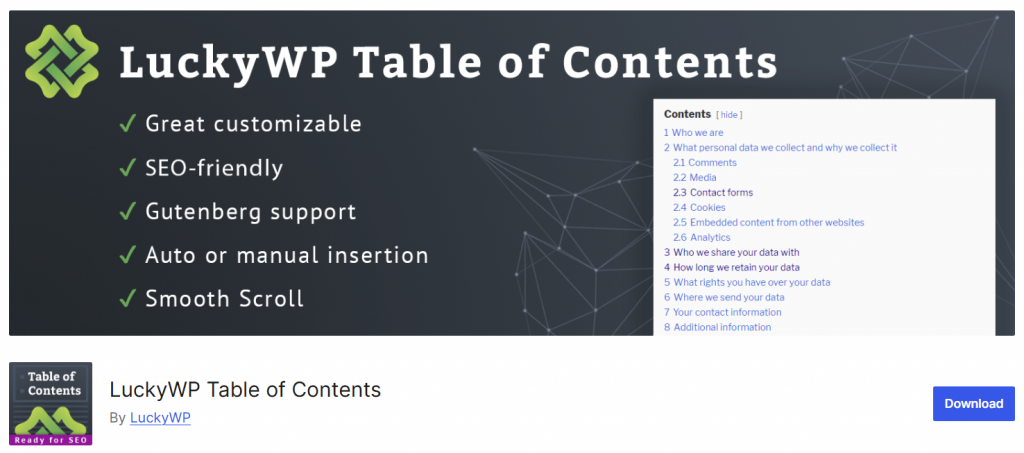
LuckyWP Table of Contents is a user-friendly table of contents WordPress plugin designed to help you generate a table of contents automatically for posts, pages, and custom post types.
This plugin improves user experience by making long content easy to navigate while also enhancing WordPress SEO. It works seamlessly with the WordPress block editor and popular page builders, allowing you to add content to your WordPress site with a single click.
LuckyWP Table of Contents offers easy customization options, letting you style the table to match your theme. Whether you want a simple table of contents block or a fully styled SEO-friendly table of contents plugin, LuckyWP is one of the best WordPress table of contents plugins available in 2026.
Features
- Automatically generates a table of contents based on headings
- Gutenberg block and shortcode support
- Customizable heading levels, colors, and scroll behavior
- Works with Elementor, Beaver Builder, and most WordPress themes
- Lightweight, fast-loading, and beginner-friendly
Pros
- Easy to set up and beginner-friendly
- Fully customizable without coding
- Improves navigation and SEO
Cons
- Limited advanced styling options
- No built-in floating or collapsible TOC without custom tweaks
Pricing
A free plugin that you can download from the WordPress repository.
2. Heroic Table of Contents

Heroic Table of Contents is a beginner-friendly WordPress table of contents plugin that makes it easy to organize long posts and pages. The plugin automatically generates a table of contents based on your headings, improving both user navigation and WordPress SEO.
It includes pre-built styles, allowing you to match the table of contents with your WordPress theme. Heroic Table of Contents works seamlessly with the WordPress block editor and most themes, making it a reliable choice for bloggers and website owners.
Its easy-to-use interface lets you quickly add a table of contents to your content, without requiring coding knowledge. It is one of the best table-of-contents plugins for 2026.
Features
- Automatically generates a table of contents from headings
- Gutenberg block support for easy placement
- 4 pre-built styles with customization options
- Option to hide or relabel specific headings
- Works with most WordPress themes and content types
Pros
- Beginner-friendly and easy to set up
- Pre-built styles save time on design
- Automatically improves navigation and SEO
Cons
- Limited advanced customization in the free version
- Fewer integrations with page builders compared to other plugins
Pricing
Free plugin with basic features; no premium version.
3. Easy Table of Contents
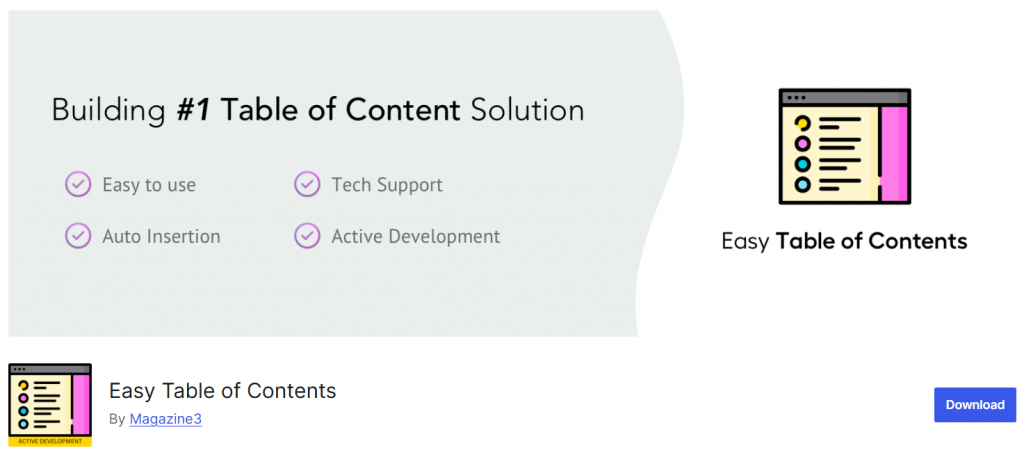
Easy Table of Contents is a popular WordPress table of contents plugin that automatically generates a table for posts, pages, and custom post types. It improves navigation for long content and enhances WordPress SEO by allowing search engines to better index headings.
The plugin works seamlessly with the WordPress block editor and popular page builders, including Elementor, Divi, and WPBakery. Users can customize heading levels, list styles, and hierarchical views to match their WordPress theme.
Easy Table of Contents is beginner-friendly yet powerful, making it one of the best table of contents WordPress plugins for 2026.
Features
- Automatically generates a table of contents based on headings
- Gutenberg block and widget support
- Customizable heading levels, list styles, and hierarchical view
- Compatible with popular page builders
- Option to choose positions and display only on selected posts
Pros
- Easy to set up for beginners
- Highly customizable without coding
- Improves navigation and SEO
Cons
- Advanced sticky TOC and extra positions require the pro version
- May require adjustments for very large or complex posts
Pricing
Free plugin with basic features; Pro version available starting at $49/year.
4. Joli Table Of Contents
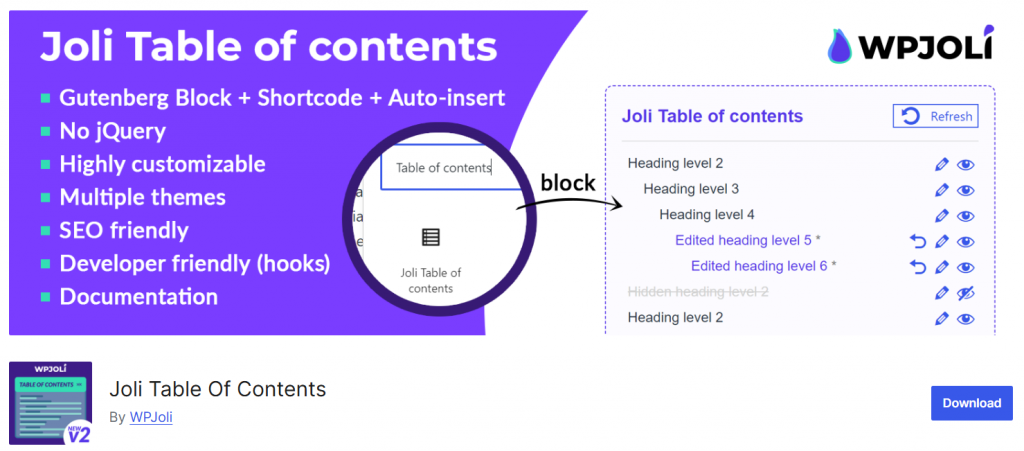
Joli Table of Contents is a powerful WordPress table of contents plugin designed to help you easily add a table of contents to your posts, pages, and custom post types.
It automatically detects headings and generates a structured table, improving both user experience and WordPress SEO. The plugin provides extensive customization options, allowing you to adjust colors, fonts, margins, and styling to match your WordPress theme or page builder.
Joli Table of Contents supports the WordPress block editor and offers a shortcode option for manual placement. It also allows you to hide, relabel, or reorder headings for maximum flexibility. Whether you want a simple table of contents block or a fully styled table, Joli is one of the best table of contents plugins for 2026.
Features
- Automatically generates a table of contents from headings
- Gutenberg block and shortcode support
- Highly customizable styling: fonts, colors, and spacing
- Hide or reorder specific headings
- Compatible with most WordPress themes
Pros
- Offers extensive styling and customization options
- Beginner-friendly and easy to implement
- Enhances navigation and SEO
Cons
- Some advanced features require a premium upgrade
- Third-party page builder integration is limited
Pricing
Free version available; premium version starts at $39.99/year.
5. SimpleTOC
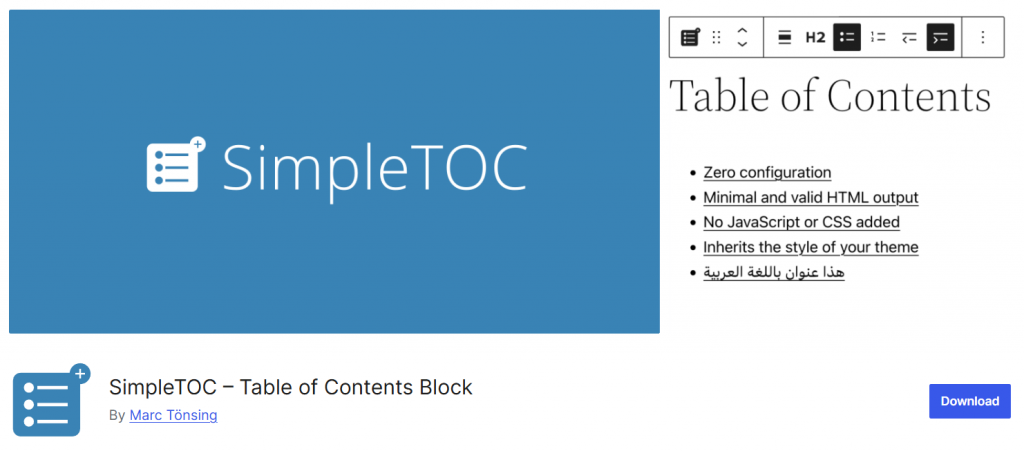
SimpleTOC is a basic WordPress table of contents plugin focused on simplicity and ease of use. It allows you to manually add a table of contents using the SimpleTOC block in the WordPress editor.
While it does not automatically generate a table like other plugins, it provides a lightweight solution for bloggers and website owners who want a clean, user-friendly table of contents WordPress plugin.
SimpleTOC works seamlessly with the WordPress block editor, letting you insert a table of contents block anywhere on your page or post. It is ideal for those who prefer manual control over which headings appear, and it ensures your content remains organized and easy to navigate without adding unnecessary complexity.
Features
- Manual insertion using the SimpleTOC block
- Supports headings from posts and pages
- Lightweight and fast-loading
- Basic styling options for fonts and colors
- Works with any WordPress theme
Pros
- Very easy to use for beginners
- Keeps pages lightweight and fast
- Full control over included headings
Cons
- Does not automatically generate a table of contents
- Limited customization and styling options
Pricing
Free plugin; no premium version.
6. Table of Contents Plus

Table of Contents Plus is a well-established WordPress table of contents plugin that automatically generates a structured table of contents for posts, pages, and custom post types.
It improves navigation on long content, helping readers quickly find sections while enhancing WordPress SEO. The plugin supports both automatic insertion based on headings and manual placement via shortcode.
Users can control heading levels, label text, and table positioning, making it flexible for different content types and themes. Table of Contents Plus is compatible with most WordPress themes and works well with standard editors.
It is a reliable, free WordPress plugin that provides a straightforward solution for adding a table of contents in WordPress and remains one of the best table of contents plugins for 2026.
Features
- Automatically generates a table of contents from headings
- Shortcode support for manual placement
- Control over heading levels and label text
- Customizable positioning on pages or posts
- Works with most WordPress themes
Pros
- Free and reliable plugin
- Automatically improves navigation and SEO
- Easy to set up and use
Cons
- Limited advanced styling options
- No dedicated Gutenberg block or page builder integration
Pricing
Free plugin; no premium version.
7. CM Table Of Contents

CM Table Of Contents is a versatile WordPress table of contents plugin that automatically creates a table of contents for posts, pages, and custom post types. It helps improve user experience by allowing readers to quickly navigate long content while also supporting WordPress SEO.
The plugin detects headings, generates a structured table, and offers manual shortcode placement for greater control. CM Table Of Contents provides styling options for lists, fonts, and colors, and includes features such as back-to-top buttons and collapsible sections.
It is compatible with most WordPress themes and works well on both posts and pages. CM Table Of Contents is ideal for users who want a flexible, feature-rich content plugin for WordPress in 2026.
Features
- Automatically generates a table of contents based on headings
- Manual shortcode support for custom placement
- Styling options for fonts, colors, and list formatting
- Back-to-top button and collapsible sections
- Compatible with most WordPress themes and content types
Pros
- Offers advanced features like a collapsible TOC and a back-to-top button
- Improves navigation and SEO
- Flexible for different content types
Cons
- Some premium features require an upgrade
- Slightly more complex setup for beginners
Pricing
Free version available; premium version starts at $39/year.
Here are some other articles you can read:
- Bookster vs MotoPress Appointment Booking: Which Is the Best Plugin
- 7 Best WooCommerce Email Customizer Plugins You Need to Try
- Best 650+ Name Ideas for a Language Class Business
- Bookster Pro Is Here – A Better, More Flexible Booking Experience
- How to Add a Photography Studio Booking System to WordPress
Frequently Asked Questions
Now, let’s take a look at some frequently asked questions and answers about this topic.
What is a WordPress table of contents plugin?
A WordPress table of contents plugin generates a table of contents for WordPress posts or pages. These table of contents plugins improve navigation, help organize content, and enhance the user experience for readers.
How do WordPress table of contents plugins improve SEO?
Many WordPress table of contents plugins create an SEO-friendly table of contents that helps search engines better index your content. Adding a table of contents block can boost your WordPress SEO and make long posts more readable.
Can I manually add a table of contents in WordPress?
Yes, some plugins like SimpleTOC, a basic WordPress table of contents plugin, allow you to manually add a table. However, most modern plugins also automatically generate a table for your posts and pages.
Are these table of contents plugins compatible with page builders?
Many content plugins for WordPress, such as LuckyWP and Easy Table of Contents, work with popular page builders and the WordPress block editor, ensuring your table of contents displays correctly across themes.
Are there free WordPress table of contents plugins available?
Yes, the best free WordPress table of contents plugins include Table of Contents Plus, LuckyWP Table of Contents, and Easy Table of Contents. These toc plugins offer essential features without any cost.
Can I customize a table of contents in WordPress?
Most table of contents WordPress plugins provide easy customization options, letting you style the table of contents, choose heading levels, change colors, and adjust placement to match your WordPress theme.
Which table of contents plugin is best for beginners?
Plugins like Easy Table of Contents and LuckyWP offer a user-friendly table of contents that automatically generates a table with minimal setup. These beginner-friendly plugins are perfect if you need a table of contents without technical knowledge.
Conclusion
Choosing the right WordPress table of contents plugin can significantly improve user experience and site navigation.
If you need a table of contents that automatically generates with minimal setup, Easy Table of Contents and LuckyWP Table of Contents are the best choices for beginners.
For advanced styling and customization, Joli Table of Contents offers extensive design options. If you prefer a lightweight table of contents block, SimpleTOC is a basic WordPress plugin that simplifies the process.
The Heroic Table of Contents and CM Table of Contents provide additional premium features, such as a collapsible TOC and floating navigation. For a free, reliable option, Table of Contents Plus remains one of the best free WordPress table of contents plugins available in 2026.
We hope you found this article helpful and enjoyed reading it. If you did, feel free to check out our blog archive for more useful guides and tips. Also, check out our YouTube channel, X, and Facebook page to get the latest news.
Which plugin are you going to choose?
Let us know in the comments.
