
Do you want to reduce HTTP requests in WordPress? If you are looking for a simple guide, keep reading this article.
Reducing HTTP requests in WordPress is essential for improving site speed and providing a smoother browsing experience.
Every element on a WordPress site, such as images, scripts, stylesheets, and external resources, creates an HTTP request, and when these build up, they slow down page load time and impact overall performance.
By learning how to make fewer HTTP requests and reduce the number of requests your WordPress website makes, you can improve speed and optimize your pages more effectively.
Applying simple techniques to minimize HTTP requests helps your site load faster, keeps users engaged, and supports better search engine visibility.
This guide will walk you through practical ways to reduce HTTP requests in WordPress and enhance the performance of your website.
Table of Contents
What Are HTTP Requests in WordPress?
HTTP requests in WordPress refer to the calls made by a browser to load every file required to display a page on your WordPress website.
Each image, stylesheet, script, or external resource triggers a separate HTTP request, and when a WordPress site sends many HTTP requests, it increases page load time and slows down overall performance.
Understanding how these requests work helps you identify why your site may feel slow and shows you where to reduce the number of requests your WordPress site makes. By optimizing assets, minimizing plugins, and simplifying the structure of your pages, you can make fewer HTTP requests and improve site speed.
Learning about HTTP requests in WordPress is the first step toward reducing them and ensuring your website loads faster and performs more efficiently.
How HTTP Requests Affect Your WordPress Site Speed
HTTP requests play a significant role in determining the speed of your WordPress site. Each time a browser loads a page, it sends multiple HTTP requests to fetch images, scripts, stylesheets, and other assets.
When your WordPress website makes many HTTP requests, the browser has to wait for each file to load, which increases page load time and lowers overall site speed.
Large file sizes, numerous plugins, and external resources can further add to the number of requests your WordPress site makes. As a result, the site feels slow, and users may leave before the page fully loads.
Reducing HTTP requests helps minimize this bottleneck, allowing pages to load faster and improving performance.
By understanding how HTTP requests affect your WordPress site, you can take the right steps to make fewer requests and enhance your site’s speed and efficiency.
10 Ways to Reduce HTTP Requests in WordPress
In a nutshell, the best ways to reduce HTTP requests in WordPress are:
- Combine CSS and JS files
- Minify code
- Remove unused plugins
- Use a lightweight theme
- Enable lazy load
- Optimize images
- Use caching
- Inline small scripts
- Limit external scripts
- Reduce the number of fonts
Now let’s take a look at each option below and how to achieve this.
1. Combine CSS and JS Files
Combining multiple CSS and JavaScript files into fewer files can significantly reduce the number of HTTP requests your WordPress site makes.
Each request adds loading time, so minimizing them helps improve both Speed Index and overall page performance. Most optimization plugins provide an option to merge CSS and JavaScript files automatically.
Tools such as Autoptimize or Fast Velocity Minify can group these assets together and deliver them more efficiently to the browser.

This method works especially well for sites that rely on many small style or script files. After combining files, clear your cache and run a performance test. If any design issues or script conflicts appear, you can exclude specific files from the merging process.
This ensures that your site remains functional while still benefiting from reduced requests and faster loading.
2. Minify Code
Minifying your code reduces file sizes and improves how quickly your pages load in the browser. This process removes unnecessary characters such as spaces, line breaks, and comments from CSS, JavaScript, and HTML files.
Even small reductions in file size can make your site feel more responsive, especially for visitors on slower connections. To implement code minification, you can use performance plugins that automate the process.
Tools like Autoptimize, WP Super Minify, or Fast Velocity Minify allow you to optimize CSS and JavaScript files with a single click. Most plugins also offer advanced options such as combining files or optimizing inline code.

After enabling minification, clear your cache and test your site to ensure that no scripts break. If you notice layout issues or interactive elements failing to load, disable minification selectively for the affected files.
3. Remove Unused Plugins
Unused or poorly optimized WordPress plugins can increase the number of HTTP requests your WordPress site makes, even if those plugins are inactive.
Many plugins load their own CSS, JavaScript, fonts, or external assets that add to the total requests on your site. This slows down your WordPress website and increases overall page load time.
To make fewer HTTP requests, regularly audit your plugins and remove anything you are not actively using. This directly reduces the number of files your WordPress site must load and helps your site load faster.
You can also use tools like Asset CleanUp or Perfmatters to disable scripts from plugins on pages where they are not needed.
This is an effective way to reduce HTTP requests on your WordPress site without sacrificing important functionality. The fewer unnecessary components you keep installed, the fewer HTTP requests are made, which leads to faster performance and a more efficient site structure.
4. Use a Lightweight Theme
Choosing a lightweight WordPress theme is one of the most effective ways to make fewer http requests and improve overall page load time on your WordPress site.
Heavy themes load large CSS files, multiple scripts, external fonts, and layout assets that increase the number of individual HTTP requests your WordPress website must make before displaying the page. Fewer requests mean faster load times, reduced strain on the server, and a smoother user experience.
A highly optimized option is the Brandy theme, which is designed to minimize unnecessary HTTP requests, reduce file size, and help your site load faster without relying on bloated dependencies. Brandy uses clean code, optimized HTML, and streamlined assets so your WordPress site makes only the essential requests on your site.
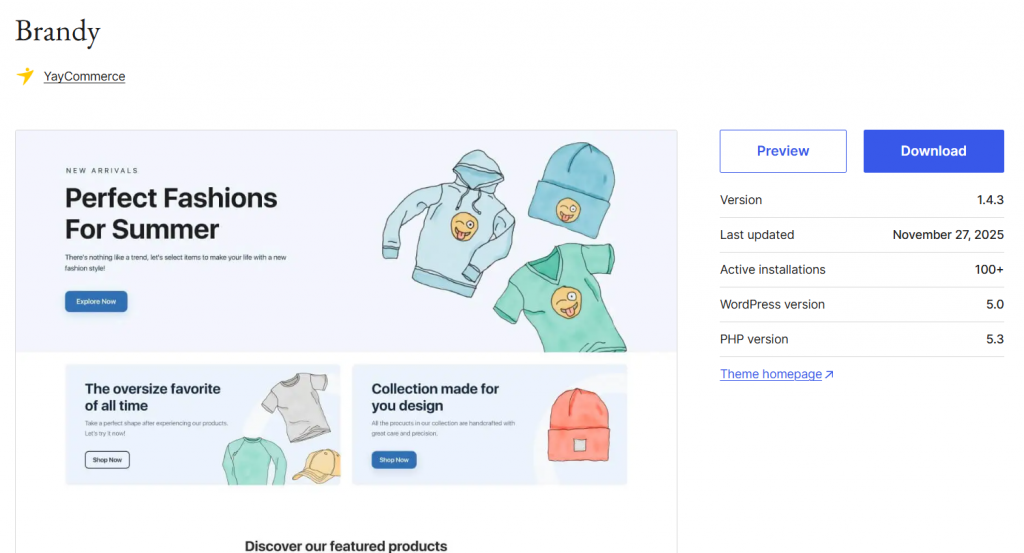
Compared with many WordPress themes that slow down your site, Brandy provides a performance-first structure that aligns perfectly with modern optimization practices.
This makes it one of the best WordPress choices if you want to reduce the number of requests your WordPress site makes and achieve a more efficient front-end.
5. Enable Lazy Load
Enabling lazy loading helps make fewer HTTP requests by preventing your WordPress site from loading all images and media at once. Instead, elements load only when users scroll near them.
This reduces the number of initial HTTP requests your WordPress site makes, decreases file size loaded upfront, and improves page load time and overall site speed.
You can implement lazy loading with a WordPress plugin such as a3 Lazy Load, WP Rocket (built-in lazy load), FlyingPress, LiteSpeed Cache, or Smush.

These tools delay unnecessary HTTP requests, reduce external requests, and ensure your WordPress website loads faster without overwhelming the server.
This approach helps eliminate many requests that slow down your site and supports a cleaner optimization flow so your site displays only the essential files when needed.
6. Optimize Images
Optimizing images is one of the most effective ways to reduce HTTP requests and improve page load time on your WordPress site. Every image on your site adds a separate HTTP request, and too many large images can slow down your site significantly.
By compressing files, using fewer images where possible, and converting them to modern formats, you directly reduce the number of requests your WordPress site makes and make your site load faster.
You can use a WordPress plugin such as ShortPixel, Imagify, Optimole, or Smush to compress and convert images.

These optimization tools also help reduce file size, eliminate unnecessary HTTP requests, and limit the number of initial HTTP requests per page.
Serving images in WebP or AVIF, lazy loading below-the-fold content, and removing decorative images that are not essential for UX ensure fewer HTTP requests on WordPress, improve page speed, and help your WordPress website display the page faster with fewer external requests.
7. Use Caching
Caching is one of the most effective ways to reduce HTTP requests on your WordPress site because it allows your server to store and reuse previously generated files instead of processing them again.
When a cached version of your WordPress website is served, fewer HTML, CSS, JS, and image files need to be pulled individually, which means fewer separate HTTP requests and faster load time.
This directly improves page speed and prevents your site from slowing down when many requests are made. Caching also helps your site load faster by reducing the number of files your site needs to process every time a page loads.
You can easily implement caching using a WordPress plugin such as FlyingPress, WP Rocket, or W3 Total Cache.
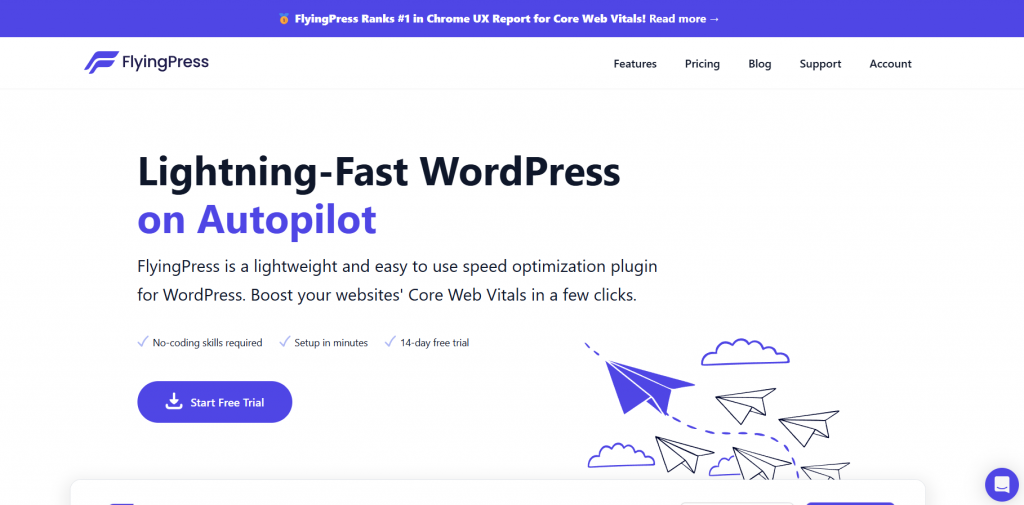
These plugins help reduce the number of requests your WordPress site makes by storing optimized versions of your pages, improving page load time, and ensuring every HTTP request is minimized.
They also offer additional optimization options that help you make fewer HTTP requests across your site.
8. Inline Small Scripts
Inlining small JavaScript snippets helps reduce HTTP requests because the browser no longer needs to fetch a separate file for each small script.
Instead of adding another HTTP request, the code is placed directly inside the page’s HTML, which reduces the total number of HTTP requests in WordPress and improves page load performance.
This is one of the simplest ways to make fewer HTTP requests, especially when your WordPress site uses only a few lightweight functions that do not require a dedicated external file.
When small inline scripts are added directly to your theme template or delivered through a WordPress plugin that supports inlining, you reduce extra calls and help your site make fewer HTTP fetches.
This optimization also decreases file size, prevents many requests, and makes your WordPress website feel more responsive. Tools like WP Rocket, FlyingPress, and Asset CleanUp offer built-in options to inline minor scripts so you can see how many HTTP requests are removed and speed up your WordPress site in a measurable way.
9. Limit External Scripts
External scripts often add multiple requests and can quickly increase the total HTTP requests your site must process before it can display the page. This slows down load time and prevents you from getting fewer HTTP requests on WordPress.
When too many external calls are made, especially for tracking pixels, social embeds, analytics, ads, or third-party widgets, your site ends up making too many HTTP requests, which affects speed and performance.
To make your site load faster and keep HTTP requests under 50, remove any unnecessary external scripts and replace heavy ones with lighter alternatives.
You can also use tools like FlyingPress, Perfmatters, or Asset CleanUp to load scripts only where needed conditionally. This is a strong way to make fewer HTTP requests because it cuts down the number of initial HTTP requests that your WordPress website sends.
These optimizations reduce HTTP requests on your website, minimize external calls, and make them load faster, helping you speed up your website and improve overall performance across WordPress 5.5 and later.
10. Reduce the Number of Fonts
Using too many fonts on a WordPress site increases the number of external requests your site makes, and each font file adds an individual HTTP request.
These requests slow down your site because your WordPress website must load multiple font weights, styles, and families before it can display the page.
Reducing the number of fonts helps you make fewer HTTP requests, improves page load time, and ensures the requests your site makes stay low enough to keep your site faster. To optimize this, stick to one or two font families and limit the number of weights you load.
You can also host fonts locally to directly reduce the number of external requests your WordPress site makes.
Plugins like OMGF (Optimize My Google Fonts) or Local Google Fonts allow you to manage and reduce file size while preventing too many requests on your site. This approach helps you reduce HTTP requests on WordPress and improve overall site speed.
Frequently Asked Questions
Now, let’s take a look at some of the frequently asked questions and answers regarding the topic.
How can I make fewer HTTP requests in WordPress?
You can make fewer HTTP requests in WordPress by reducing the number of scripts and styles loaded, combining files, and removing unnecessary plugins that add extra requests to your WordPress site.
Why do HTTP requests slow down my WordPress site?
Many HTTP requests increase page load time because each request adds overhead, which can negatively affect site speed and overall performance on your WordPress website.
What is the best way to reduce HTTP requests on WordPress?
A reliable way to reduce HTTP requests on WordPress is to optimize your theme, merge CSS and JS files, limit external scripts, and use lightweight plugins that do not add extra requests.
Does reducing HTTP requests improve page load time?
Yes. Reducing the number of HTTP requests lowers the amount of data your WordPress site needs to load, which helps improve page load time and speeds up your site.
How do plugins affect HTTP requests in WordPress?
WordPress plugins often add extra scripts or styles, which increases HTTP requests on your WordPress site. Using only essential plugins helps keep the number of requests low.
Can lazy load help reduce HTTP requests?
Lazy load reduces unnecessary HTTP requests by loading images and videos only when users scroll, which helps decrease the total number of requests your WordPress site makes.
How do I test my site for HTTP requests?
You can test your site for HTTP requests using performance tools such as browser dev tools or online speed testers, which show how many requests your WordPress site makes and where optimization is needed.
Conclusion
Reducing HTTP requests in WordPress is a fundamental step toward improving site speed and enhancing user experience.
Every image, script, stylesheet, and external resource adds an HTTP request, and when these accumulate, they slow page load time and strain the server.
By making fewer HTTP requests, your WordPress site becomes more efficient, pages render faster, and visitors remain engaged instead of abandoning slow-loading content.
Implementing techniques such as optimizing images, combining CSS and JavaScript files, minimizing plugins, and using lazy loading helps cut down the number of requests your website makes.
In addition, leveraging caching solutions and reviewing external assets further reduces unnecessary load.
These actions not only improve performance but also contribute to better SEO, as search engines favor faster sites. Consistently reducing HTTP requests ensures that your WordPress website delivers smoother navigation, quicker responses, and a more professional overall experience for users.
Do you know any other methods to reduce HTTP requests in WordPress?
Let us know in the comments.